
One-tap recording
Start, walk, stop, name it and save. Anyone with the field app and the right role can record a route, so your whole crew can do the surveying.
GPS recording · on the trail
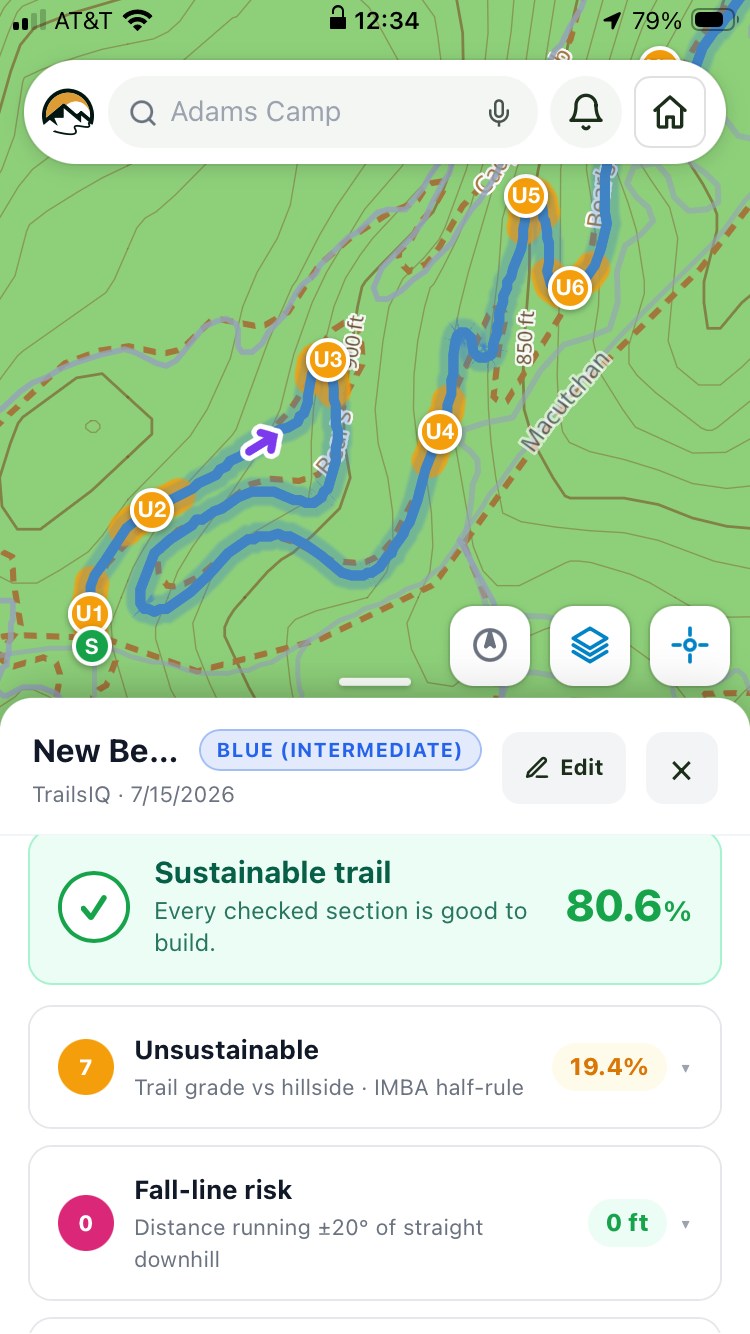
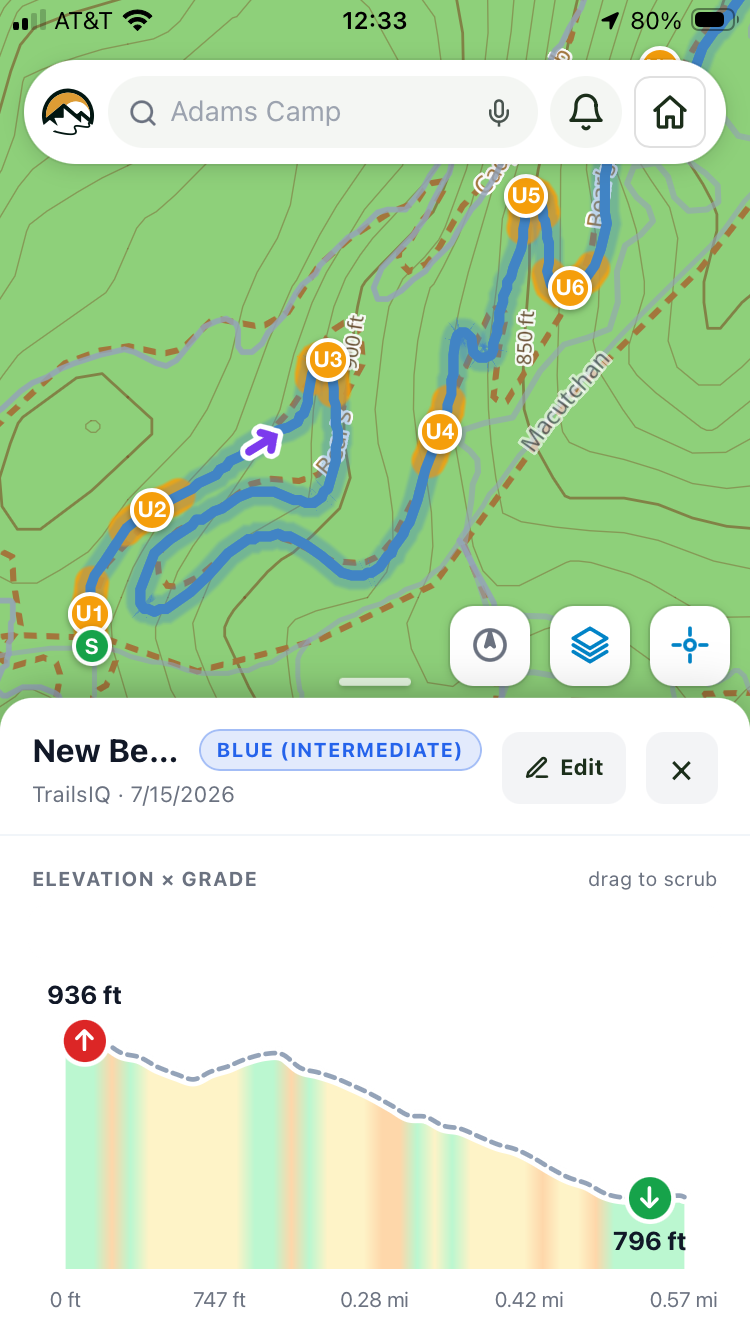
Press record, walk or ride the route, and press stop. Instead of a raw track you have to clean up later, you get a trail with its distance, climb, grade profile and terrain analysis already worked out.
What the recorder does
There is no desktop mapping software and no exporting. Most recorded routes get lost after someone says "send me the GPX and I will deal with it later", and that does not happen here.
Start, walk, stop, name it and save. Anyone with the field app and the right role can record a route, so your whole crew can do the surveying.
GPS uses satellites, so it does not need a data connection. Recording keeps going in the deepest valley on your property and uploads when the phone has signal again.
Drop a waypoint where the route needs a structure, a rock feature or a drainage dip, and it stays attached to that spot on the route.
Grade, side slope and fall-line sections are measured along the route you actually walked, and checked against sustainable trail-building rules.
Drag points on the map to smooth a wobble or trim an end. Every point you walked is kept when you save. Simplifying the line is up to you, and never happens without you choosing it.
Once the route is agreed, add it to your trail network with its shape, grades and notes intact.
After the walk
A recorded route helps you make a decision, and that decision usually involves someone who was not there.
Analysis
The planner checks the ground under the route and shows where it falls short: sections running straight down the fall line, grades steeper than the half rule allows for that side slope, and places that will need drainage. Red on the profile does not rule a route out, since plenty of good trail has short steep sections. It shows you what will need attention.

Sharing
A landowner, a board or a client does not want a GPX file. Share a recorded route as a web page with the map, the elevation profile, your notes and, if you like, what it would cost to build.

Getting started
All you need is the app and the right role. After that, it is just a walk.
It is free on iOS and Android, and included on every plan, even the free one.
Download the map, terrain and photos to your phone before you leave, so everything works just as well on the far side of the property.
Record, add notes where they belong, stop and name it. The numbers are worked out for you.
Check the analysis, adjust the route on the map, and either add it to your trail network or send it as a proposal.
Start free and record your first route with the crew you already have.