Mobile Apps – that work Offline

Take Trailsiq
into the field

Two free apps — one for the crew that maintains your trails, one for the visitors who use them. Both work alongside any TrailsIQ install.

Download on the App StoreGet it on Google Play
Scroll to explore

Trail work doesn’t happen at a desk

The TrailsIQ apps let your crew log issues, track new routes, and triage public reports from where the trees are actually down — and let visitors flag a blowdown the second they hit it. Available on iOS and Android, and built to keep working when the cell signal doesn’t.

App #1 — TrailsIQ

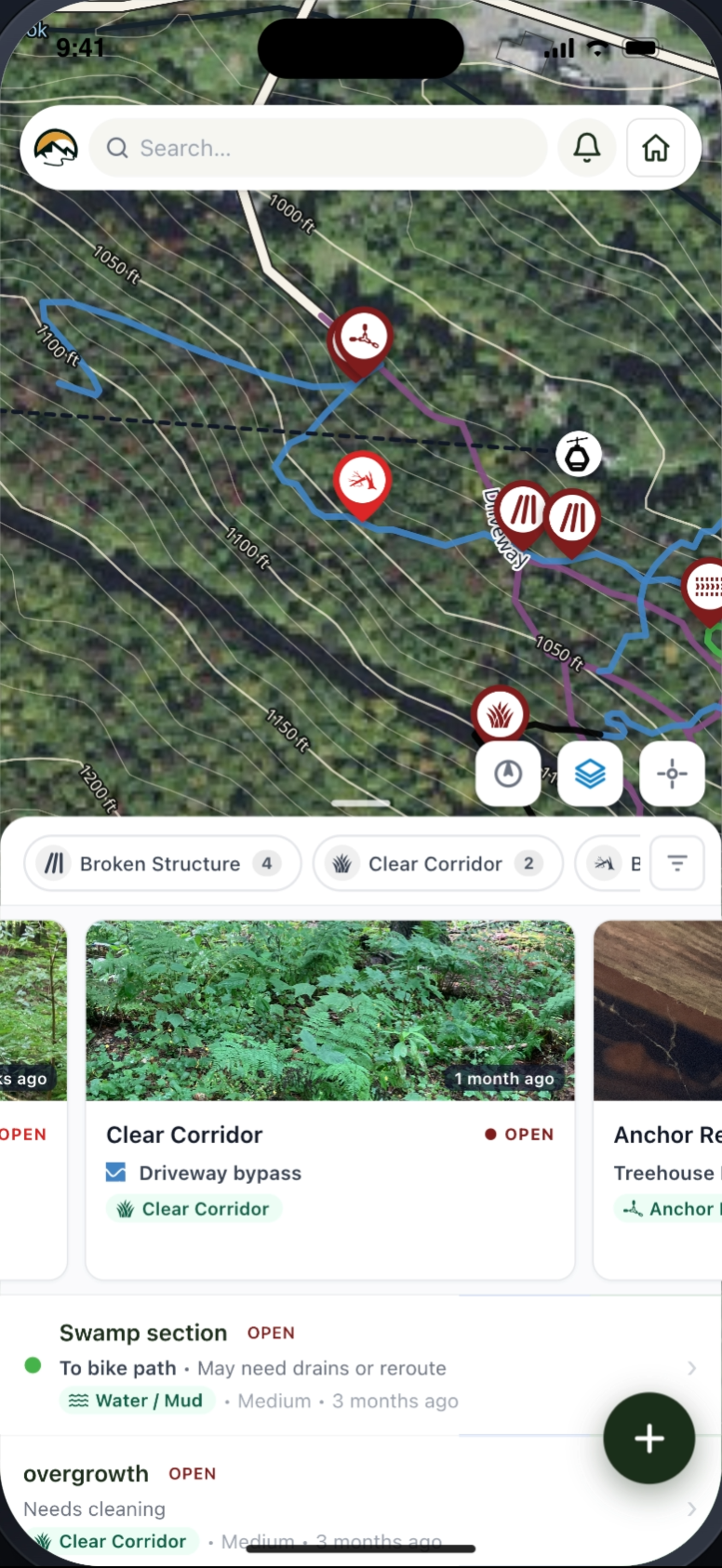
The TrailsIQ Field App turns any phone into a complete trail-management toolkit. It’s the same field tools you have on the desktop dashboard, in your pocket, with a few things only a phone can do.

For Trail CrewsWorks OfflineBackcountry-ReadyiOS + Android
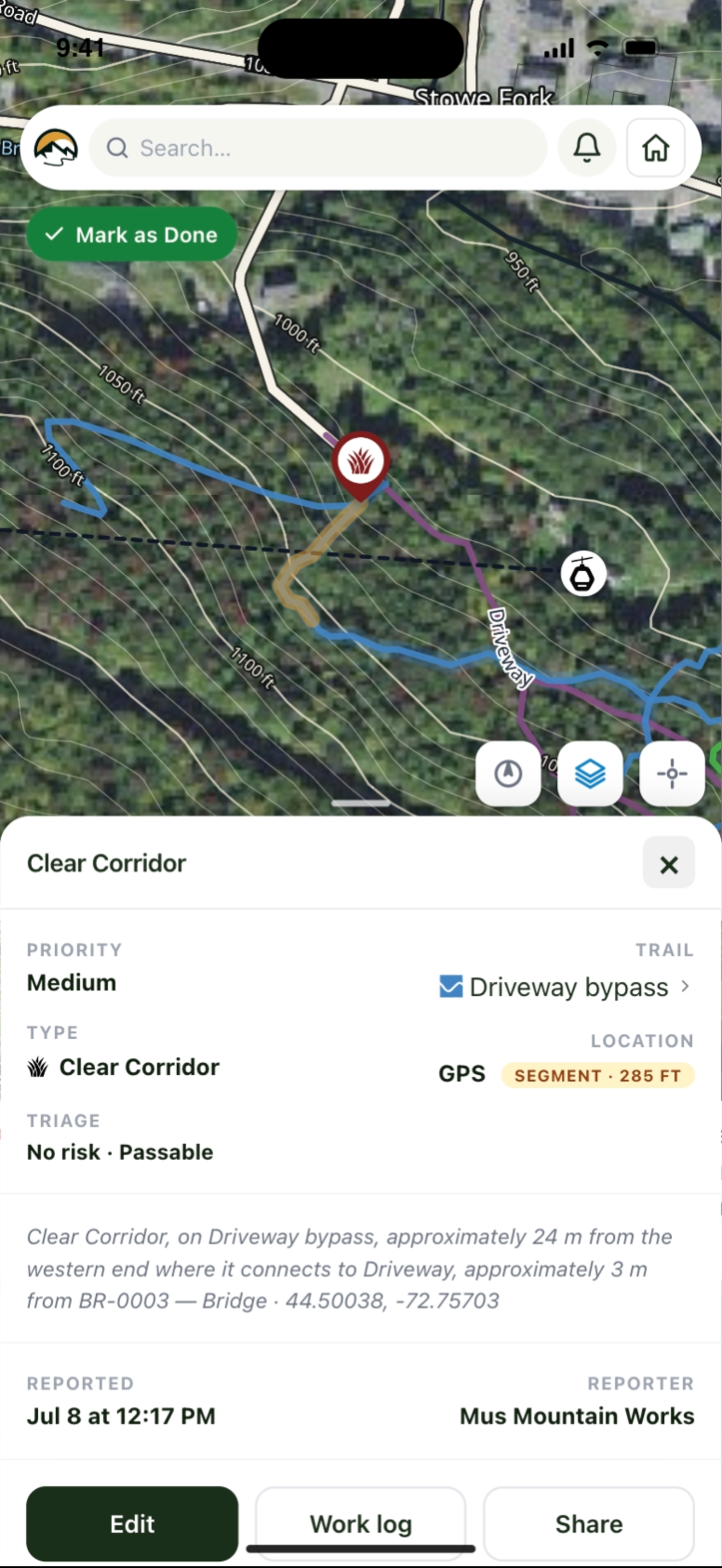
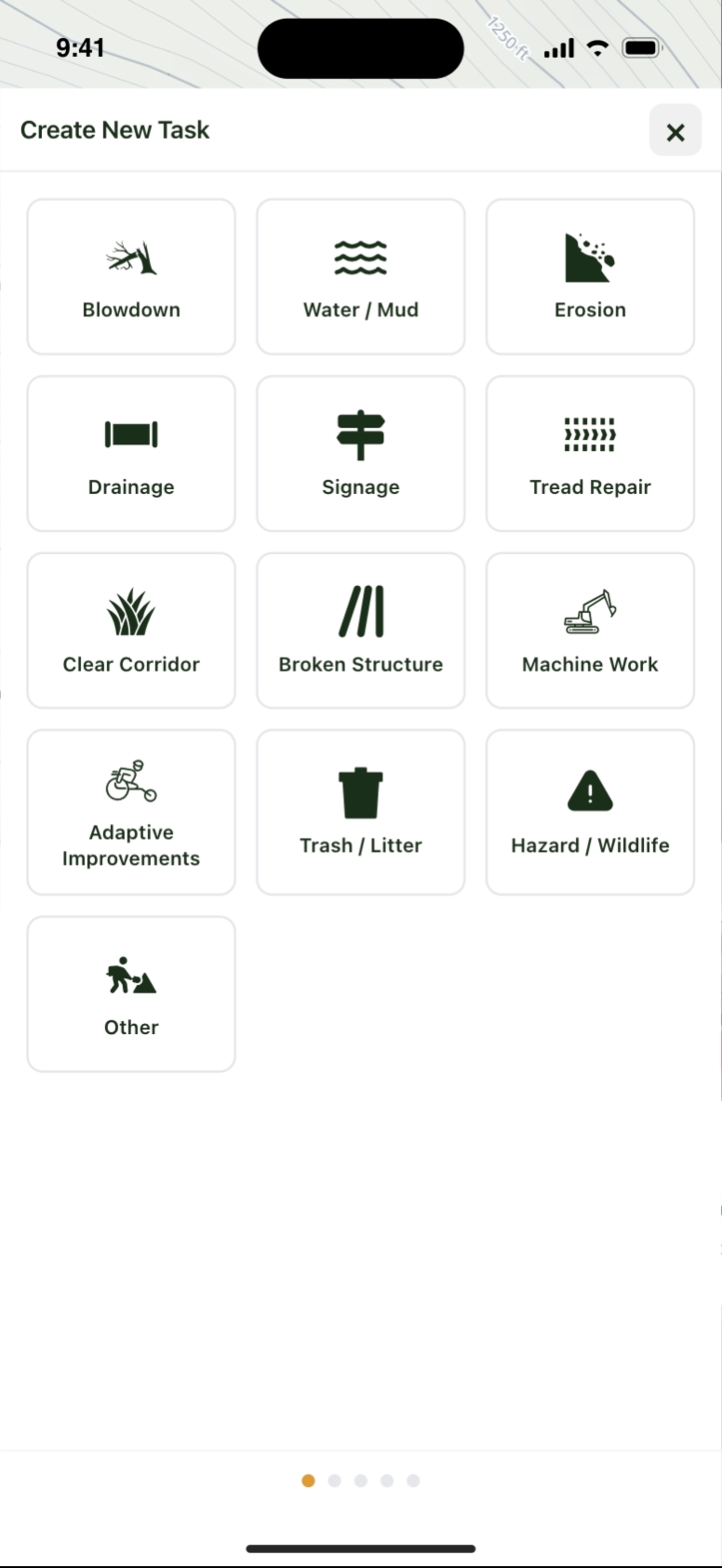
  • Log maintenance issues on the spot drop a GPS pin, snap photos, set type and priority, and it’s in your queue before you reach the trailhead.
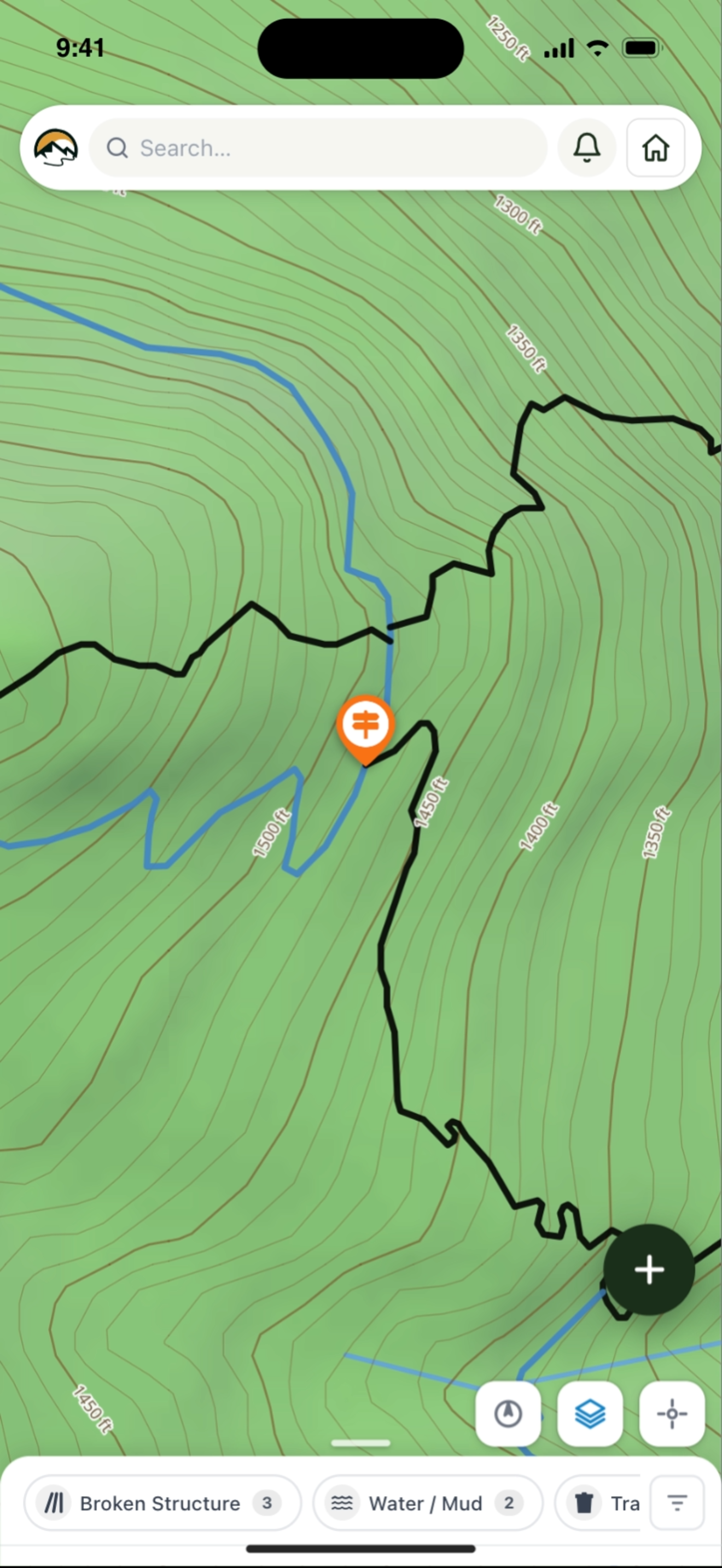
  • Record GPS trail trackswalk or ride a new alignment and save it as a trail with elevation, distance, and grade auto-calculated.
  • Catalog infrastructurebridges, signs, kiosks, gates, trail counters, and any custom structure type you’ve defined, with photos and condition notes.
  • Triage public reportsevery visitor-submitted report lands here with map, photo, and reporter contact, ready to assign or close out.
  • Push notificationsget pinged when a new public report comes in or when a trail is auto-closed by the weather module.
  • Works offlinecached maps, local edits, and queued uploads mean a dead-zone canyon doesn’t stop the workday. Everything syncs when you’re back on signal.
Download on the App StoreGet it on Google Play

App #2 — TrailsIQ Report

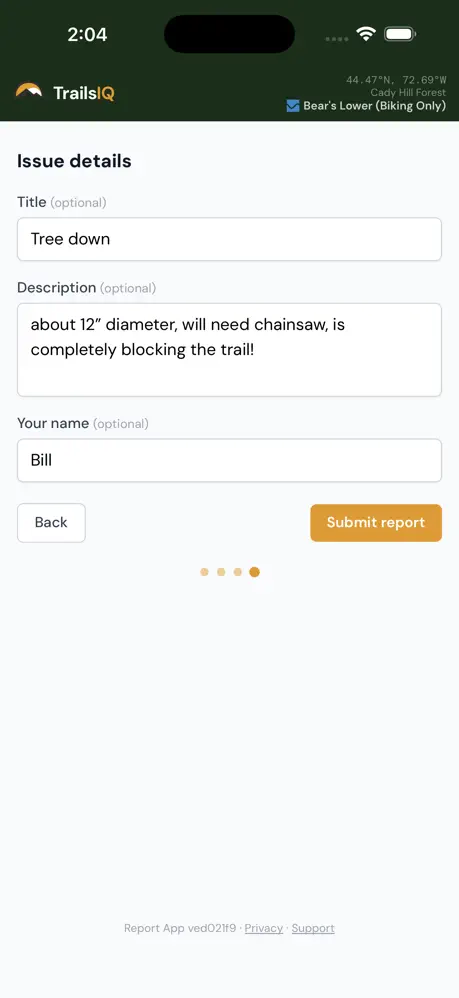
Most public report tools are a friction sandwich: download, sign up, sign in, fill out, give up. TrailsIQ Report is the opposite — it’s anonymous by default and built around a single one-tap workflow so visitors can flag a problem in fifteen seconds without losing trail flow.

One-Tap ReportingNo Account NeededPhoto + GPSiOS + Android
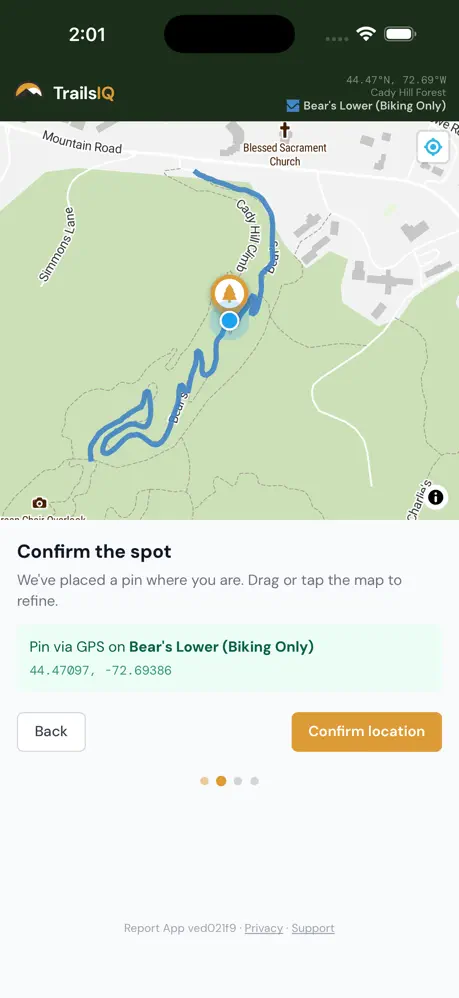
  • One-tap reportingpick a trail (or let GPS pick the closest one), choose a category, snap a photo, hit submit. That’s it.
  • Anonymous by defaultno account required. Visitors can optionally leave a name + email if they want a status update, but nothing is required.
  • Photos with GPS every report carries a precise location, automatically.
  • Find the right trail system eports route to the trail organization that maintains that trail; visitors don’t have to know who manages what.
  • Works offlinesubmitted in the field, uploaded when there’s signal.
Download on the App StoreGet it on Google Play

How the apps connect to your install

Both apps talk back to your TrailsIQ install through the central registry at app.trailsiq.com. Once your site is registered, your crew can sign in to the Field App, and public reports automatically route to the right organization based on which trail the visitor selected.

If you self-host TrailsIQ on your own site, registering takes about two minutes — paste a token from app.trailsiq.com into your plugin’s Registry tab and you’re connected. The browser version of the Field App works without any installation at all, but the native apps unlock offline maps, push, and the in-app camera.

Ready to head out?

Download the app that fits — your visitors get Report, your crew gets Field — and start moving trail work out of the office and into the field where it belongs.