
Open, caution or closed for each trail
Set the status on the trail itself, with a note explaining why. You can also set it for a whole network or area, so one side of the property can be closed in a single step.
Trail conditions
Every trail has a status that your crew sets and your visitors read. In between your updates, TrailsIQ keeps scoring each network against real weather data, so the page stays accurate even in the weeks when nobody has time to update it.
One status for everyone
Trail conditions usually go out of date because the person who knows and the page that tells everyone else are in different places. In TrailsIQ they are the same record.
Set the status on the trail itself, with a note explaining why. You can also set it for a whole network or area, so one side of the property can be closed in a single step.
Grooming is tracked separately from open and closed, with the time it was done, because for a nordic skier when is what matters most.
Whoever was last on the trail updates it from the field app, even offline. The update is sent as soon as the phone has signal again.
People who follow your organization in the free TrailsIQ Go app get a notification when a condition changes, and you have no mailing list to manage.
Every change is recorded with who made it and when, so you can show that you closed a trail in time instead of relying on memory.
The status appears on your public page and in the app from the same record, so there is nowhere else to update.
Weather scoring
A crew lead who was out this morning always has the final say. The rest of the time, weather scoring keeps your page accurate, so your members keep trusting it instead of giving up on it by March.
The inputs
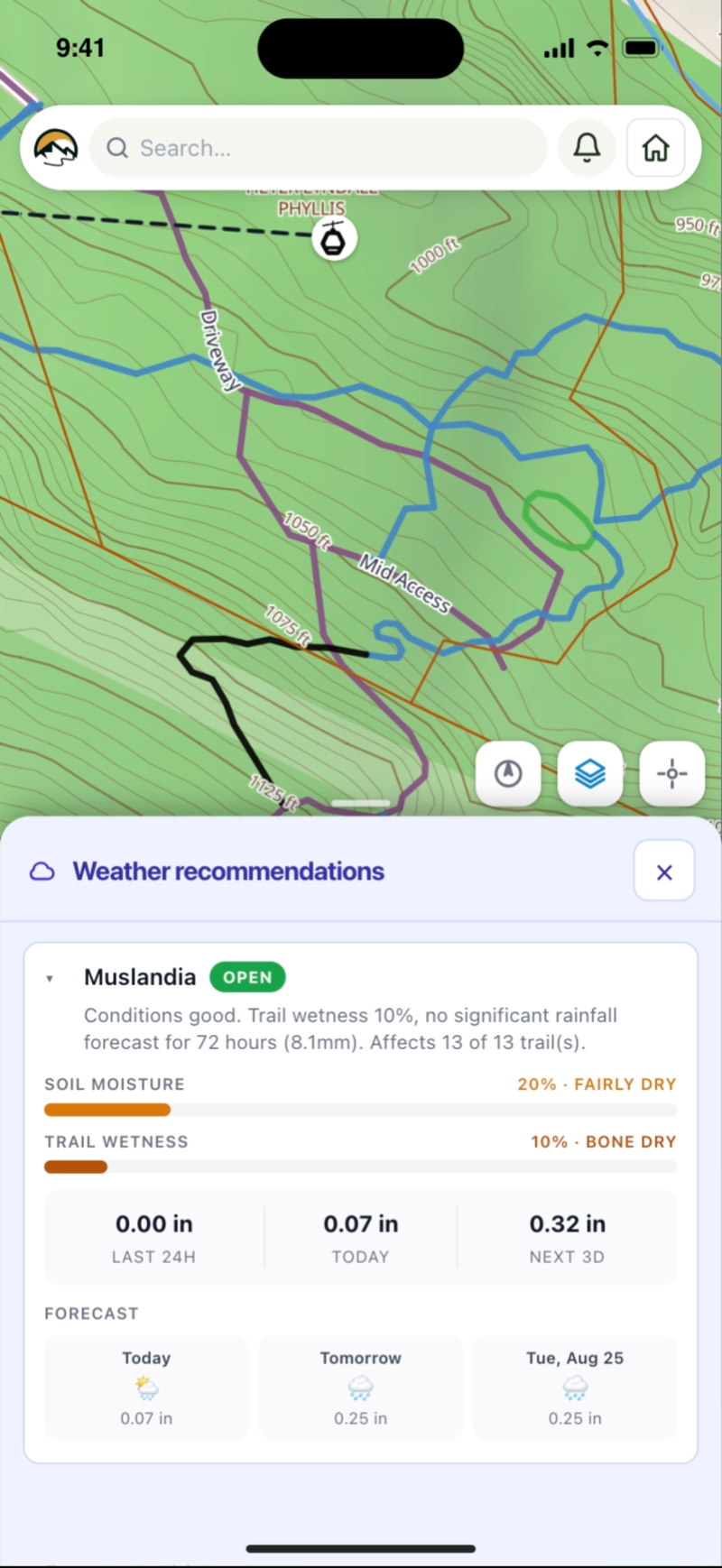
Every network is scored twice a day using NOAA weather at its own location and, in much of the US, the rain that was actually measured there. The score follows the whole season day by day: how much water the ground is already holding, how much of today's rain it can take, and how much is left standing on the trail.
Scored for each trail
The same rain affects different ground in different ways, so the score is adjusted for each trail based on the direction it faces and its average grade. North-facing slopes hold water, and a flat section collects water that a steep one sheds.

Who has the final say
Weather scoring can raise a flag, but it cannot overrule the crew lead who drove past an hour ago. A status set by a person stays until they change it. If your organization would rather every status came from a person, you can turn the automation off completely.

Getting there
Only the first round takes any time, and it is a walk you were probably taking anyway.
Import GPX, KML or GeoJSON files in bulk, grouped into the networks you already use.
Go through them once. After that, you only need to update what changes.
Or leave it off. It is set for your whole organization and can be switched back with one click.
Put it on your own domain, and point people to the free app if they want notifications.
Start free and have a conditions page your members trust before the next wet weekend.