
Three ways to start a line
Walk it with the phone, draw it on the map, or let the route finder propose one between two points and take the terrain into account while it looks.
For trail builders and contractors
You walk the line once. TrailsIQ does the rest. By the time you're back at the truck, your paperwork is done — the route, the takeoffs, the price, the proposal, and the contract, all from that single walk. The trail's the fun part. Win the work faster, and get back to building.
Most builders run a job across a notebook, a spreadsheet, a folder of photos and a PDF they emailed once. TrailsIQ is one system for the whole of it: the walk, the price, the proposal, the contract, the hours against the quote, and the records the client keeps at the end.
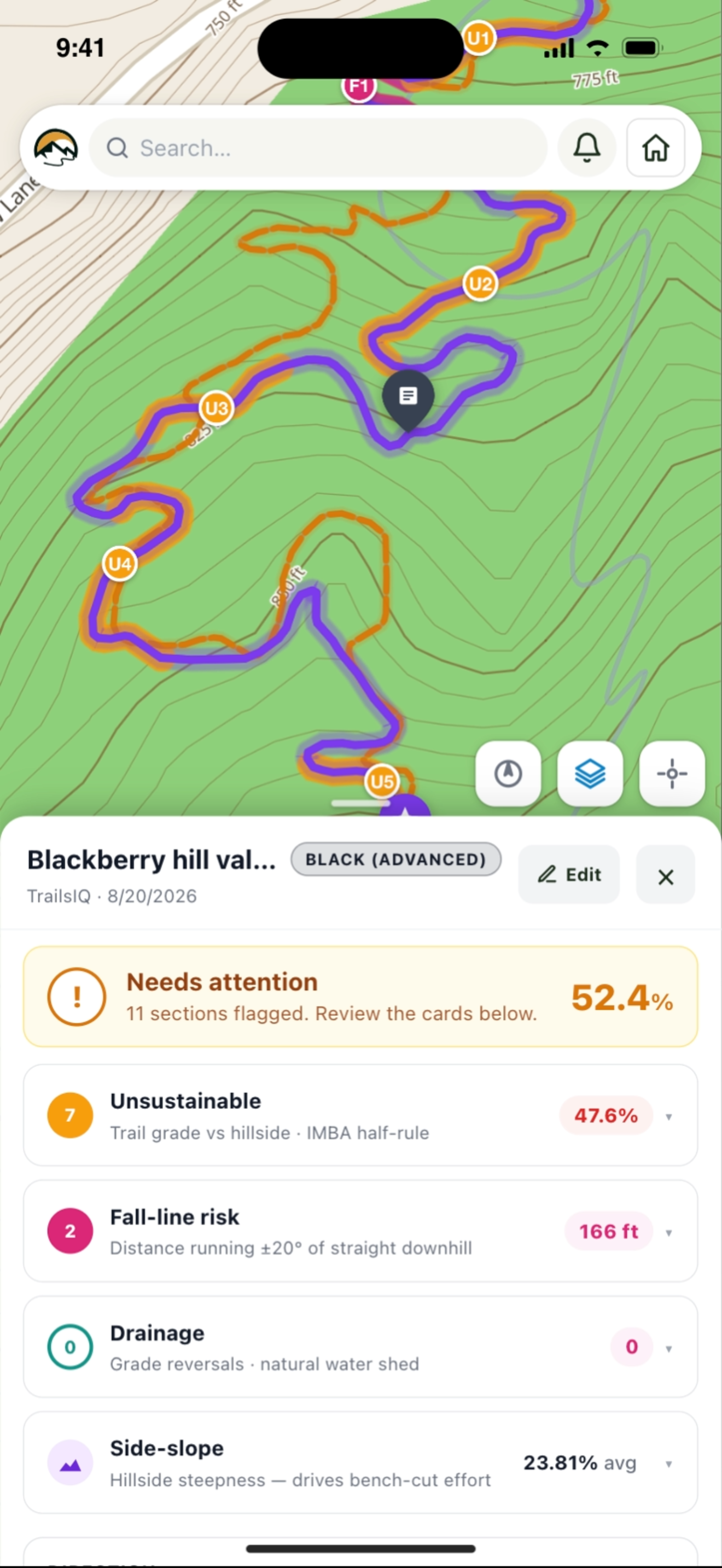
On the site visit, with the phone in your pocket. Record the corridor, drop notes where the structures go, and the grade, side slope and drainage come back with it.
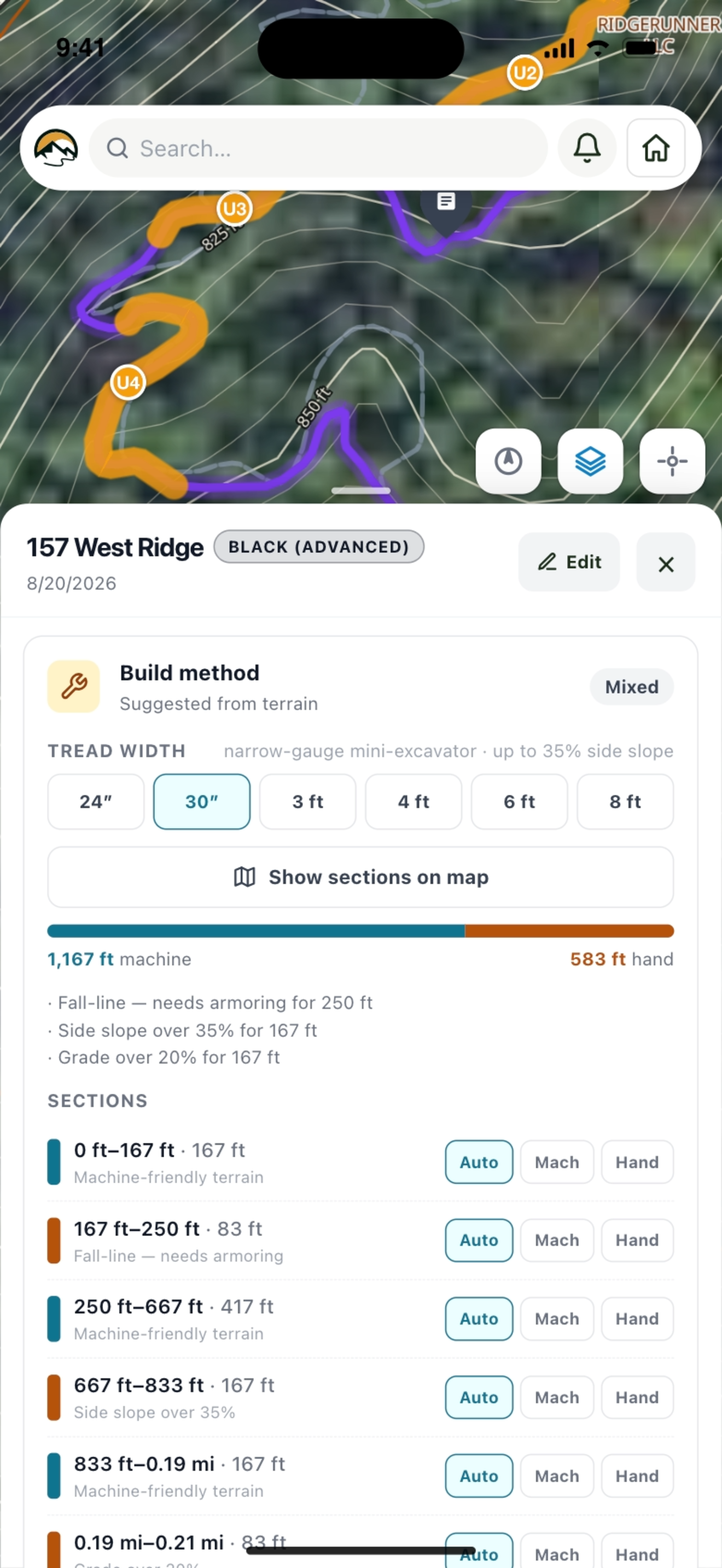
Already written by the time the walk is over — the map, the elevation profile and a build estimate against your own rates. One link, and the client needs no account to open it.
The contract carries the scope, the price and the schedule straight from the job, and states what the price assumed. They sign from the link, or from a QR while you are both still standing there.
Hours, expenses and materials go on as they happen, against the quote rather than beside it — so you know whether the job made anything before it ends, not after.
The problem
Somebody walks the ground, forms a view, and turns it into a number back at the office — often from a photo, a rough distance and an instinct about the side slope. Win it and you find out whether the instinct was right. That is the loop TrailsIQ shortens.
Length is easy to estimate and it is not what costs money. What costs money is the two hundred feet across a 60% side slope that turns into structural work, the stretch running the fall line that will need armoring, and the drainage the grade profile demands. None of that is visible in a distance, and all of it is measurable from the line you actually walked.
What the planner does
Record the alignment on foot and TrailsIQ reads the ground under it — every claim below comes from samples along your line, not from a rule of thumb applied to its endpoints.
Walk it with the phone, draw it on the map, or let the route finder propose one between two points and take the terrain into account while it looks.
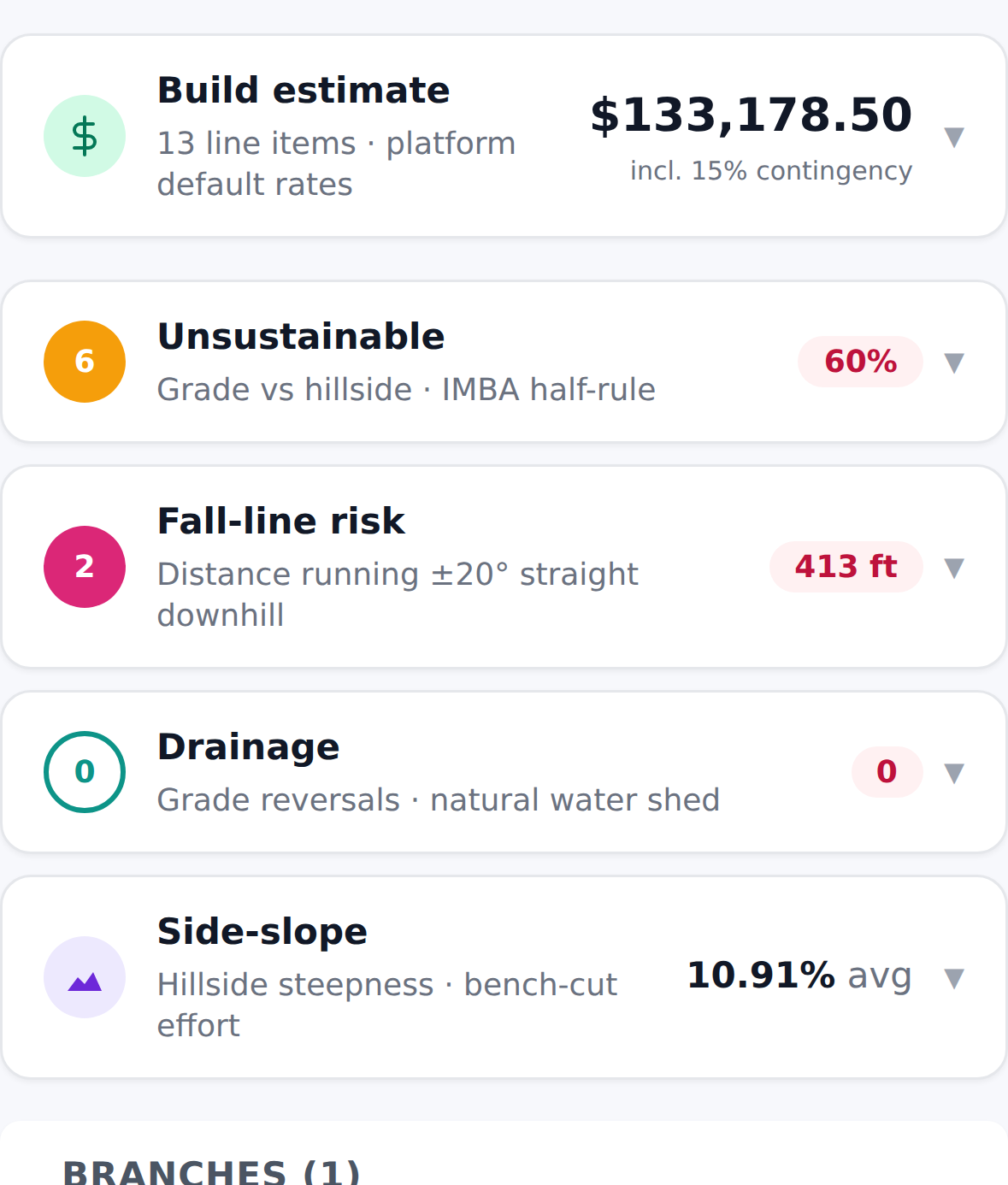
Sampled along the alignment and judged against sustainable-trail rules — including the half rule, so a stretch that will not hold up is named rather than averaged away.
A hiking bench, a flow line and a groomed nordic corridor are held to different turn radii and different widths — and the width feeds the price, because a ten-foot corridor is not singletrack with a wider number on it.
Grade reversals and dips counted from the line's own shape rather than guessed per mile, and priced accordingly.
Tread split three ways by side slope, rock armoring, culverts, bridges, crew hours by difficulty, machine mobilization and a contingency — every rate yours to set.
Compare alignments on length, climb, grade distribution, sustainability and cost. The real conversation is never "is this good" — it is "is this better, and by how much".
The job, end to end
A builder workspace turns on the half of TrailsIQ an operator never sees — the planner, your clients, the pipeline, job costing and handover — and leaves out the half you would never use. It is built around a job that ends.
One — the site visit
Walk the corridor and record it, dropping typed notes where a structure will go, where the rock is, where the water crosses. No signal is not a problem: download the area first and the map, the terrain and the work list all stay readable, with everything you file uploading itself when you come back into range.

Two — the quote
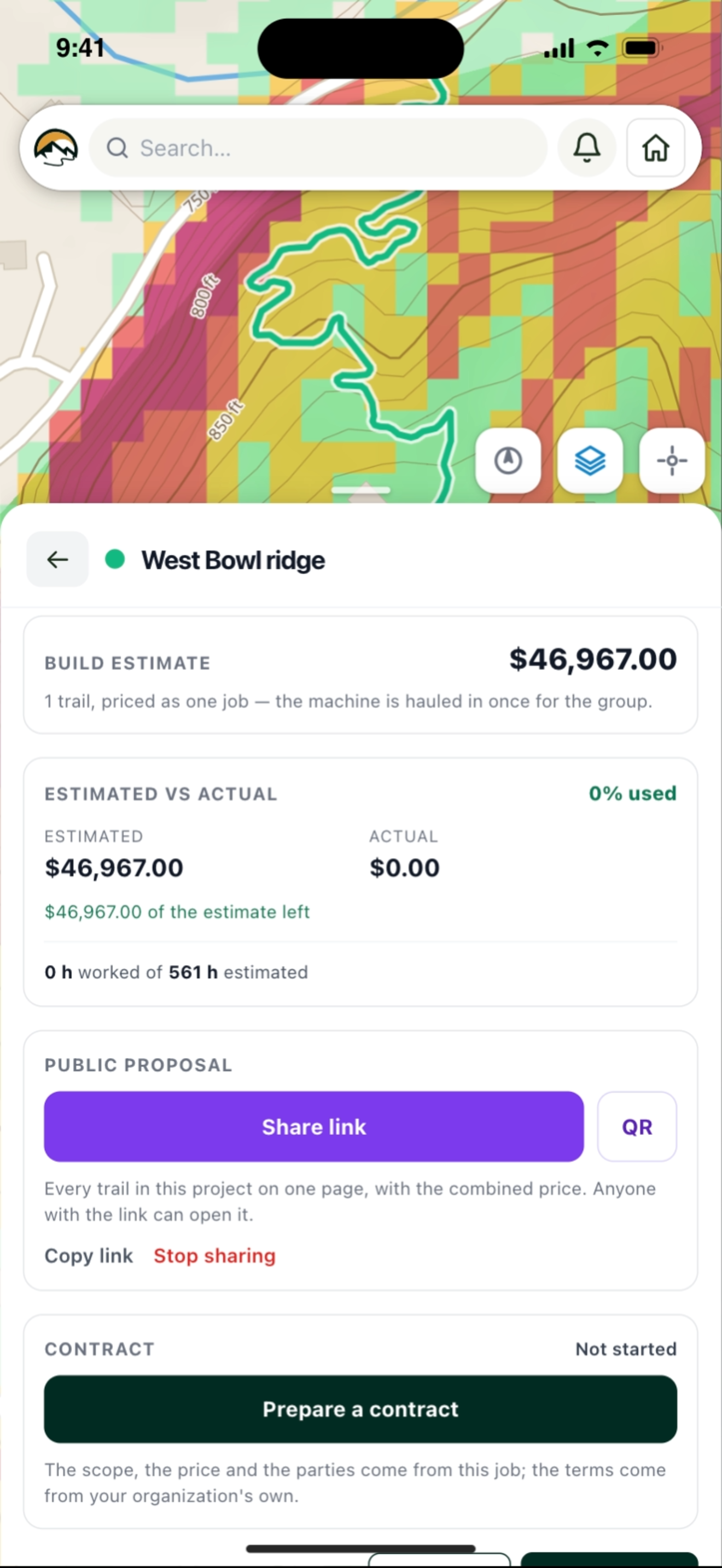
Send a page, not an attachment: the map, the elevation profile, the notes you dropped on the ground, and the price. A season of lines groups into one project and prices as one job — machine mobilization charged once, not once per trail, which is often the whole distance between your bid and the one that wins.
Three — the pipeline
Every job sits at a stage — lead, quoted, won, building, complete, handed over, and lost. Keeping the losses is what turns a list of jobs into an answer: how much of what you quote do you actually win, and what kind of work you win it on.

Four — the contract
The gap between won and signed is where jobs slip. The contract builds itself out of the job you already have — the parties, the trails, the price, the payment schedule — with your own terms underneath. Minutes instead of an evening of retyping, and nothing in it can quietly disagree with the quote it came from.

Five — the build
An estimate nobody checks against reality is a guess that never improves. Hours and expenses logged against the project as the work happens sit next to what you quoted: the percentage used, hours worked against hours estimated, and what is left — or by how much you are over, in red, uncapped, because a job at 130% says 130%.

Six — handover
Not when the machine leaves. Hand over and the client gets their own copy in their own TrailsIQ — the as-built lines, the notes, the photographs from the build. Most builders finish with a folder of files and a handshake. This is the part a client remembers, and the reason they call you first next season.

Working on somebody else's ground
Increasingly they do — and then the job gets easier rather than more complicated, because they can lend you exactly the trails you were hired for.
A client shares the trails you are working. They arrive in your own workspace, read-only, with their maintenance items workable — so your crew files against the real record instead of emailing photographs to somebody who then re-types them. Everything you file is labeled with your company on their side, so a year later they can still tell your work from their crew's.

In the documentation
Step-by-step guides for setting each of these up.
Start free — 3 planner lines and a real build estimate against your own rates, no card. Your next site visit is the one to walk with it.