Product 4 min read
How a phone in the field becomes a maintenance plan
A trail issue has a short shelf life. The work that gets done is whatever somebody remembered, not what mattered most. Here is how to close the gap between noticing and recording.
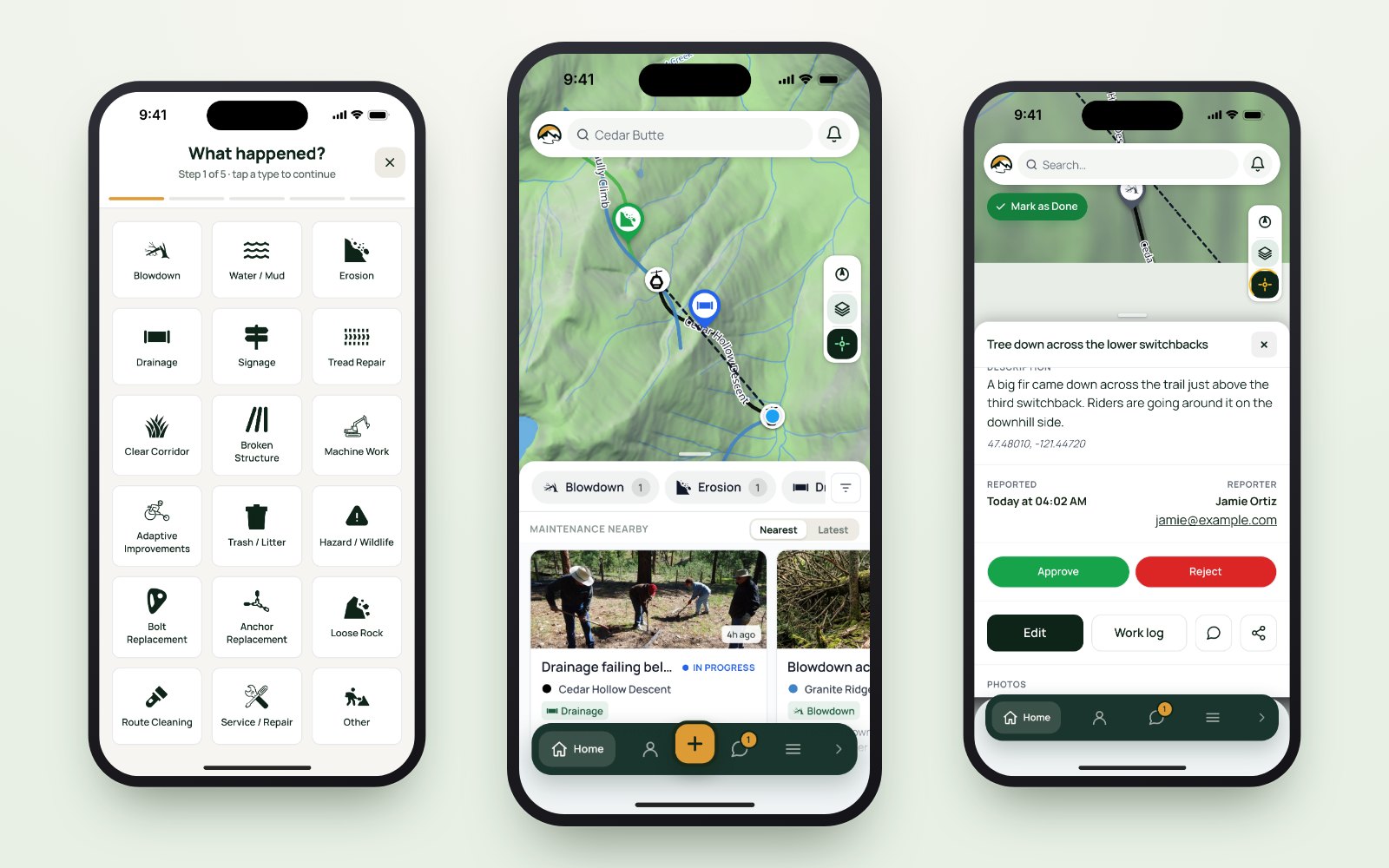
Somebody sees a washed-out water bar on a Sunday ride, means to mention it, and by Tuesday it is gone. Multiply that across a season and a volunteer base, and your maintenance plan is not a plan. It is a memory, sorted by whoever spoke last.
It is not that people forget. It is the delay.
The spreadsheet that tracked your maintenance is on a hard drive nobody can find, and the record of who fixed what is a group chat from 2021. Neither is the real problem.
A trail issue has a short shelf life. The distance between noticing something and recording it is where the loss happens. When a report takes ten seconds from the trail (pick a type, add a line, snap a photo), it gets made. When it requires a laptop and a free evening, it does not, and no amount of reminding changes that. The fix is not a better spreadsheet. It is removing the gap.
From a phone in the field to a plan you can defend
Five steps, and each one only works because the one before it happened where it did.
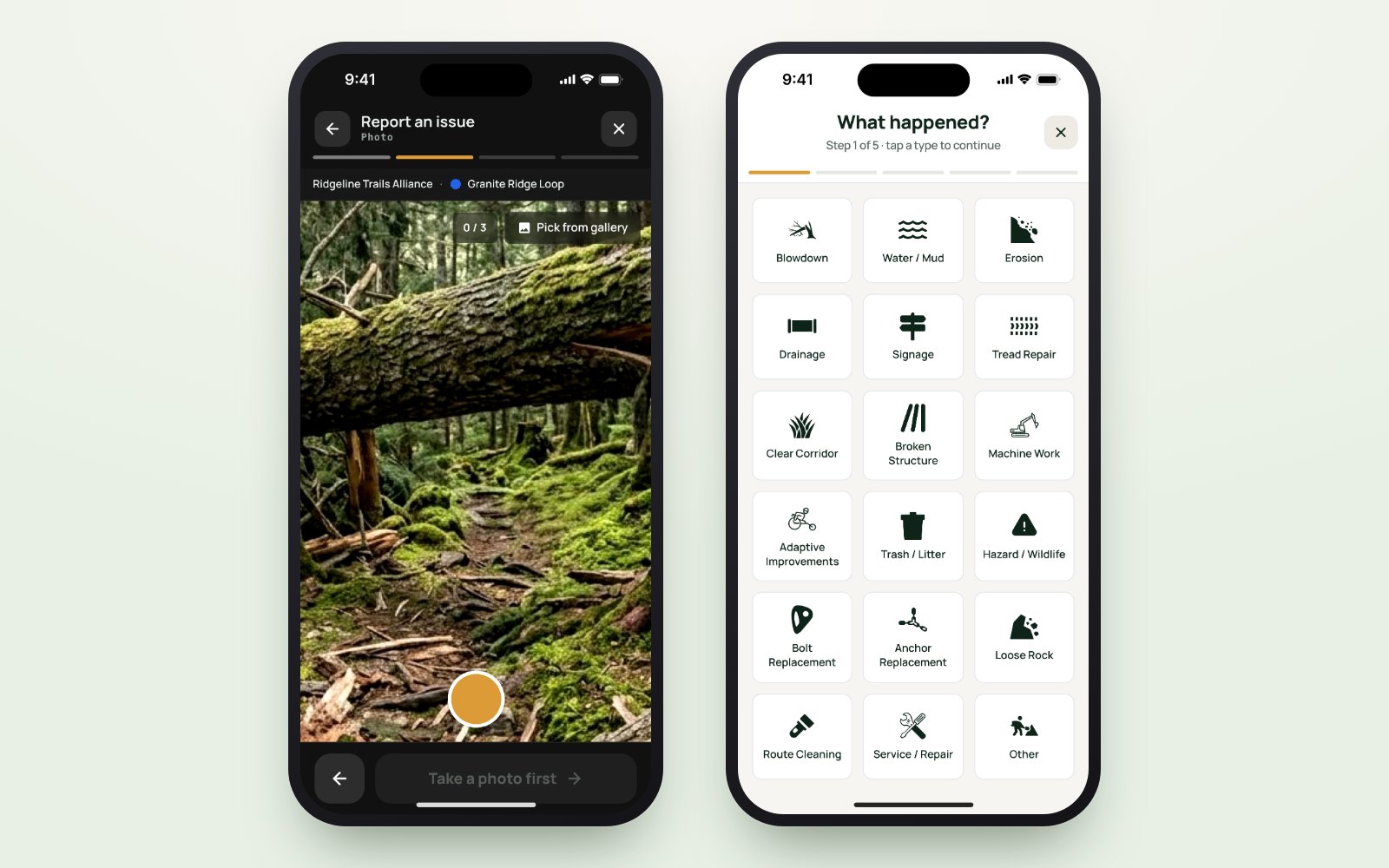
One: record it where it happens
A pin dropped at the washout carries the coordinates, the photo and the type without anybody typing a description of a place. "Somewhere past the second switchback" becomes a point on a map, and the photograph settles the argument about how bad it is before anyone drives out.
- Position, not prose. GPS attaches where; you supply what.
- No signal, no problem. It queues on the phone and sends itself later, so the dead zone stops being a reason not to file.
- Anyone on the crew, and the public. Volunteers file the same way staff do, and trail users file through the free TrailsIQ Go app.
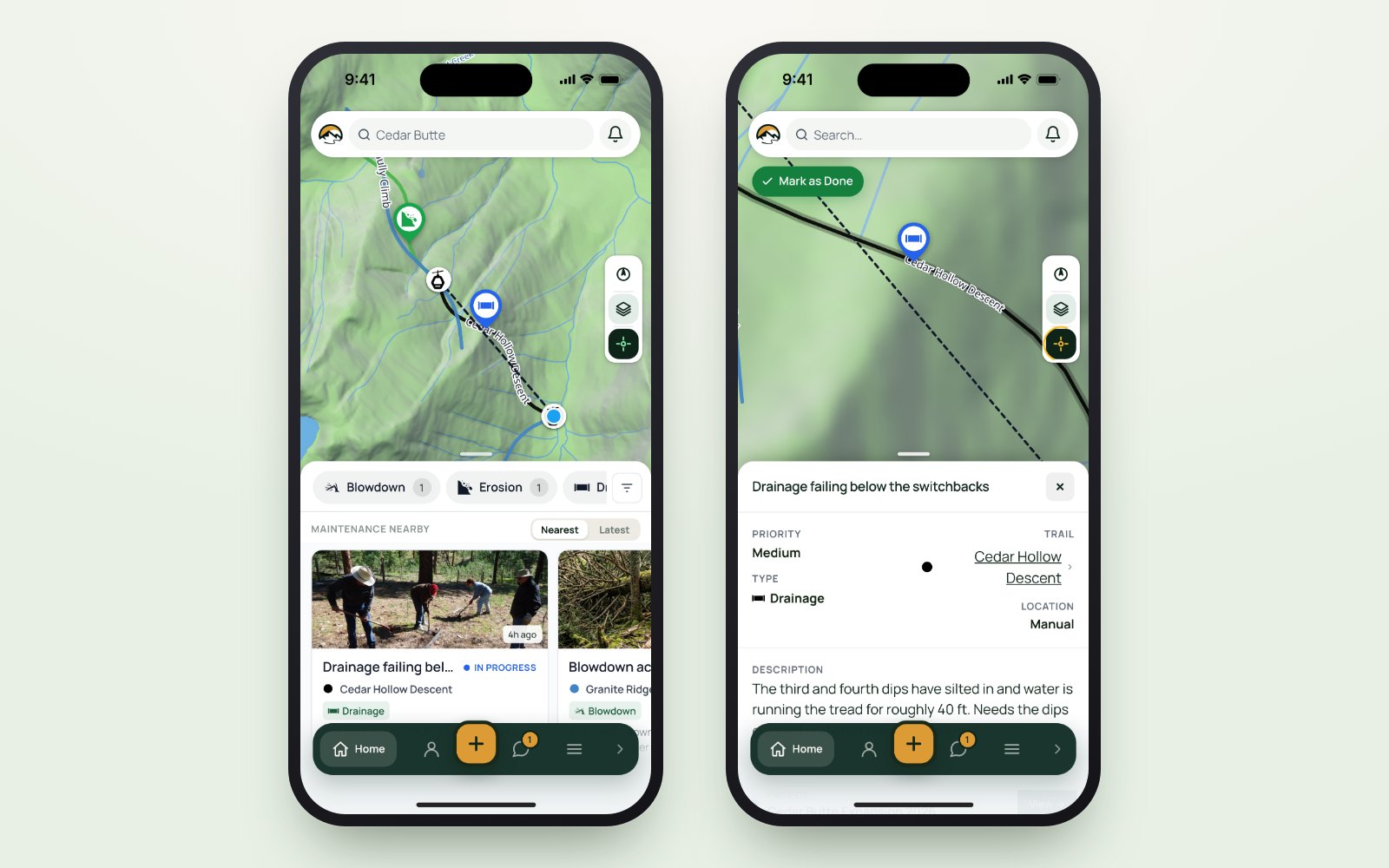
Two: someone decides, once
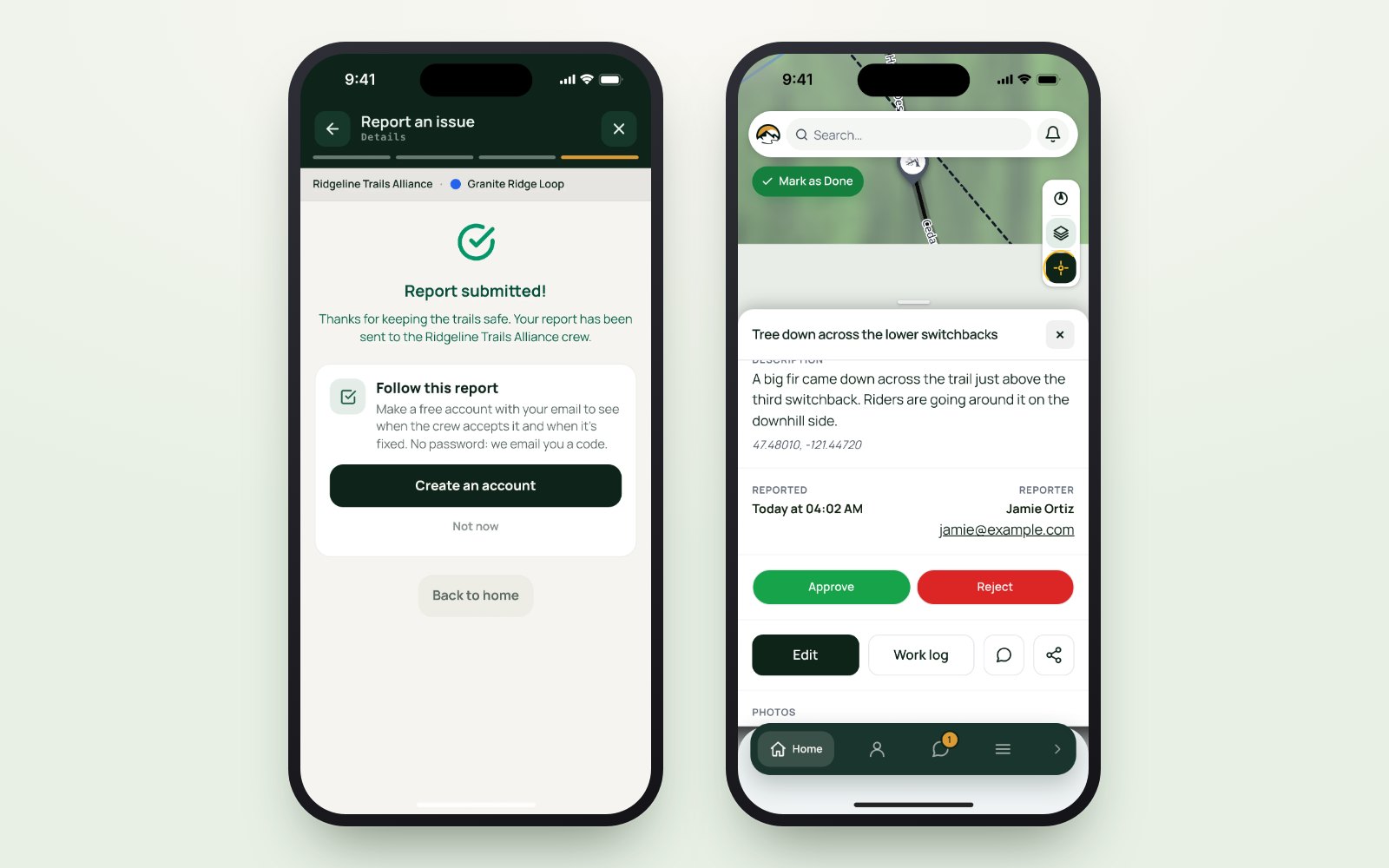
Everything arriving from outside your team waits in a review queue. A manager approves it into the work list or rejects it. That single gate is what lets you open reporting to the public at all, and it means the work list is a list of agreed work rather than an inbox.
- Nothing lands unreviewed. Public reports never appear as work until a person on your team says so.
- Priority is set by you. The reporter says what they saw; your team says how much it matters.
- Duplicates are cheap. Three reports of the same tree cost ten seconds to dismiss. One unreported hazard can cost access.
Three: a list becomes a day of work
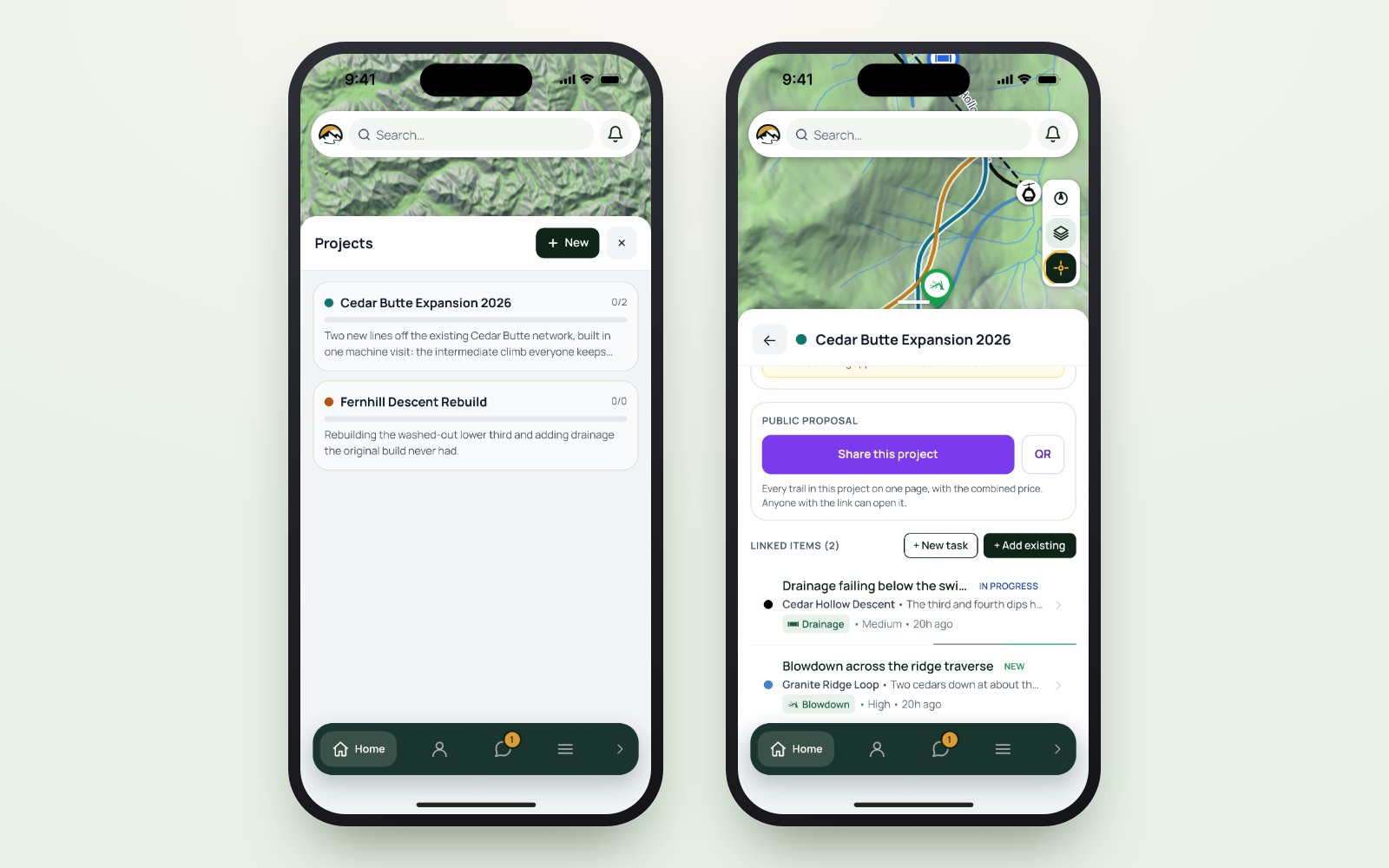
Twenty items scattered across a network is a backlog. The same twenty grouped by trail, by priority and by what a crew can reach in one trip is a work party with a plan. Projects hold the related items together, and the field app carries the list to the trailhead, downloaded, so it is readable where the work is.
- Grouped by where, not just by when. Because the cost of trail work is mostly getting there.
- The list goes with the crew. Map, photos and items on the device before they leave signal.
- Closed out on the spot. Marked done at the item, with an after photo, while standing on it.
Four: the hours were logged as they happened
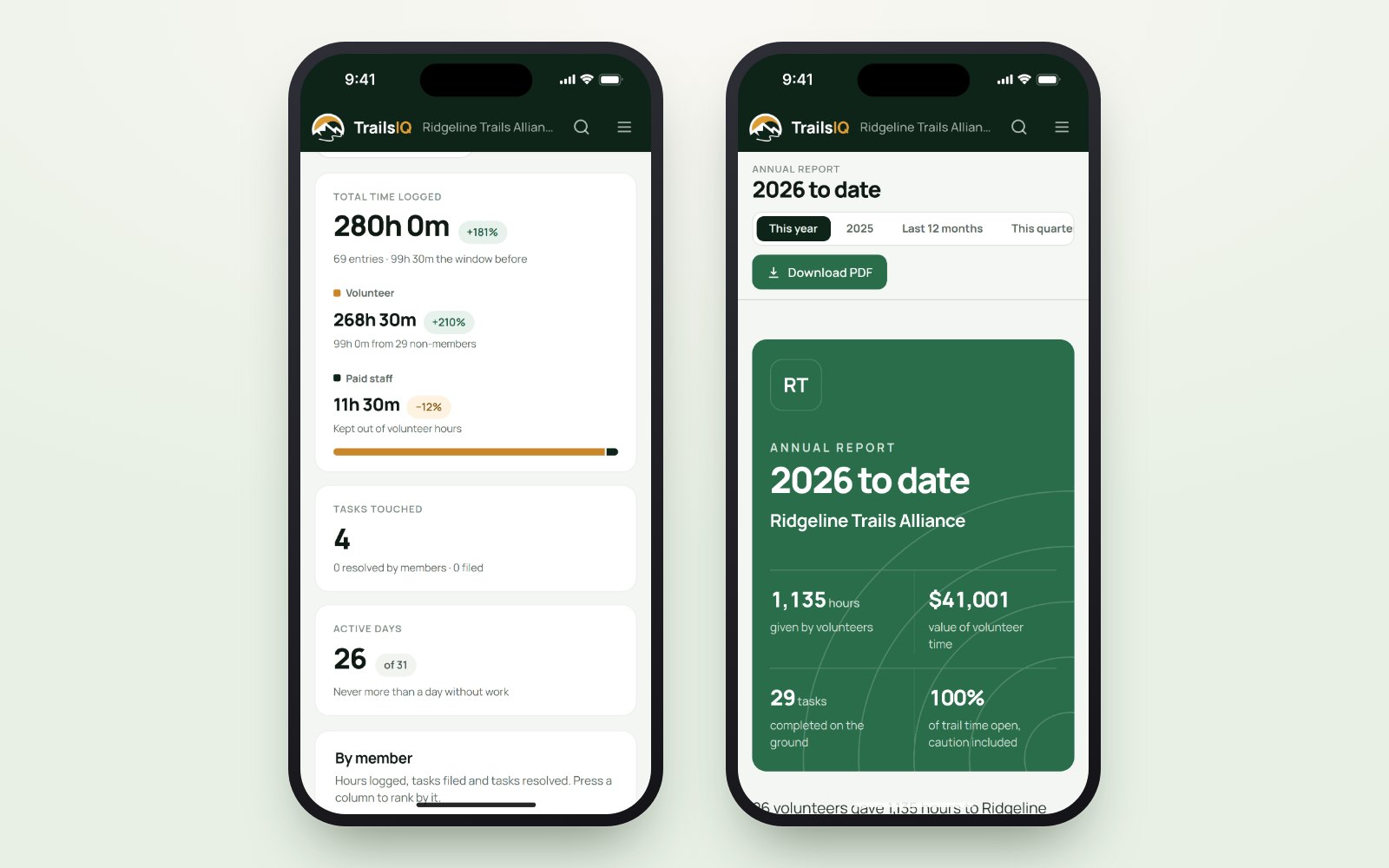
The number a grant application wants, volunteer hours by category against a named piece of trail, is nearly impossible to reconstruct in March and nearly free to collect in July. Logged against the job as the job happens, it is a report rather than an archaeology project.
- Hours against the trail and the job. Not a monthly total somebody estimated afterwards.
- Spend beside the estimate. What a project was priced at, and what it actually consumed.
- Evidence for next year. The backlog by priority is the shape a capital request wants.
Five: the people who reported it can see it worked
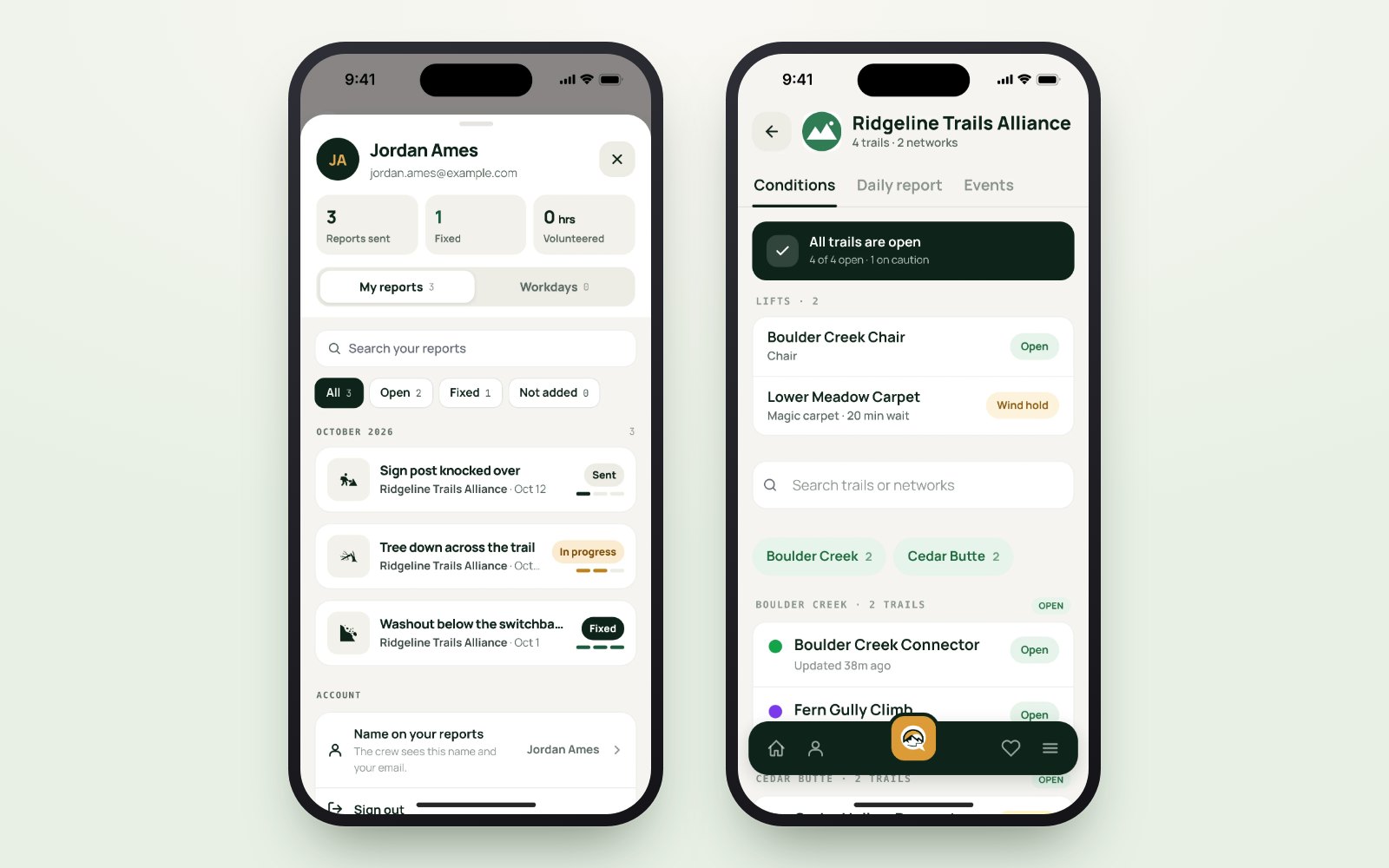
The loop closes when the trail user who filed the report notices the tree is gone and the conditions page says so. That is what turns a one-off reporter into somebody who reports again, which is the only sustainable way a small crew ever gets eyes on a whole network.
- Conditions where visitors look. On your public page, from the same record your crew edits.
- A push when something changes. For the people who chose to follow you.
- A daily report worth reading. What happened today, filed by the people it happened to.
There is no new process to learn. Recording the work simply becomes easier than not recording it.
What the first season looks like
Put the app on the whole crew. Everybody records from the trail, the moment they see it, instead of from a kitchen table afterwards. Nothing retyped, nothing remembered wrong.
Open reporting on every trail. Riders and hikers become extra eyes. Each report arrives in one review queue with its photo and location, and approving it takes a tap.
Run every work party from the list. Group the items, download them to the phones, and close them out on the spot. No planning from memory, no chasing updates afterwards.
Print the season. Hours, spend and items closed, ready for the board or the grant application. The report that used to take a week of spreadsheets comes straight out of the work you already recorded.
Put it in your crew's hands this season and let the record build itself while the work gets done. How to create a maintenance item shows how quick the first step is on the phone.