Release notes 6 min read
Build a bridge from what is already in the shed
Describe a crossing and get the stringers, the deck, the hardware, three drawings and a cut list — priced against your own timber. Plus machines, hours and service in inventory, and search that understands plain words.
Shipped the week of September 14.
Describe a bridge and TrailsIQ now works out what to buy, how to cut it, and what it looks like — priced against the timber already in your shed. Underneath it, inventory learned about machines, hours and service, and search learned the words people actually use.
A crossing, a cut list, and a drawing
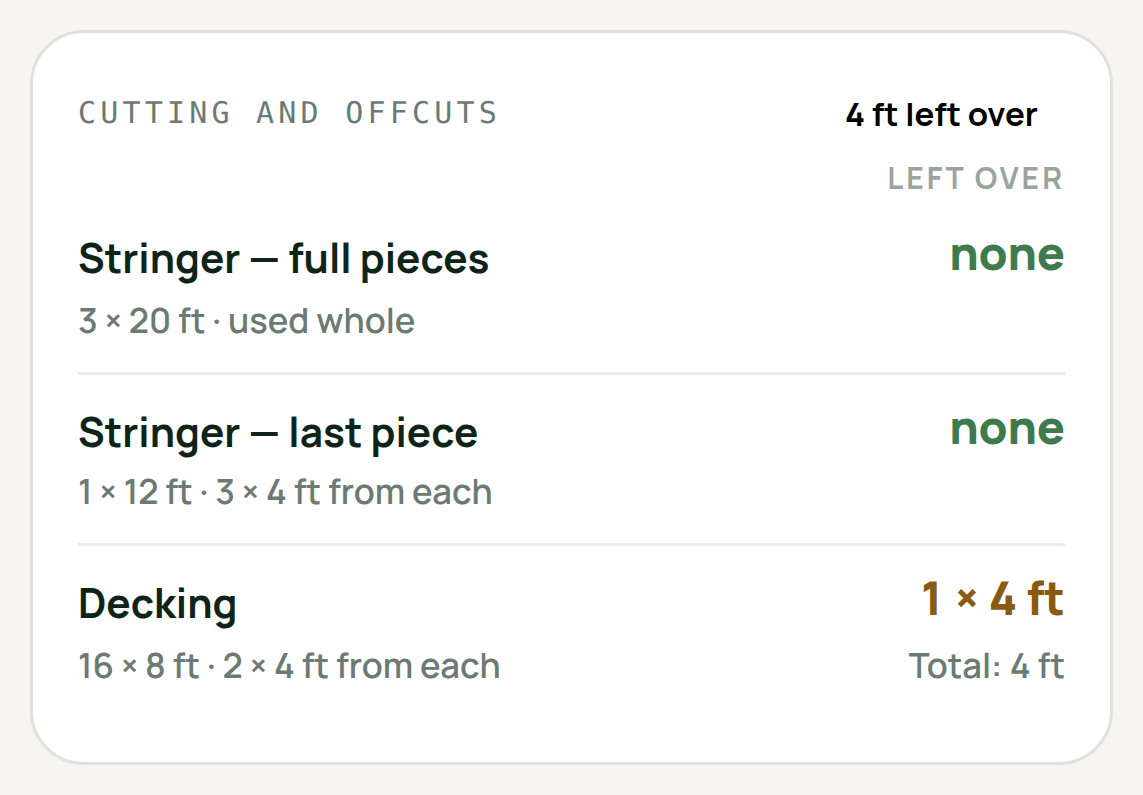
Give the calculator the span, the width and the timber you build in. It sizes the stringers, counts the deck boards, works out the hardware, and draws the result three ways — a plan from above, a side elevation, and a section through the deck. The drawings are built from the same numbers as the list, so they cannot disagree with it.
The cut list leads with what you will have left over. That is the figure somebody at a saw is looking for: how much of each plank ends up on the ground, in amber where there is waste and green where a board cuts clean. How many you bought and how they are cut sit underneath it, where you read them second.
Export the plans and you get one document — the material cards, the cut list and all three drawings, in the same forest green and amber as the rest of the product. It is the one thing here that leaves the building: it reaches a supplier, a land manager and whoever is standing at the saw.
A bridge may be several stretches of ground
A long crossing is rarely one kind of ground. The middle goes over water where a center post is out of the question; the approaches sit over land where a post is the obvious answer.
Describe the crossing in spans — a stretch at a time, each saying what is under it — and the calculator plans each one for the ground it is on. Posts where they can go, joins where they cannot. The beam is sized for the longest single stretch rather than the whole crossing, which on a thirty-eight foot bridge is the difference between an 8×16 and a 6×12.
Everything is settable. Deck height, overhang, joist spacing, the stock lengths your yard carries, whether a run is lapped or butted with a scab — and every figure reads in the units you work in, metric or imperial, including the board names a yard would recognize.
It prices what you already own
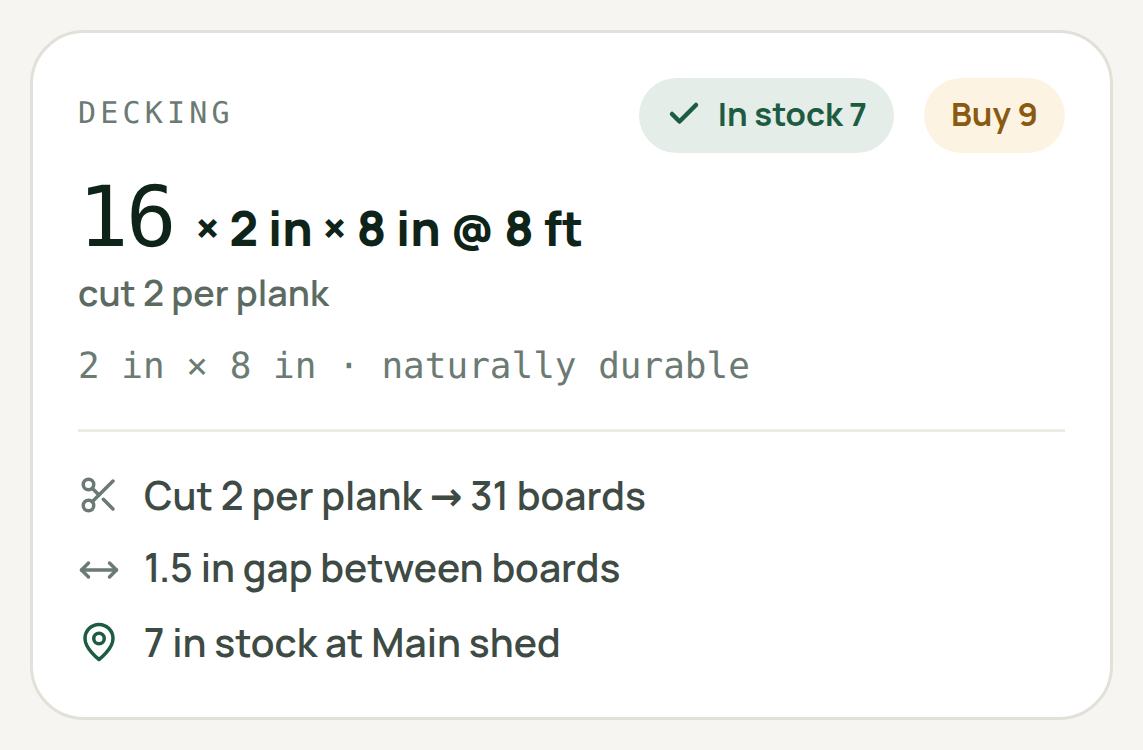
Each material card carries two numbers side by side: what is on the shelf and what you need to buy. The seven boards nobody has to fetch are as much of the answer as the four they do.
It goes further than counting. When two stock lengths cut your deck with the same waste, the calculator plans in the one you already hold — so a shelf of twelve-footers gets used as twelve-footers rather than ignored in favor of an order of eights. Owning a length wins a tie; it never wins over waste, and it never buys a joint into a board somebody walks on. Where a stocked length would genuinely cost you timber, the card says so in words rather than folding it into a number.
Reserve sets the boards aside for the job, from the phone, so the crew arriving tomorrow finds them still there.
Inventory knows what a machine is
An item somebody keeps an hour reading for is a machine, and the form follows: an hours box, a walk-around, and a service box that says Service due in 4 hours of use over when it was last done and what was done to it.
Log service and Report a problem open the ordinary task wizard with the machine already attached — same queue, same notifications, same history as every other piece of work, because a machine's service is work somebody has to go and do. Resolving that task records the hours it was done at and moves the countdown on. One act, one record.
Manuals and safety sheets attach to the item — a PDF or a photograph of a page, named, with the safety sheet sorted to the top. That is the one somebody wants at a trailhead with cold hands. Every member can read them; managers put them there.
Taking a tool out, and saying where it went
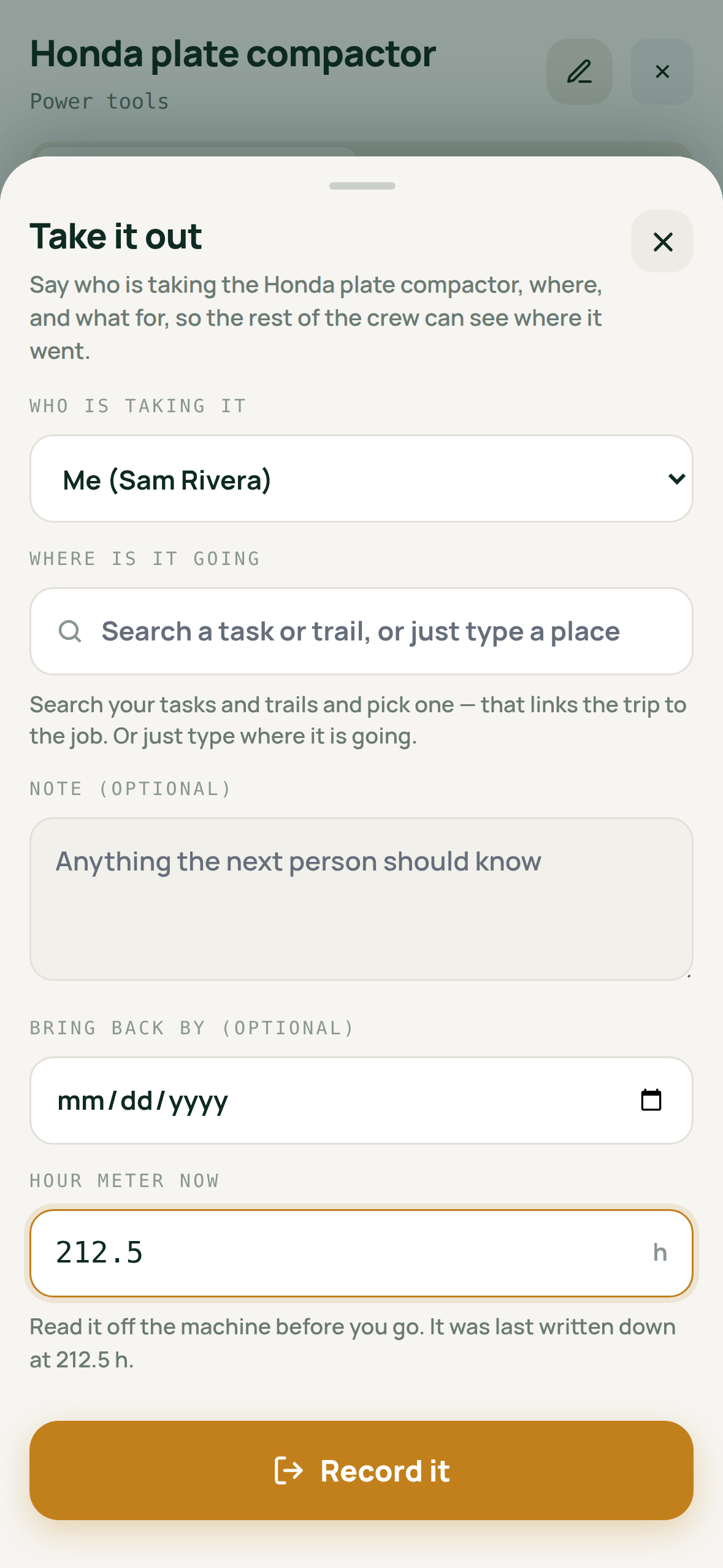
Take it out and Bring it back are their own screens now, and Where is it going? offers your trails and your outstanding work as you type. Pick one and the open-trips card names the task and the trail rather than repeating what somebody typed. Type something that matches nothing and it still works — the words are the place.
Out of signal it searches what is on the phone, and says that is what it is doing.
Moving stock and stocking a second location are single-job screens too. The list you move from only offers locations that actually hold some, a preview shows both shelves after the move, and a new location can start at zero — which is how you stage a haul: track it where it is going before any of it is there.
Reporting a problem starts with the photograph
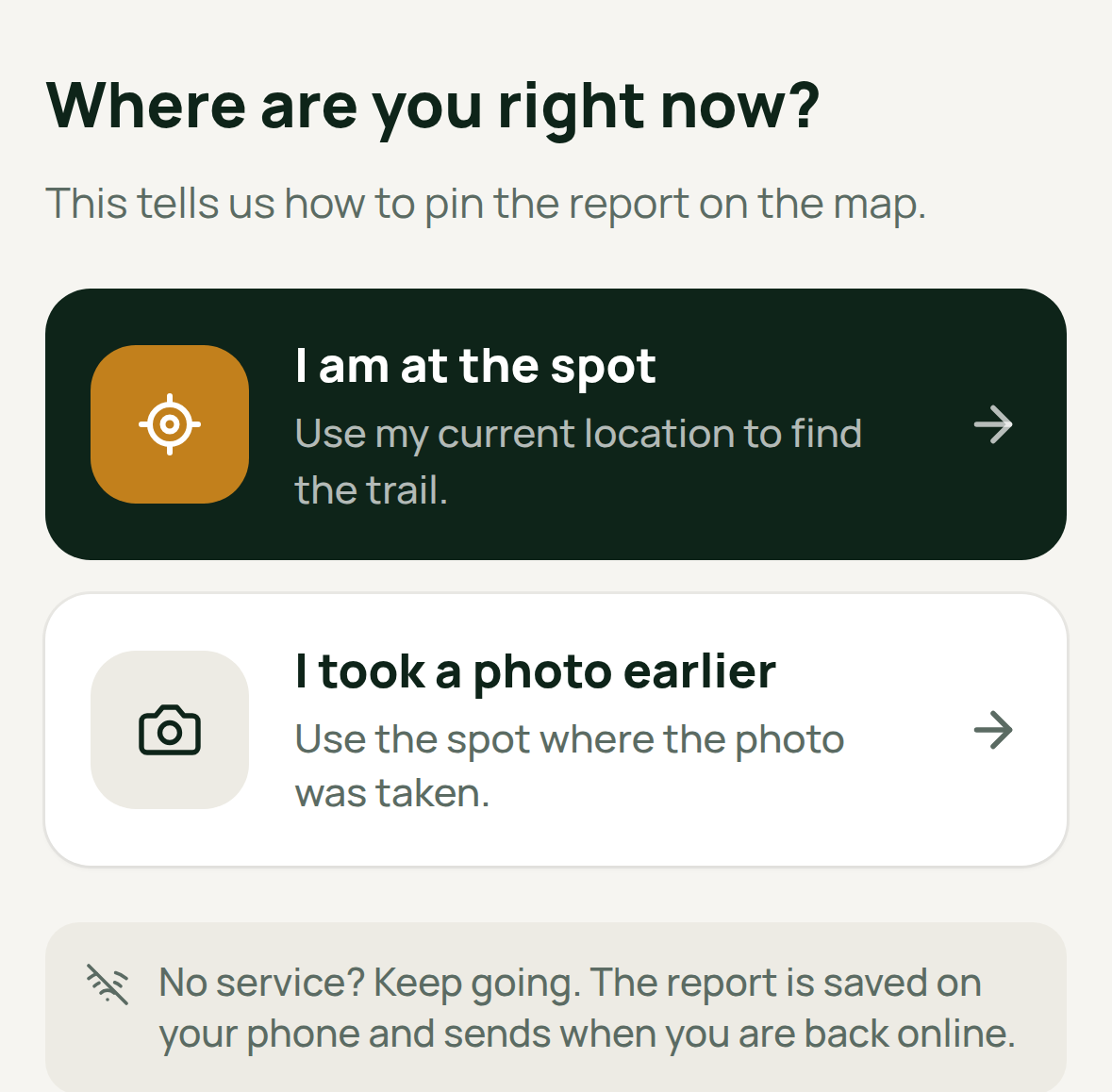
The report wizard opens on two cards: I am at the spot, which goes straight to the camera, and I took a photo earlier, which opens the phone's album on the tap. A picture taken this morning carries both the photograph your crew works from and where it was taken, so somebody back at the truck files the washout without walking back to it.
Reports arrive already sorted, too. Somebody writing "a tree is down across the path" files a blowdown against the right trail, titled in the words your organization uses — so it lands in the right filter rather than waiting for a person to read it and decide.
Also this week
Sign in and sign up are a full screen. Both pages say what TrailsIQ is and who it is for before asking anybody for a password — which matters most to somebody who has installed a trail app and is not yet sure which one they are looking at.
An inspection can carry a sentence. The ladder of fixed answers is what makes one walk comparable to the last, and Notes is where the thing an inspector noticed standing at a split board goes. It reads back on the history, it survives a walk filed with no signal, and when the walk raises a task it leads the body — above the automatic summary, because it is the only part written by somebody who was there.
The field app sorts by where you are standing. The item underfoot comes first, the list holds still while your fix settles instead of reshuffling under your thumb, and a filtered list says on the screen that it is filtered.
An inventory item is three questions. What is it, where is it, what has happened to it — one screen each rather than one long scroll, and a run of taps on a stock count reads back as one line in the activity rather than twelve.