Release notes 5 min read
A website for every organization
Every organization now has the option to create a live website on every plan, with a page for each trail and card payments for donations, a shop and event tickets. Plus a club directory, archived tasks and a Year view for expenses.
Shipped the weeks of October 5 and 12.
Every organization on TrailsIQ now has now has the option to create a website, on every plan, and it is live from the first day. It knows your trails, so each one gets a page of its own, and it can take a donation, sell a T-shirt or sell a ticket to your race. Around it: a directory that helps people find your club, finished tasks that tidy themselves away, and a year of expenses on one screen.
A website for every organization
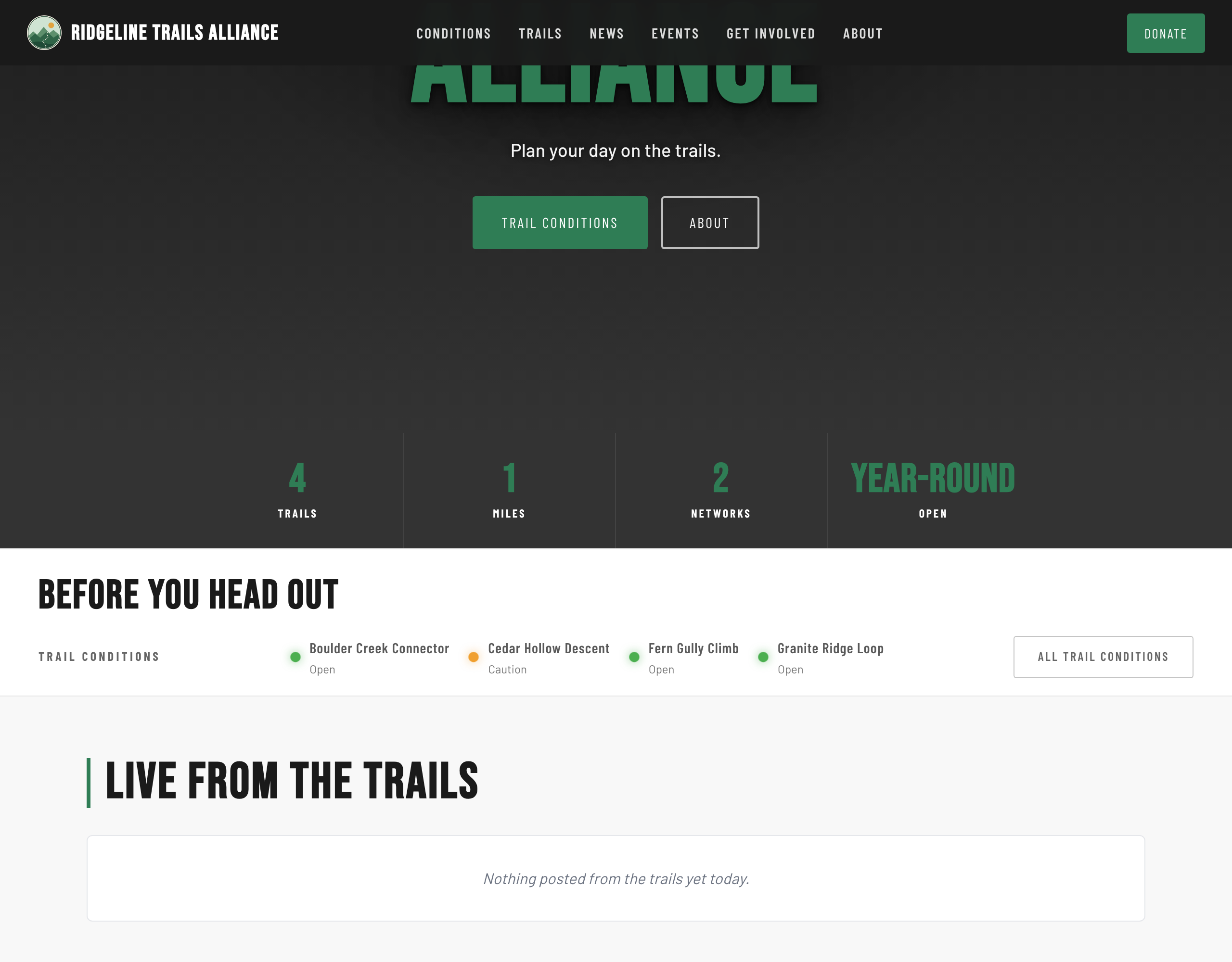
Your site is already up. It lives at go.trailsiq.com/your-club from the day your workspace is made, with a home page, trail conditions, an About page and a page for every public trail, filled in from what TrailsIQ already knows about you. Change the words and the pictures when you are ready, or leave it as it is and it still tells a visitor which trails are open today.
Hub is the template every plan gets, built around your trails, your news and the day's conditions. Free and Starter sites hold five blocks a page. The Pro plan opens the other looks (Trailhead, Backyard, Ridgeline and Classic, plus Groundwork for a trail-building business), pages of your own, unlimited blocks and your own domain. A root domain like yourclub.org brings its www with it.
A page for every trail
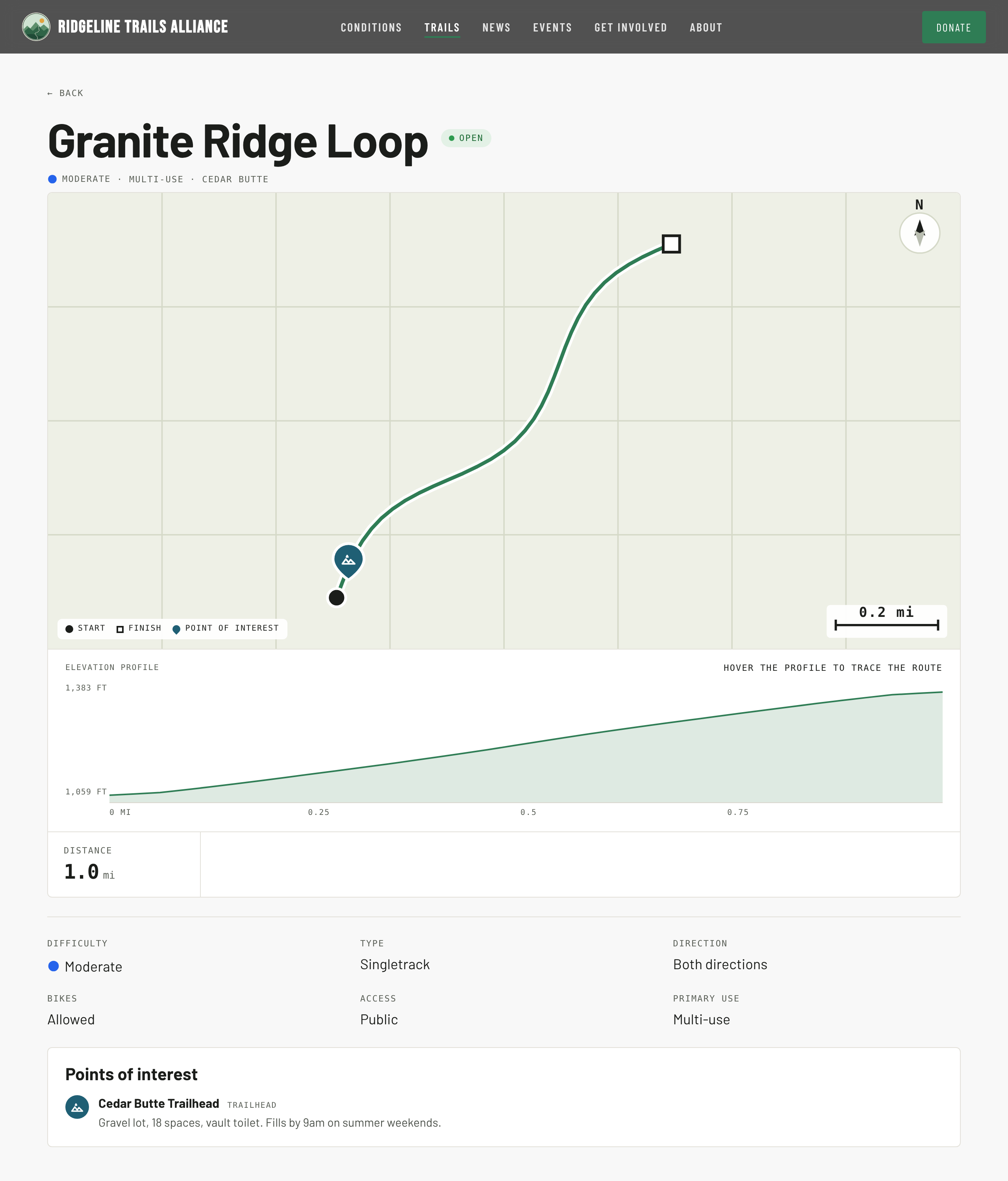
Each public trail has its own page: length, climb, difficulty and type, the trail's status, its weather and how wet the ground is, a map with real contour lines, its trailheads and parking, and the features a rider or a hiker wants to know about, from rock rolls to skinny bridges. Hazards your crew has published are on it too, with a pin where they are.
The Trails page lists them all, network by network, and each network has a page with its own map. Links to a trail from anywhere in TrailsIQ, a daily report included, open its page on your site.
Take donations, sell gear, sell tickets
Connect your Stripe account from Settings → Card payments, and your site can take card payments straight into it.
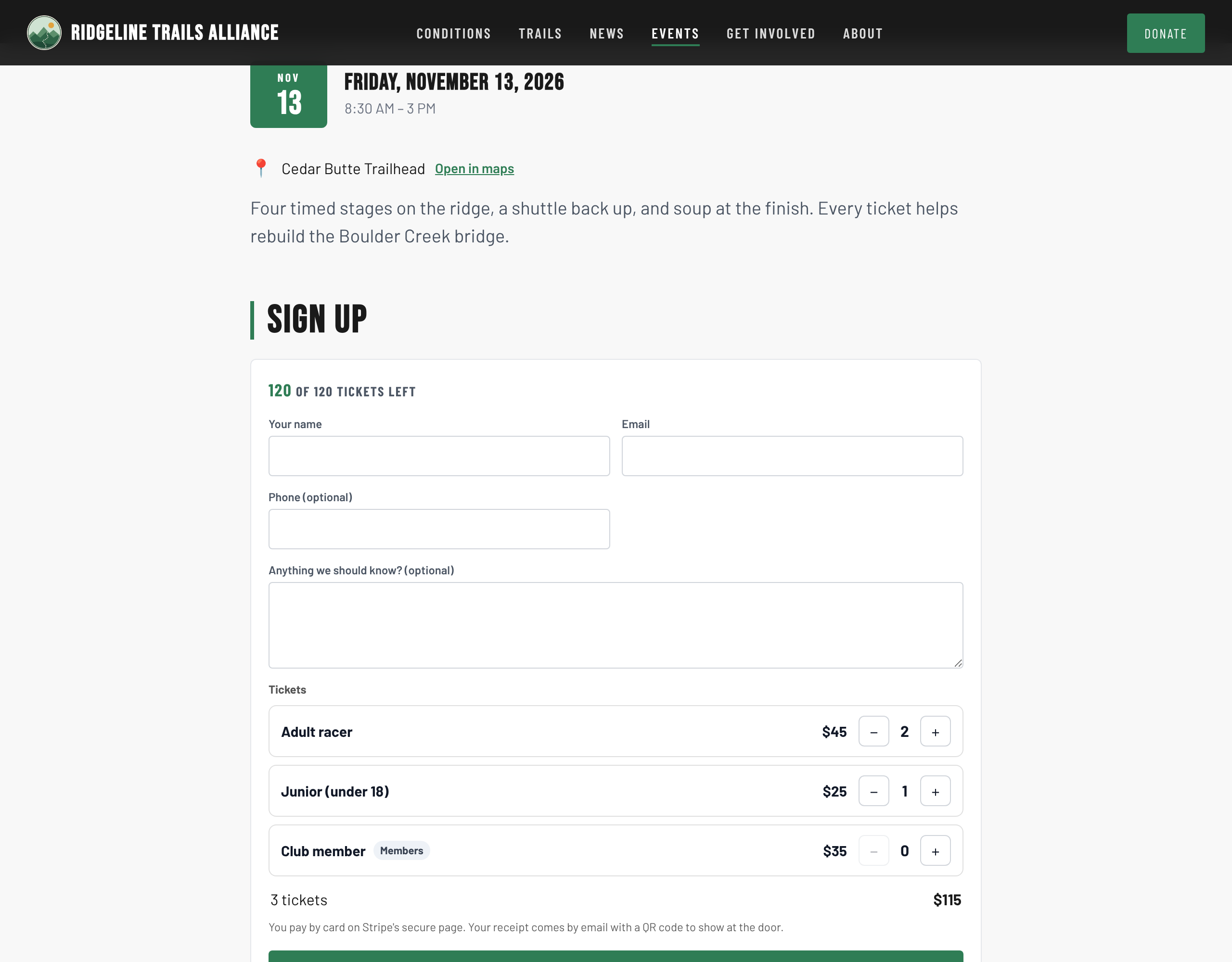
Donate takes a gift in a couple of taps, and its progress bar counts the card gifts by itself. Shop lists your products with a cart, so a hat and two stickers are one checkout, and can add a flat shipping fee per order. Event tickets turn a race or a fundraiser into a paid event: set ticket types and prices, and every buyer gets a receipt with a QR code that your volunteers scan at the door from a phone. Events are on the Pro plan.
Build it the way you want
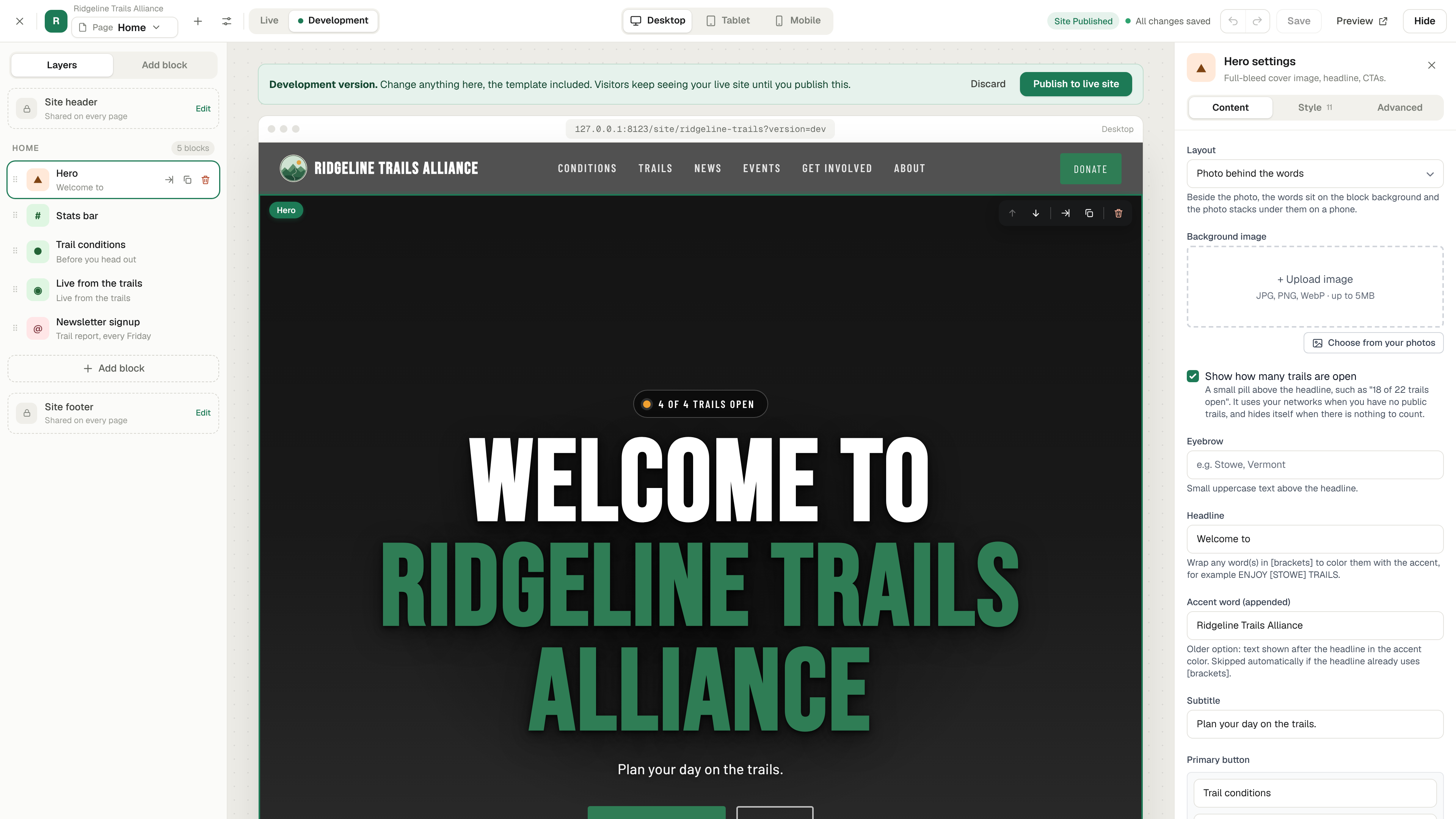
The website builder has a new layout: the page in the middle, blocks on one side, settings on the other, and previews for a phone and a tablet that look the way a visitor will see them.
Work on a new version without touching the live one. Start a development version, change as much as you like, and publish it when it is ready. Anything you fix on the live site in the meantime is carried into it. A page can be kept as a draft, a block can be moved or copied to another page, and the whole site can be previewed in another template before you switch.
New blocks: Timeline, Columns, Buttons, Social posts, Live from the trails, Local guide for thanking sponsors, Files to download, Follow, Get involved, and a Stats bar that counts up. Text has a proper editor now. A block with nothing in it yet stays out of a visitor's way, and the editor is the only place its prompt appears.
Messages from your site arrive where you want them. A switch beside each person on the website inbox decides who gets them by email, and suspected spam waits in the inbox instead of in everybody's mail.
People can find you
go.trailsiq.com is a directory of every club on TrailsIQ, by country, with a link to each website. Publishing or changing a page tells search engines straight away, every page writes its own search description, and a link to your site shared anywhere shows the page's title and picture. Sites open fast, because the pages are ready before they reach the visitor.
Google Analytics and Search Console connect from Settings → Search and analytics, with an optional cookie banner that holds analytics until a visitor accepts.
The report app is now TrailsIQ Go. Same app, a new name and a new icon. A Follow button on your site lets a visitor follow your organization with nothing more than an email code, and the first time they open TrailsIQ Go on a phone it already follows you.
Finished tasks tidy themselves away
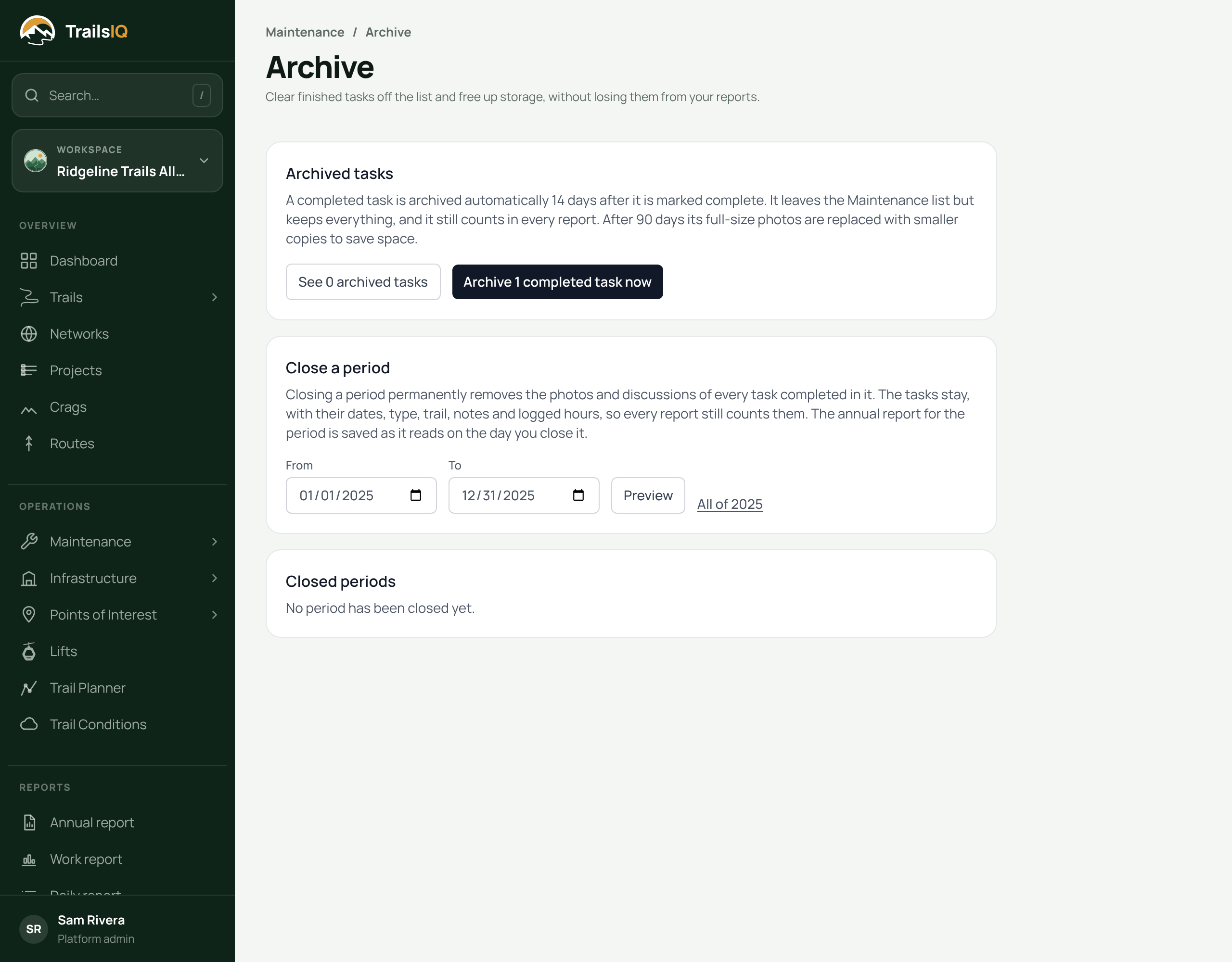
A completed task leaves the working list 14 days after it is marked done, or straight away with its Archive button. Nothing about it is lost: archived tasks keep their photos, hours and history, and count in every report. The list's filter switches between the working list and the archive.
Close a season when you are ready. Maintenance → Archive lets you close a period such as All of 2025. It shows what it will tidy up first, lets you download the photographs as a ZIP, and saves that year's annual report as it read on the day, so the numbers you gave your board still add up. Who may archive is a row in Roles & permissions.
Also in these two weeks
Expenses has a Year view: twelve months at a glance, each one a tap from its own month.
Search finds trails by what they are for: type equestrian, singletrack or rock gardens and every trail that fits comes up, each saying why. A trail can carry more than one type, and jump line and pump track are new ones.
Billing is redrawn, with your plan, how you pay and your invoices on one page.
Settings → Newsletter subscribers lists everybody who signed up on your site, with add, remove and export.
The mileage map draws your trails, with the field app's map layers, so a trip to a trailhead is easy to place.
The dashboard leads with your team's main work, and on a phone a task, structure or point opens as a sheet you can lift to full height.
In the field app, the trail status page opens with its networks folded so a long list starts short, and the app spends less battery on screens nobody is looking at.