
Logged on the task, from the field
Finish a job and log the session on the task itself, with or without signal. Tick everybody who worked it with you and each of them gets the same time, under their own name.
Volunteer hours
Volunteer time is the number a funder, a board and a land manager all ask for. TrailsIQ gathers it from the trail, the timesheet and the workday sign-in table into one count, and hands it back as a report you can put in front of a donor.
Where an hour comes from
Organizations undercount because the hours live in five places: a sign-in sheet, a crew lead's notes, a spreadsheet, an email from the scout leader. Here each of those has a home, and they all add up to the same total.
Finish a job and log the session on the task itself, with or without signal. Tick everybody who worked it with you and each of them gets the same time, under their own name.
Time logged on a task arrives on that person's Work hours as a draft, so nothing is typed twice. Hours carry a category — trail maintenance, infrastructure, training, travel, meetings — and time off is kept apart from time given.
Everybody who came to an event is credited for its length, times their party size, once it is over. Untick a no-show or change the hours for somebody who left early.
Print the event's code for the sign-in table, or set a check-in spot at the meeting point. Volunteers check themselves in from the free TrailsIQ Report app and are counted by name.
A school group, a scout troop, neighbors who turned up: record how many, or add a walk-in with just a name. Their time counts as volunteer time without anybody needing an account.
Time already on a timesheet is not added again by a task log, and logging a session on a day a linked workday already counts asks first. The total is one you can defend.
A workday, start to finish
The whole trip a volunteer day makes, with nobody copying names off a clipboard at the end of it.
Create the event, take sign-ups on your own site with a waiver and a waitlist, and pin the trail work it will tackle so people see what they are signing up for.
Volunteers scan the code or check in by location. Somebody who never signed up is added on the spot, and a walk-in can be added from the field app with no signal.
Once the event is over, everyone marked as came is credited. Your own team members get the time on their work hours for that day, already approved.
The Work report, the annual report and your umbrella organization's figures all include it, with named volunteers by name and walk-ins as outside volunteers.
Events and check-in
A volunteer day is where most of a club's hours are given, and the paper on the folding table is where most of them used to be lost.
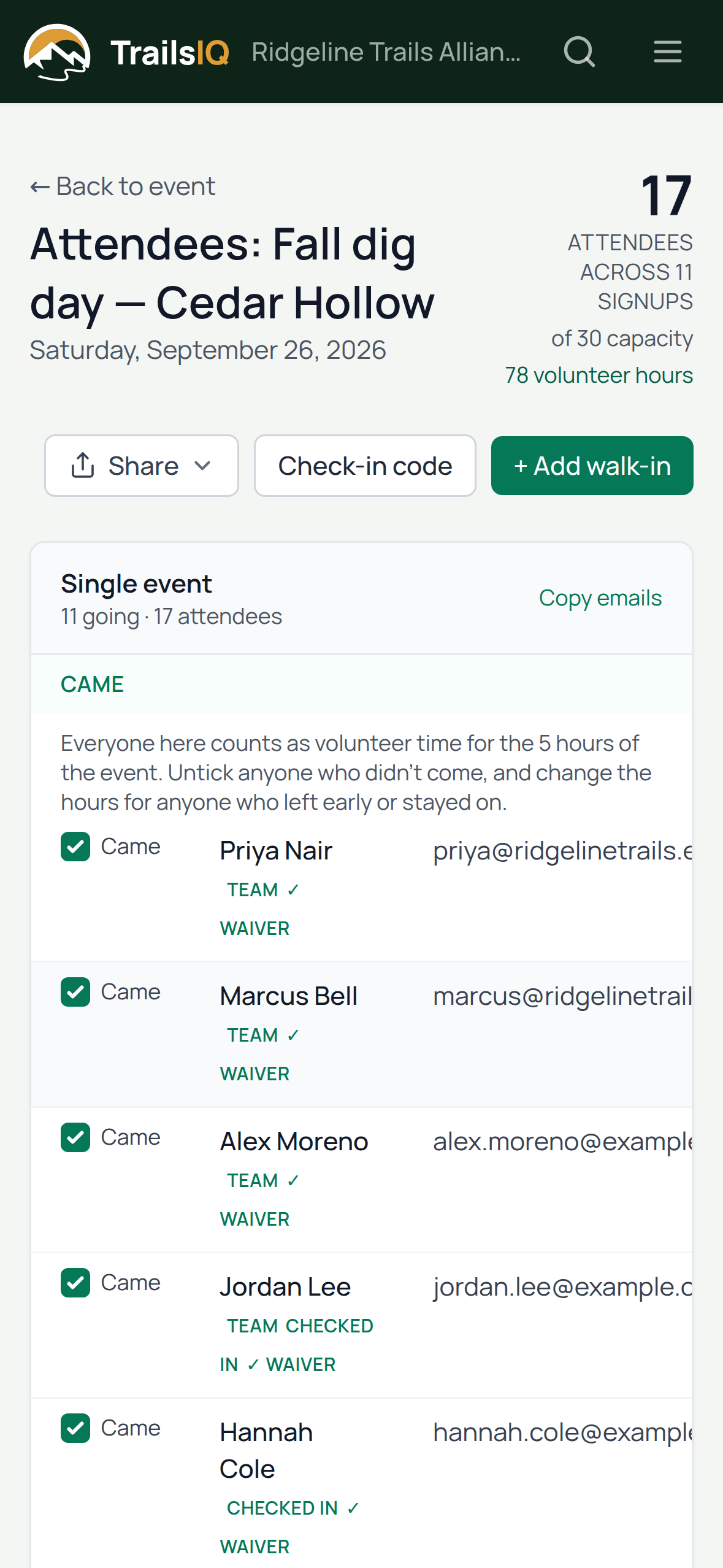
On the event's day its list turns into a Came list. Every row counts for the length of the event, from its start and end times, and the total sits at the top of the page. Signing up alone never adds hours, so the number is the people who showed up.
Sorted and split
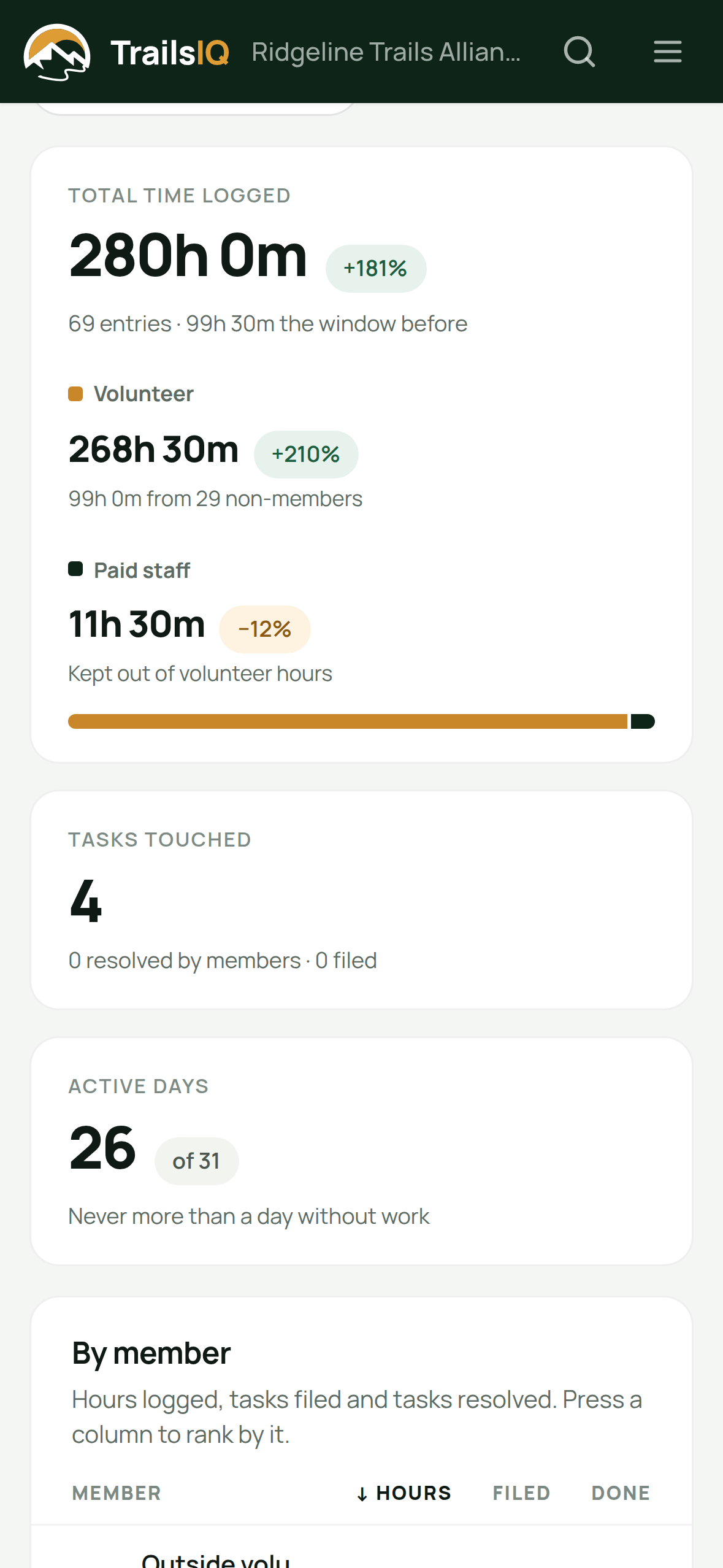
A grant form does not ask for "hours". It asks for volunteer hours, apart from staff, over a period, often by project. The Work report already has them that way.
Mark anybody on your team as paid staff, from the day it started, and their time is shown apart from volunteer time everywhere. Somebody hired partway through a season keeps their earlier hours as volunteer hours, because that is what they were.
Reviewed, not just recorded
Hours can go through a manager before they count, so the figure in a report is one your organization has already checked.
Volunteers submit their week; whoever approves work hours clears the queue one row or one person at a time, and can send an entry back with a note.
A small club that does not want a manager signing every timesheet can turn approval off for hours, and submitted time counts straight away.
Time a crew lead logged for somebody else says who logged it, so any total can be traced back to the person who can explain it.
For your board and your donors
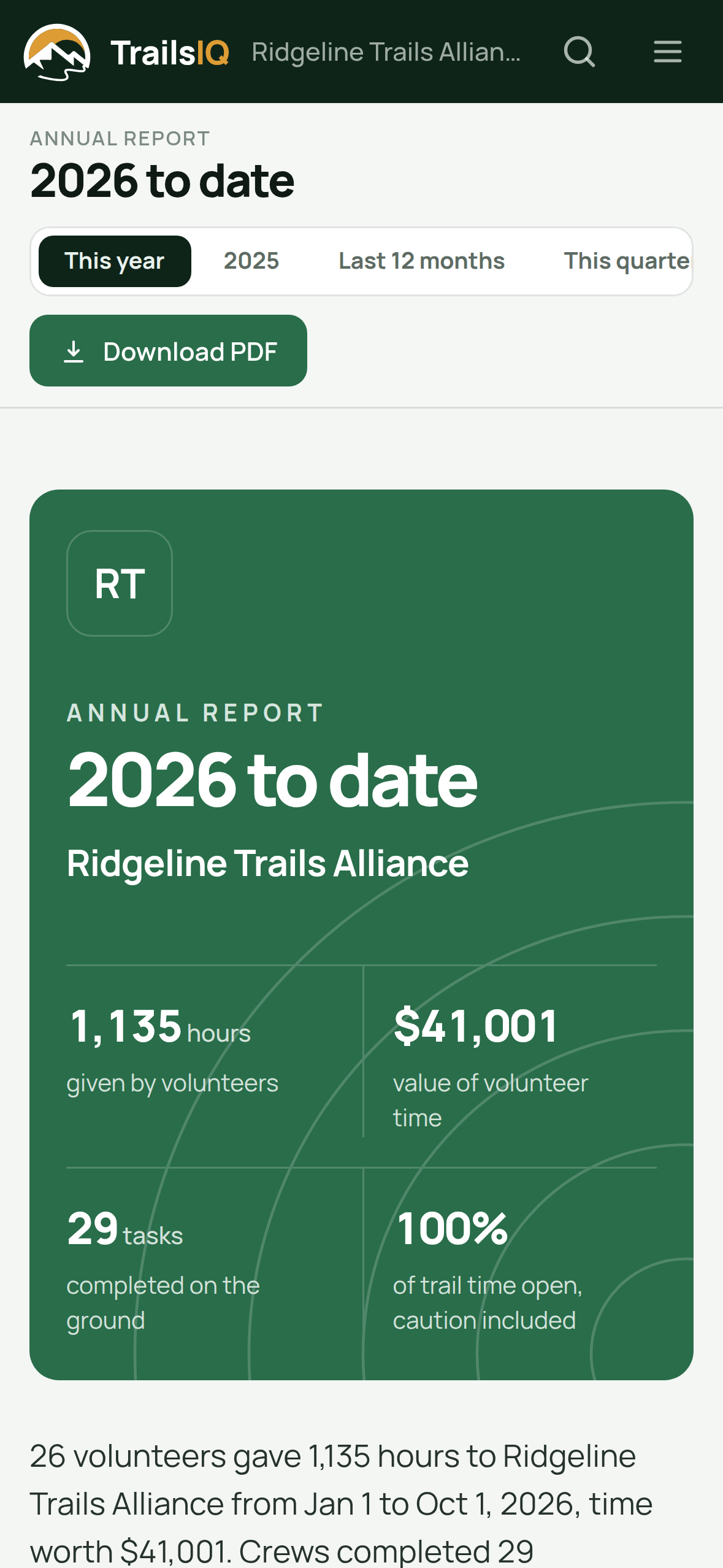
Everything your organization recorded over a year, in one designed document: the hours your volunteers gave, the work done on the ground, how often the trails were open, events, inspections and spending.
For organizations in the United States, volunteer hours are given a dollar value at the Independent Sector national rate for volunteer time — the figure most funders recognize — and the report names its source so anybody can check it.
Across every chapter
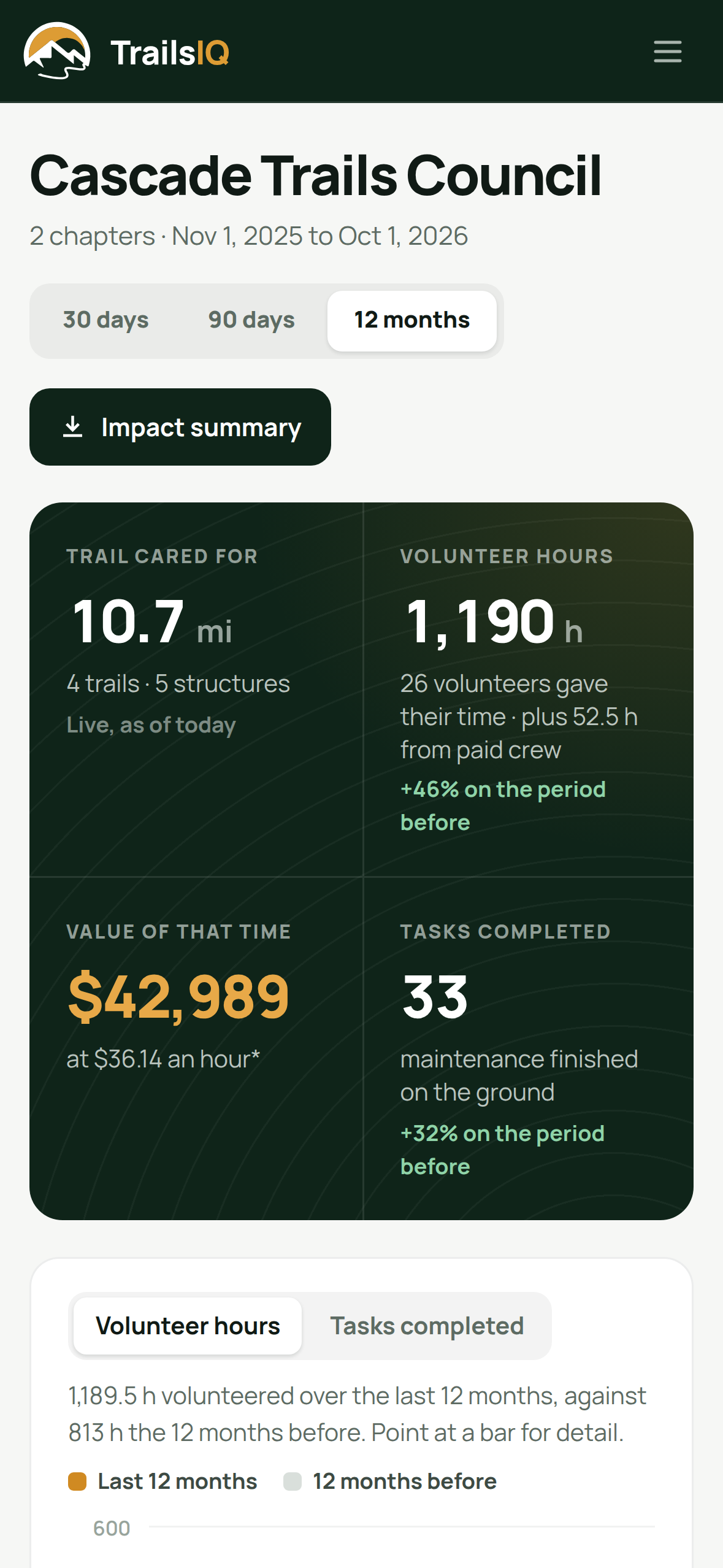
A state or regional body with local chapters can hold an umbrella account, and see what every chapter gave without reaching into any of their workspaces.
Approved hours from every chapter, how many volunteers gave them and what that time was worth, against the period before. Paid crew are shown underneath and never added in. An umbrella account is set up with us — ask us about one.
Plans
Logging hours, the timesheet, the Work report and the annual report are included on every plan, the free one too. Events, and so workday sign-ups and check-in, are on the Pro plan and above. The TrailsIQ Report app your volunteers check in with is free for them on every plan.
Events live on the site TrailsIQ builds for you, with a calendar, sign-up forms and waivers, on your own domain.
Your public siteRoles, expenses with receipts and approval, and the shared inventory that sits beside the hours.
Crew and costsWhat was found, what was fixed and what it cost, over any stretch of time.
ReportingIn the documentation
Step-by-step guides for setting each of these up.
Start on the free plan, log this season's hours where the work happens, and have the report ready before anybody asks for it.