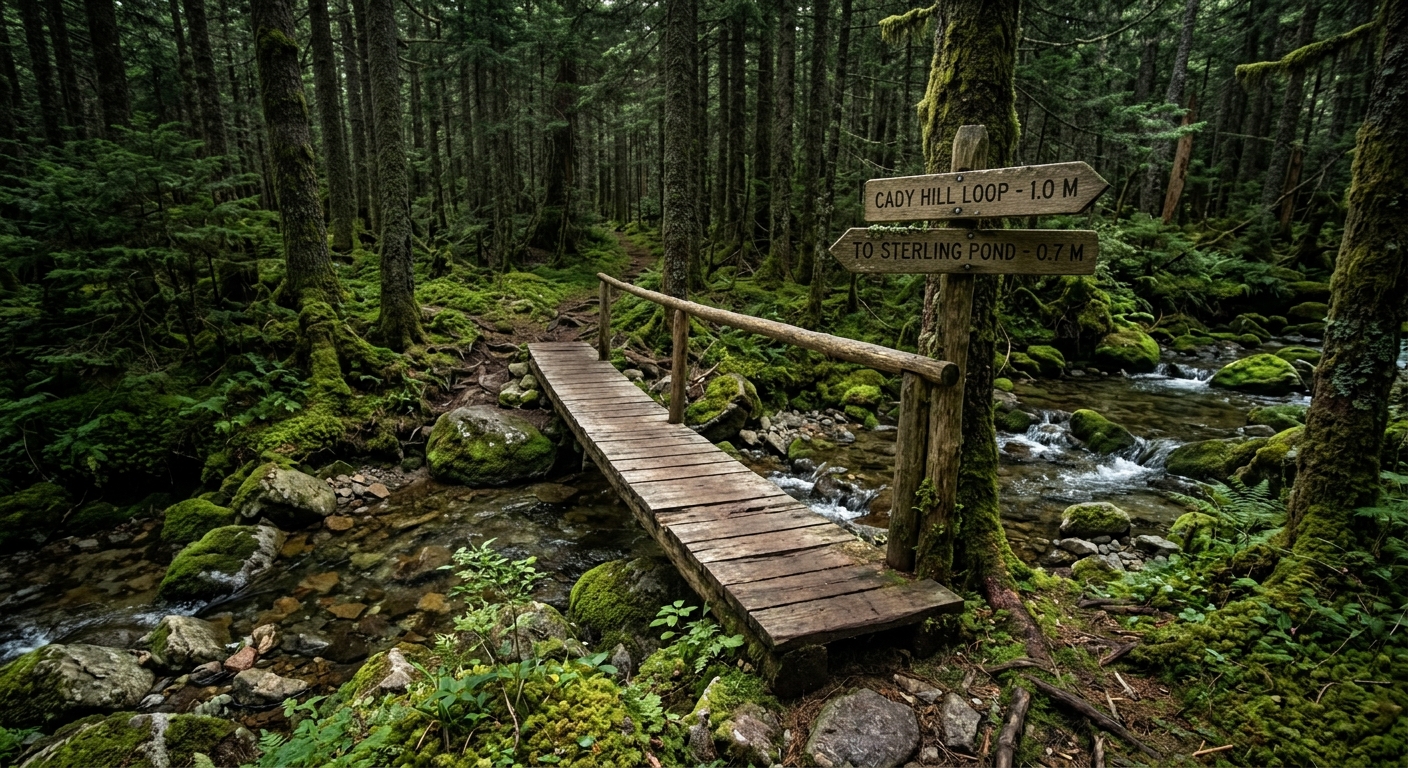
Bridges and boardwalk
Span, decking, stringers, abutments and railing — with the lumber and hardware they were built from, so a rebuild starts from what is actually there.
Infrastructure
Structures carry a condition, an inspection interval and a history of every walk somebody has done on them. When a board fails, the record of the last four inspections is attached to the bridge rather than in somebody's notebook.
What you can record
Each type carries its own fields, so a bridge is described as a bridge rather than as a generic thing with a note attached.
Span, decking, stringers, abutments and railing — with the lumber and hardware they were built from, so a rebuild starts from what is actually there.
The things that go missing, get vandalized or fall over, each with a code, a location and a condition your crew keeps current.
Anything you build and then have to look after. Add your own types when the list does not have yours.
Every inspection can carry its own pictures, so a structure accumulates a visual record of how it is aging rather than one photo from the day it went in.
Points of interest are the other half — the things a visitor is looking for, shown on your public map and in the app.
The materials calculator turns a bridge's own dimensions and stock sizes into a cut list and a hardware count you can take to a supplier.
How it worksMapping
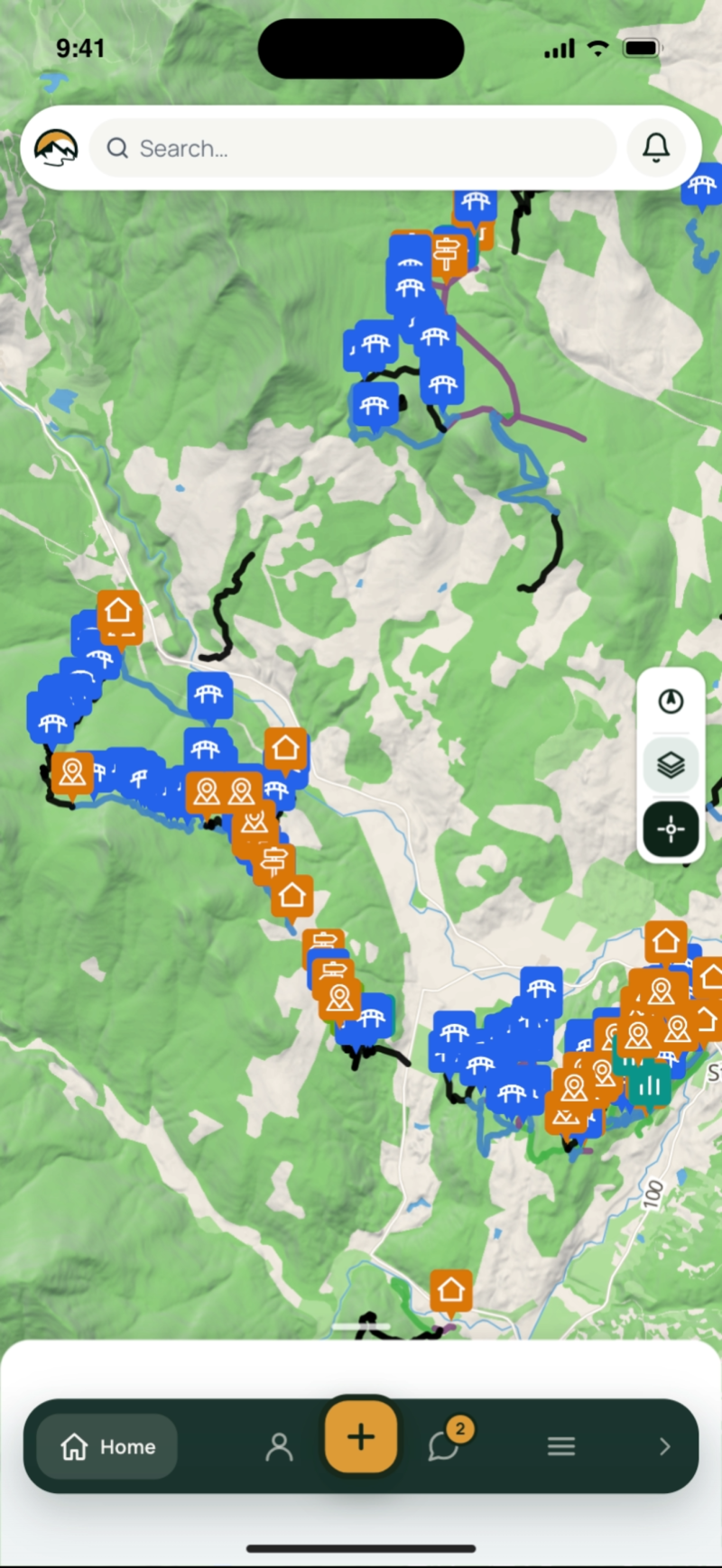
Most organizations know roughly where their bridges are. Fewer can say how many there are, which trail each one is on, or which of them nobody has looked at in three years. Getting them on the map is the first step, and it is done standing next to each one.
Adding a structure is a short wizard in the field app: pick the type, take a few photos, confirm the spot and fill in the details. The location comes from your phone's GPS, and you can drag the pin if the fix is off. Anyone on your team can add one, so an inventory gets built by the crew that is already out walking the trails.
Measurements
The tape measure comes out on the bridge, not back at the office. Each structure type asks for the measurements that matter for it, on the same screen where it is added, and every one stays on the record for the next person.
A bridge asks for its length, its deck width, the decking board thickness and the board width out of the box. Add whatever else you track — number of steps on a stair set, post material on a sign, culvert diameter — and choose what kind of answer each field takes: a number, a measurement, a date, a choice from a list, or a yes or no.
Materials calculator
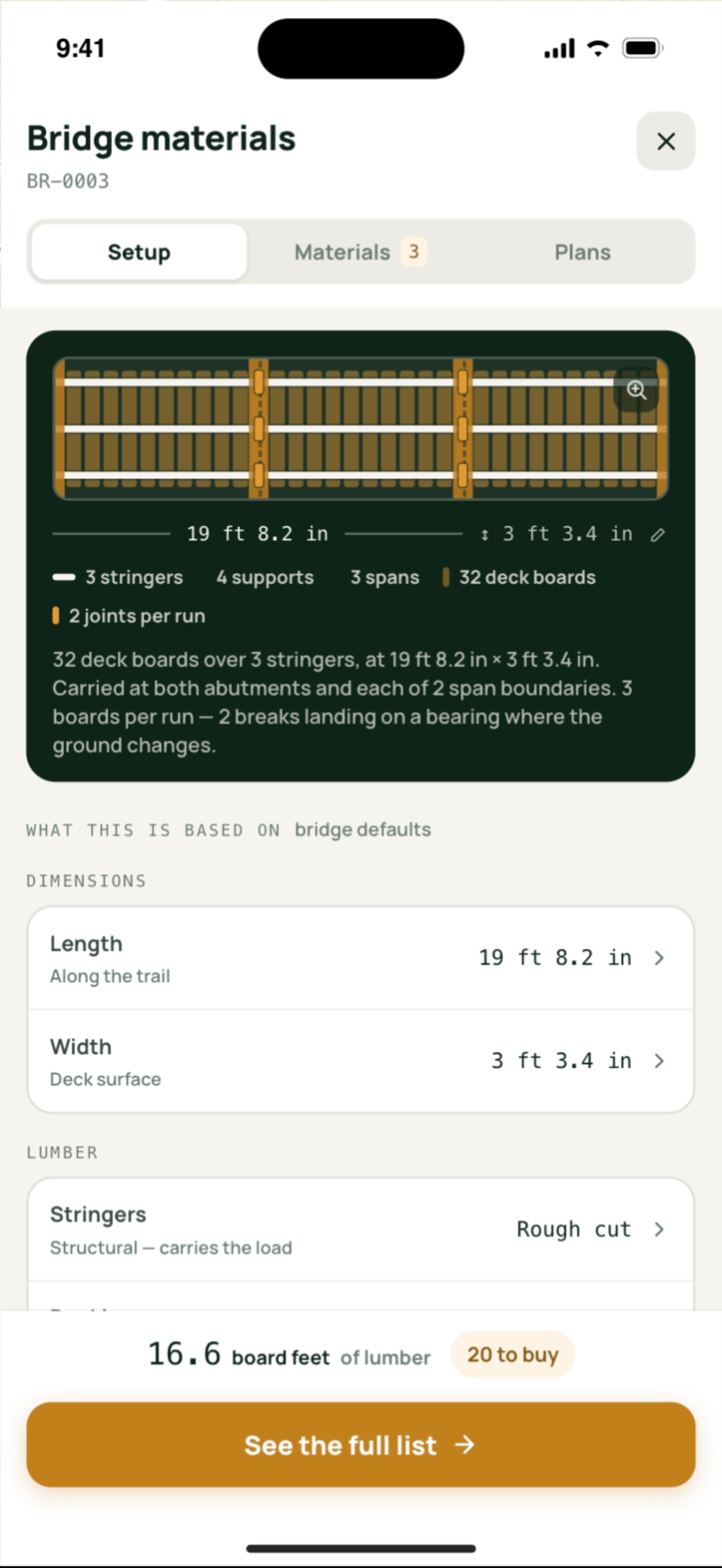
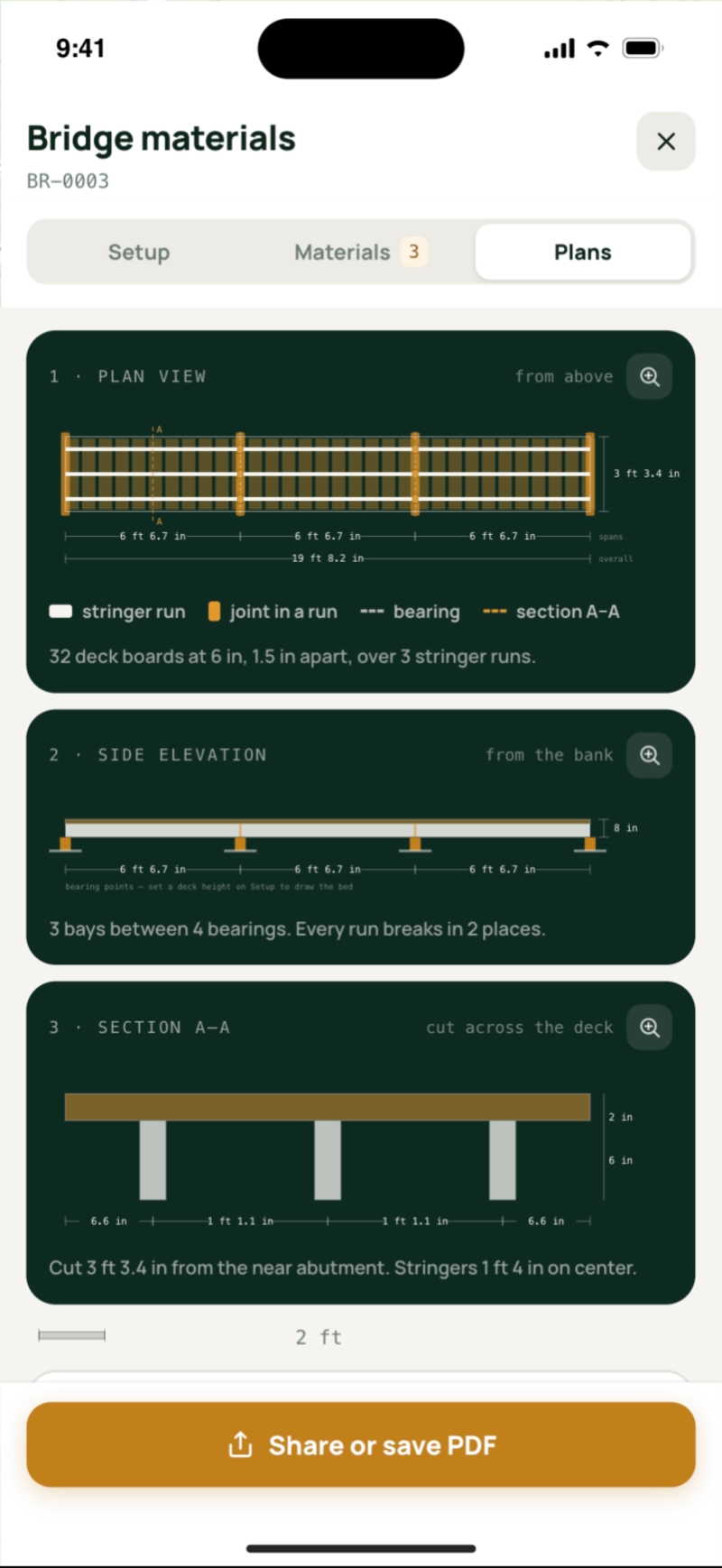
When a bridge needs replacing, the question is what to put on the truck. The calculator answers it from the measurements already on the record: how many deck boards, how many stringers, what size and what length, and roughly how many fasteners.
Open the calculator from the bridge, or from a maintenance item filed against it. It draws the bridge from its own numbers, every deck board and every stringer to scale, then gives you the list. Choose rough-cut or dressed lumber and the stock lengths your supplier actually carries, and the list is one you can buy.
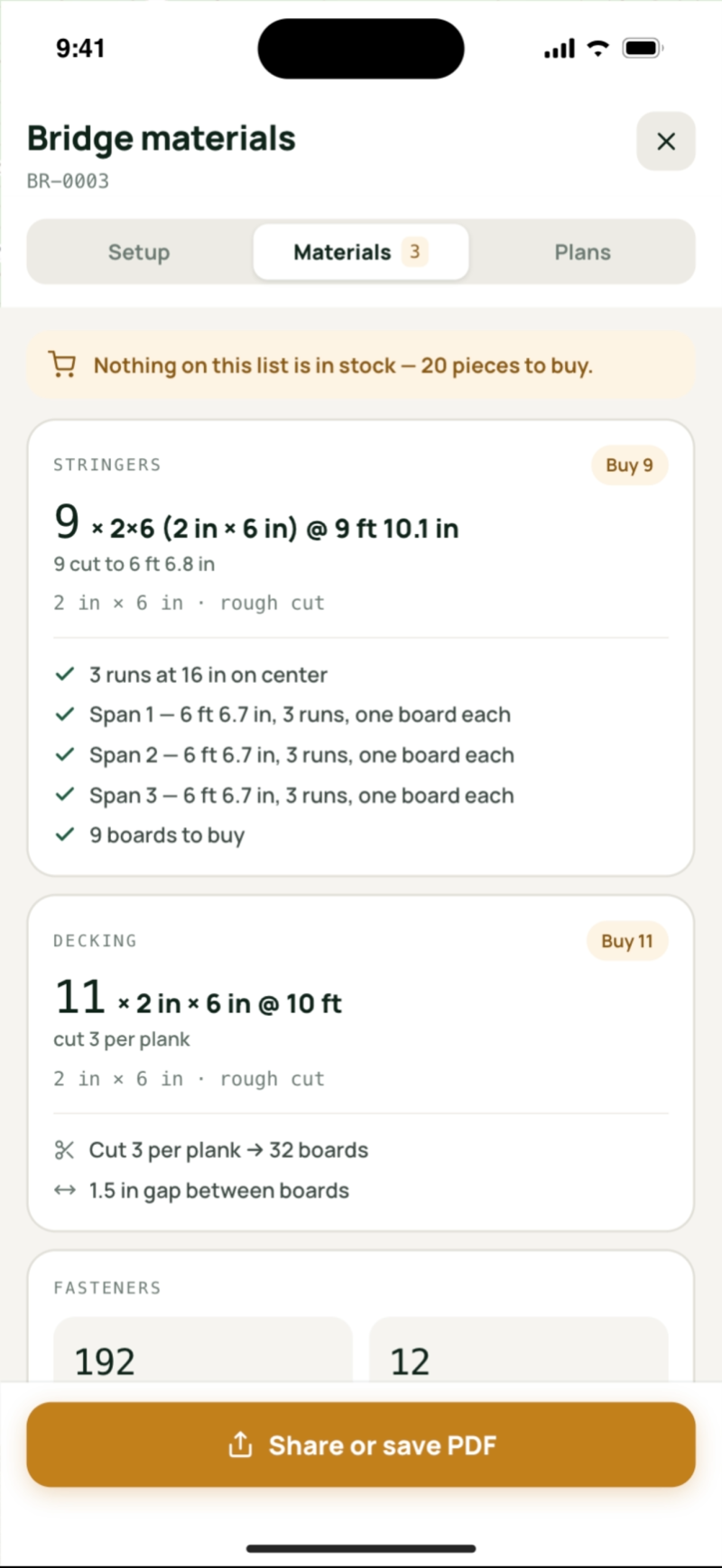
The calculator is for planning the shopping and the budget, and it is plain about its limits. Its assumptions are written out, and past the longest span its table covers it stops sizing stringers and says so rather than guessing at an engineered beam. Anything load-bearing that people cross still needs somebody qualified to sign it off, and the drawings and list are what you bring to that conversation.
Inspections
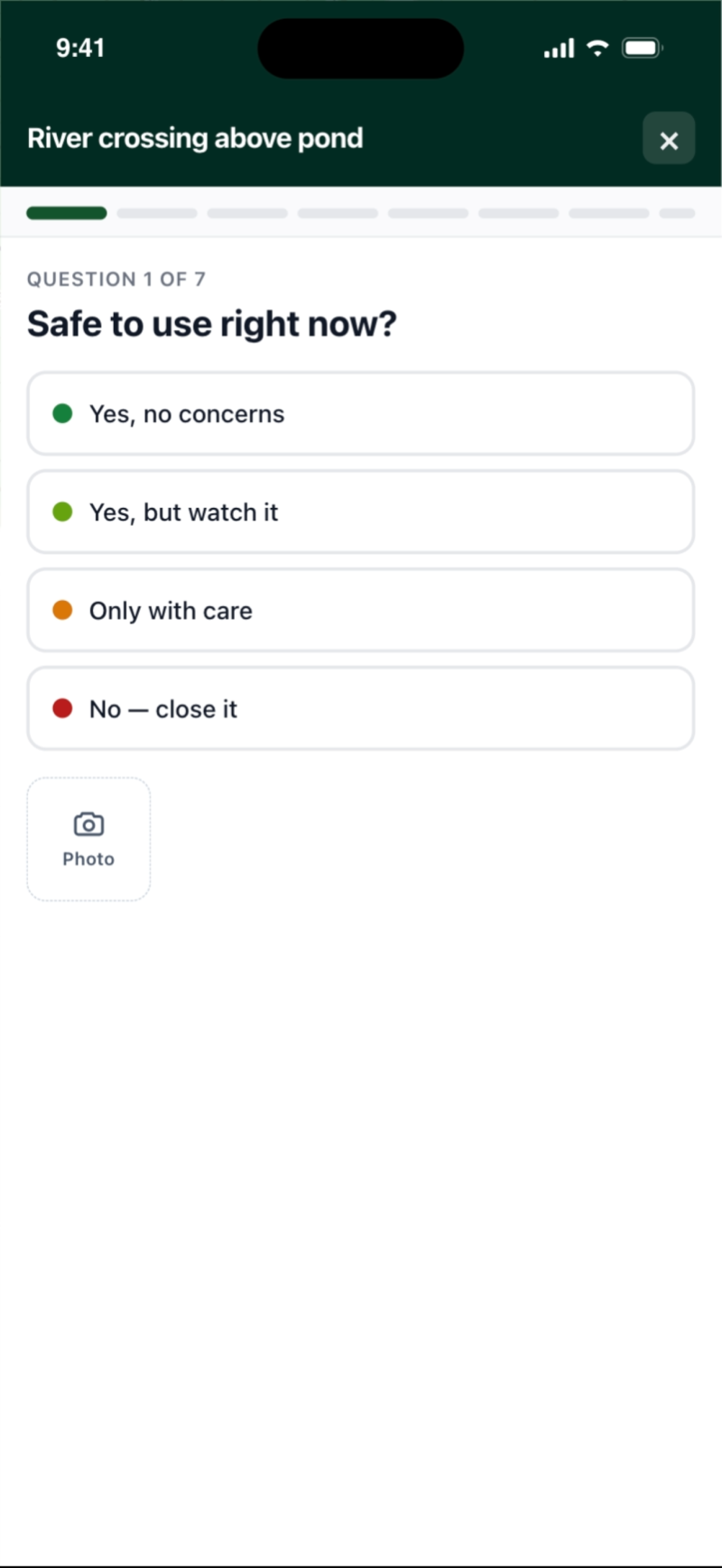
A bridge inspection and a sign inspection have almost nothing in common. Each structure type carries its own question set, and you can edit it — the defaults are a starting point, not a straitjacket.
The inspection is a wizard rather than a long form. One question per step, big targets, works with one thumb and no signal — because it is filled in standing on the structure.
Mark the crack, circle the rotten board. An annotated photo attached to the answer is worth more than a paragraph describing where to look.
The answers set the structure's condition, so a list of everything needing attention is derived from the walks rather than maintained by hand.
Each type carries an interval. Recording an inspection stamps the next due date, and a dashboard list shows what is overdue or coming up — measured in your organization's own days, not the server's.
An answer that flags a problem raises a maintenance item against the structure, already described and already located, so the walk and the fix are one chain.
In the documentation
Step-by-step guides for setting each of these up.
Add your structures on the free plan and walk the first inspection from your phone.