Trails
Clients and the job pipeline — who the work is for, and where it has got to
For teams who build trail for other people: keep a client record, attach jobs to it, and track each job from lead through quoted, building and handed over. Stage and archived are separate axes, and a client carrying jobs cannot be deleted.
If you build trail for other people, two questions come up constantly that a trail-management tool does not normally answer: who is this job for, and where has it got to. Clients and the job pipeline answer both.
Both live behind one switch — Settings → Workspace modules → Clients & job pipeline — which is on by default for a workspace that builds trails and off for one that runs them. See Workspace modules.
Adding a client
Clients → New client. The only required field is the name — the one you would put on an invoice. Everything else is there when you need it:
- Contact name, email and phone — the person you actually deal with.
- Website and address.
- Notes — access arrangements, who signs off, where the gate key lives. These are internal: they never appear on a proposal or anywhere a client can see.
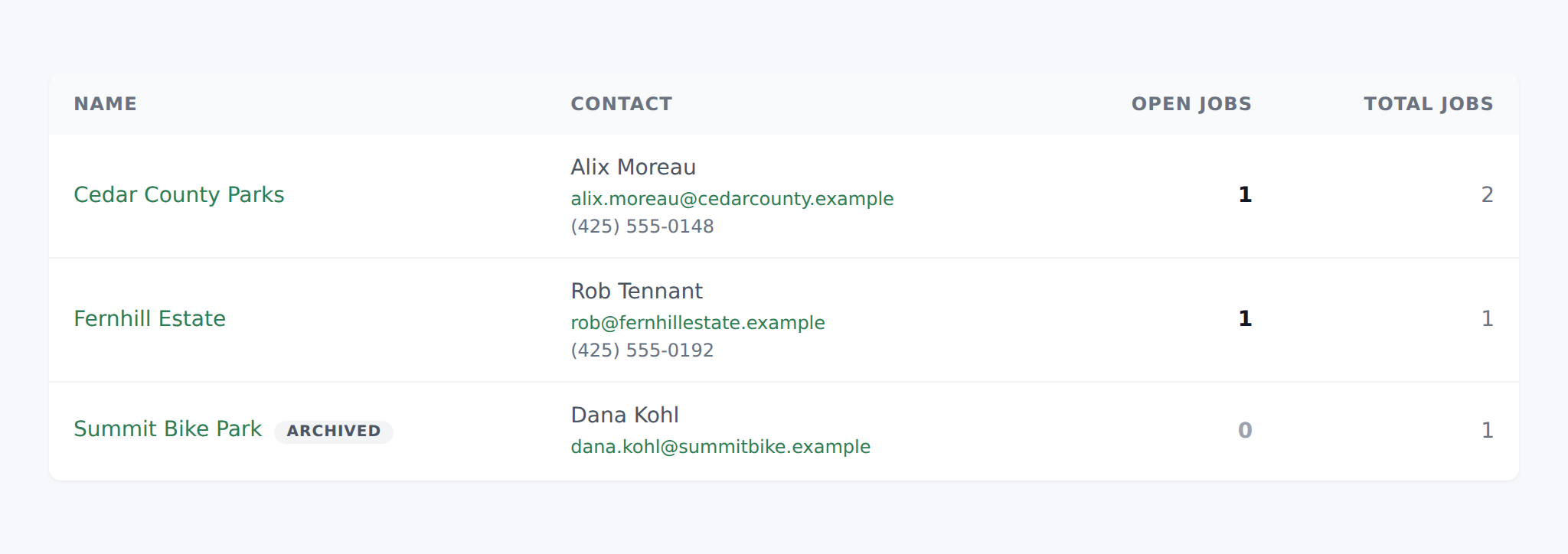
The client list leads with open jobs rather than total jobs, because that is the number you scan it for. Total is there beside it for context.
Attaching a job to a client
A job is a project. On the project's create or edit form, pick the client from the Client dropdown — only active clients are offered.
Leaving it blank is a normal answer. Your own work — a demo loop, a trade-show build, maintenance on your own ground — has no client, and a project without one behaves exactly as it always has.
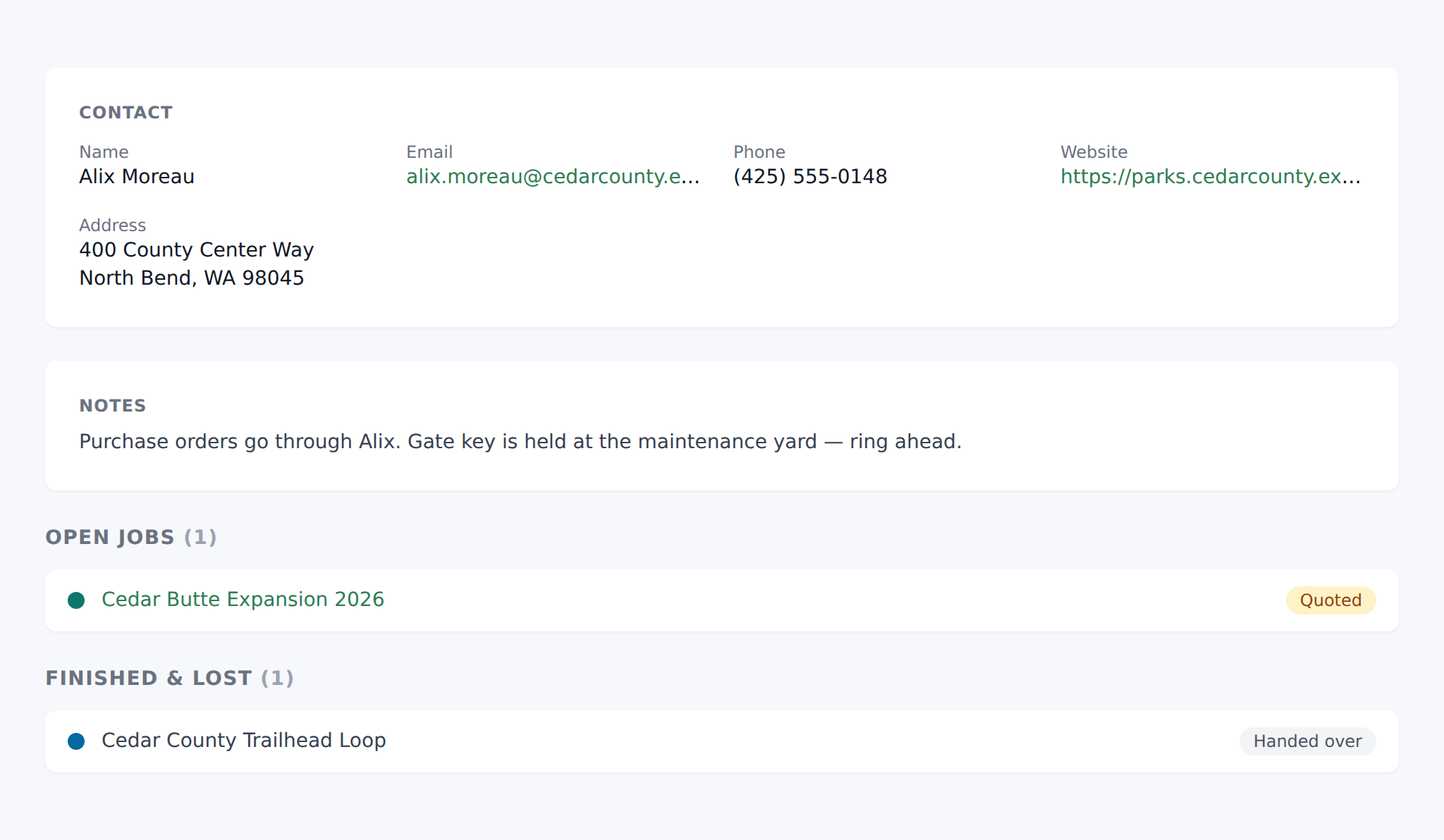
Open a client and you get every job you have ever done for them, split into what is live and what is finished, each with its stage. That page is the answer to "what have we done for you before", which is a question you will be asked in front of the person asking it.
The pipeline stages
| Stage | What it means |
|---|---|
| Lead | Someone has asked. Nothing priced yet. |
| Quoted | A price is with the client and you are waiting. |
| Won | Agreed, not started on the ground yet. |
| Building | Crew is on it. |
| Complete | Built and finished. The records may still be yours. |
| Handed over | The client has the trails, the as-builts and the structure records. |
| Lost | Quoted and did not win it, or the client shelved it. |
Two of these are worth dwelling on.
Lost is not a tidy-up stage, it is the point. A bid you did not win has to leave the pipeline somewhere, and if the only exit is deleting the project then the question every builder wants answered — how much of what I quote do I actually win — has no data behind it. Mark it lost and keep it.
Handed over is the stage TrailsIQ is unusual in having. Most job trackers stop at complete. For a trail builder the work is not really finished until the client holds the records: the as-built lines, the structures, the inspection dates. If you are transferring the trails into the client's own TrailsIQ workspace, that is the moment this stage marks.
Stage is not the same as archived
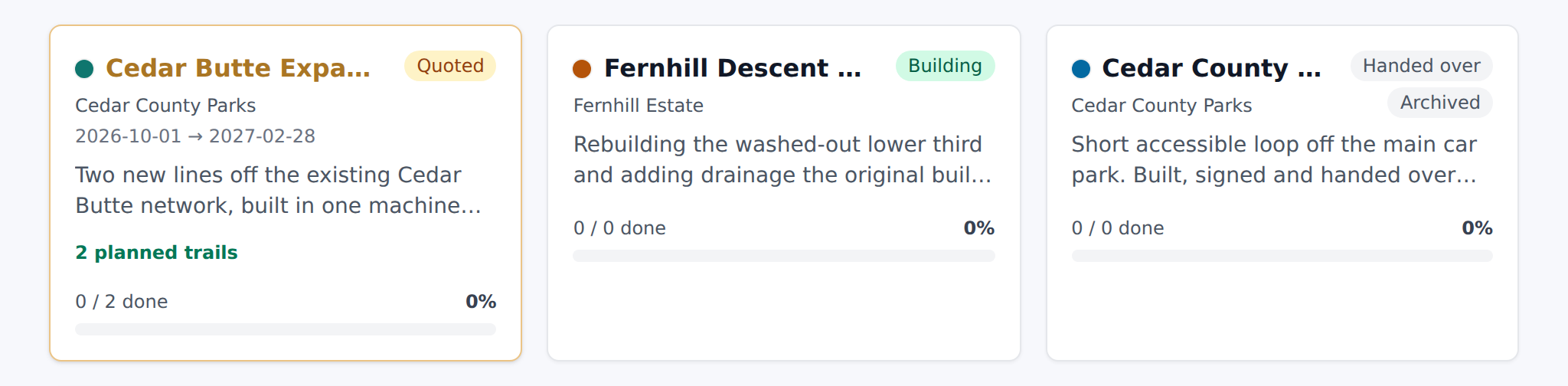
A project has two independent settings and it is worth being clear about which does what:
- Status — Active or Archived. Is this on my list at all?
- Stage — Lead through Handed over. Where is the work?
They are deliberately separate. A job can be Complete and still Active while you chase the invoice. An archived job from three years ago still reached a stage, and that history is worth keeping. Collapsing the two into one field would lose information in both directions.
Archiving and deleting clients
Archiving is what you want almost every time. Set a client's status to Archived and they drop out of the client list and out of the job picker, while every job you did for them stays exactly where it is. Use it for someone you no longer work with.
Deleting is only possible for a client with no jobs at all. TrailsIQ will refuse otherwise, and the edit page tells you so before you press anything. The reason is worth stating plainly: deleting a client would leave a pile of finished jobs with no name on them, the project records would look perfectly healthy, and there would be no way to work out afterwards who any of them had been for.
What the client sees
When a project has a client, its shared proposal page gains one line under the title: Prepared for [client name]. That is all that travels.
The contact details, the address and especially the notes stay on your side. A proposal link is a token anyone holding it can open, so the rule is that a client's own name is theirs to see and everything you have written about them is not.
Common gotchas
- No Clients in the menu. The module is off — switch it on in Settings → Workspace modules. On an operator workspace it is off by default.
- A client is missing from the job picker. They are archived. Archived clients stay on their existing jobs but are not offered for new ones.
- "This client has jobs on record and cannot be deleted." Working as intended. Archive them instead.
- Every job says Lead. New projects start there. If you imported or created a batch, set the stage on each — there is no bulk edit yet.
- Existing projects came out as Building or Complete, not Lead. Deliberate. Projects that already existed when this shipped were real work, not untouched enquiries, so active ones were set to Building and archived ones to Complete.
- Changing a stage does not archive anything, and archiving does not change the stage. They are separate on purpose.