Trails
Sharing one trail with a builder
Lend a single trail to a contractor without giving them the rest of your workspace. They see it read-only and can work its maintenance; it stays yours, and you can withdraw it at any time.
You have hired a builder for two trails. They need to see those two trails and the maintenance items on them — and nothing else.
Sharing a trail does exactly that. You give them a code; they get that one trail, read-only, in their own TrailsIQ. It stays yours. You can take it back whenever you like.
Sharing a trail
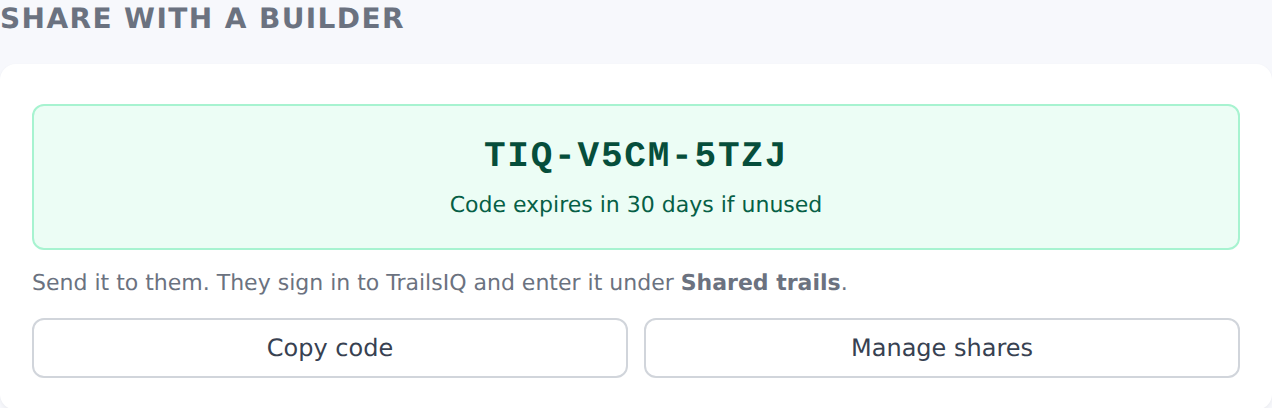
Open the trail and use Share with a builder. You get a code in TIQ-XXXX-XXXX shape.
Send it however you like. They sign in to their own TrailsIQ, open Shared trails, and enter it. The moment they do, that trail appears in their workspace — and you are told that they picked it up.
That notice matters: handing out a code is otherwise the one step here with no way of knowing whether anything happened. You cannot see their workspace, and until they file something there is nothing on your own screens to change.
Two things about the code:
- It is a credential. Anybody holding it can claim the trail, so send it the way you would send a password rather than posting it somewhere.
- It lapses after 30 days if nobody uses it. Once claimed, the share itself does not expire — it runs until you end it.
Only an owner or a manager can share a trail. Letting your ground out to an outside business is not the same decision as changing a trail's condition, so it does not follow the same permission.
What they get, and what they do not
They get that one trail. Not the network it belongs to, not your other trails, not your team, your costs, your reports or anything else in your workspace.
It appears under Shared trails in their sidebar, and opens on a page of its own: the route on a map, its length and climb, its difficulty and condition, and your description. Every page of it says who owns it, so nobody working across several jobs has to remember which trails are theirs.
On the trail itself they are a reader. They cannot rename it, redraw it, change its difficulty, condition or status, or delete it. Those stay yours. There is no edit control anywhere on their view of it — not hidden, simply not there.
What they can do is the reason to share it at all: if you leave Let them add and resolve maintenance items ticked, they can work the maintenance on that trail. That is the difference between handing somebody a map and hiring them.
They see your whole outstanding list for that trail, not just what they added — somebody hired to work a trail needs to know what is already known about it. They can add what they find, start something, and mark it done.
Open work on a trail you shared also appears on their own Maintenance page, under On trails shared with you, marked with your organization's name. It is a way in rather than a second place to work: each row opens the shared trail, which is where the actual add-and-resolve controls live. Somebody hired for two trails with thirty items between them should not have to remember which shares they hold to see what is outstanding.
Both sides can turn these off under Settings → Notifications → Shared trails in the field app. Everything a contractor does on your trail still notifies your team the way your own crew's work does — labeled with their company, never with a person's name, since a name from another business is not somebody you can look up in your own team list.
You can always tell their work from your own. Anything an outside organization raises or changes is labeled with their name, on the item itself: "Raised by Muslandia Trailworks, working a trail you shared with them", and "Last changed by …" when they close something. Your own crew's work carries no such label, so a plain item is always yours.
One thing they cannot do is put work into Pending review. That status is your triage queue, and what goes into it is your call rather than a contractor's.
Anything they log stays with you. It is your trail, so it is your maintenance record, and it does not leave with them — including after you withdraw the share.
Sharing is not the same as sending a copy
TrailsIQ has two things that both produce a TIQ- code, and they are opposites:
| Share a trail | Send a planned trail | |
|---|---|---|
| What they get | the real trail, read-only | their own copy |
| Who owns it | you, still | them |
| Your edits | they see them | they do not |
| Can you take it back | yes | no |
Use a share for a trail that exists and stays yours — a builder working on your ground. Use a transfer when you are giving somebody work to keep, like handing a finished job to the client who paid for it.
The screen you enter the code on tells you which kind it is before you accept, and says so in as many words. Read that panel rather than assuming from the code.
Taking it back
Shared trails lists everything you have lent and who holds it. Withdraw ends it, and their access goes on their next click — there is no lag and nothing to confirm on their side.
They are told, and that matters more than it sounds. A trail that simply disappears from somebody's workspace looks like an app that lost their work; a notice saying who ended the share is the difference between a withdrawal and a fault.
Nothing you get back is lost. The maintenance items they added and the work they marked done were always yours; withdrawing takes away their view, not your records.
Withdrawing is not deleting. The share stays in your history, so "who did we have on Granite Ridge last autumn" is still answerable.

In the field app, and how a withdrawal reaches a phone
A trail you have shared shows up in the builder's field app next to their own, marked as yours. They can find it on the map, open it, and — if you left maintenance ticked — report and resolve items on it from the hillside like any other trail. What they cannot do there is edit the trail or change its condition. Those controls are absent, the same as on the web.
One current limit: photos cannot be attached to items on a shared trail. The report itself always goes through, and the app says so at the time rather than dropping the pictures quietly.
Withdrawing is instant online. A phone is a different matter. A field app that has not had signal for days is working from what it last downloaded, and nothing you press here can reach it.
So a borrowed trail carries a 14-day lease. Every time their app reaches the server the lease is renewed, so a builder who syncs even occasionally never sees it happen. A phone that stays offline longer than that drops the borrowed trail — and keeps everything of their own — then picks it back up on the next sync if the share is still live.
That is the honest bound on a withdrawal: online, immediate; offline, a fortnight at the outside. It is not adjustable, because it is a safety floor rather than a preference.
Borrowed trails can be downloaded too. In the field app's Storage → Download for offline, a shared trail appears as its own row — Shared with you — beside the networks, and can be selected on its own. That matters for the person this feature is for: a builder hired for two trails belongs to no network of yours, so without that row the one screen he needs before driving out of signal would have had nothing on it to pick.
When to add them to your team instead
Sharing is for a builder on a couple of trails. It is deliberately narrow.
If somebody needs your whole network — every trail, the daily report, the conditions board, your infrastructure records — then they are working as part of your team, and Team → Members is the honest way to say so. Invite them as a field worker: they get read-only trails and full maintenance by default, and you can tune it in Settings → Roles & permissions.
The question to ask is not which is more convenient. It is how much of your workspace this person actually needs, and sharing exists so that the answer can be "two trails."
Common gotchas
- No Share with a builder panel on the trail. It is owner and manager only.
- They say the code does not work. Check it has not already been claimed — a code is single use — and that they are entering it in their own workspace rather than yours.
- "You already have this trail shared with you." They are holding it already, from an earlier code. Nothing to do.
- They cannot edit the trail. Correct, and not a fault. If they need to change the trail itself, they need to be on your team.
- They opened your trail's normal address and got nothing. Also correct. Their view of it lives under Shared trails, not at the address you use — a link you paste from your own browser will not work for them.
- They cannot see your other trails. Also correct. Share those too, or add them to your team.
- The trail vanished from their workspace. Somebody withdrew the share — and they were sent a notice saying so, which is worth checking before assuming a fault.
- An item appeared that nobody here raised. Check its label — a contractor working a trail you shared can add items, and anything they touch says so.
- They say they cannot add anything. The share was made without Let them add and resolve maintenance items. Withdraw it and share it again with the box ticked.
- A shared trail is missing from their field app and the share is still live. Their phone has been offline past the 14-day lease. One sync brings it back.
- They say the download screen is empty. They are looking for a network, and they hold none — the borrowed trails are the row below, marked Shared with you.