Settings
Plans and limits
Plans mostly limit how much you can have going at once rather than which features you get: everything your crew does is on every plan including the free one, and only a short list of planning overlays is held back. Archiving a finished project or client gives its slot straight back, and branches off a planned trail never count.
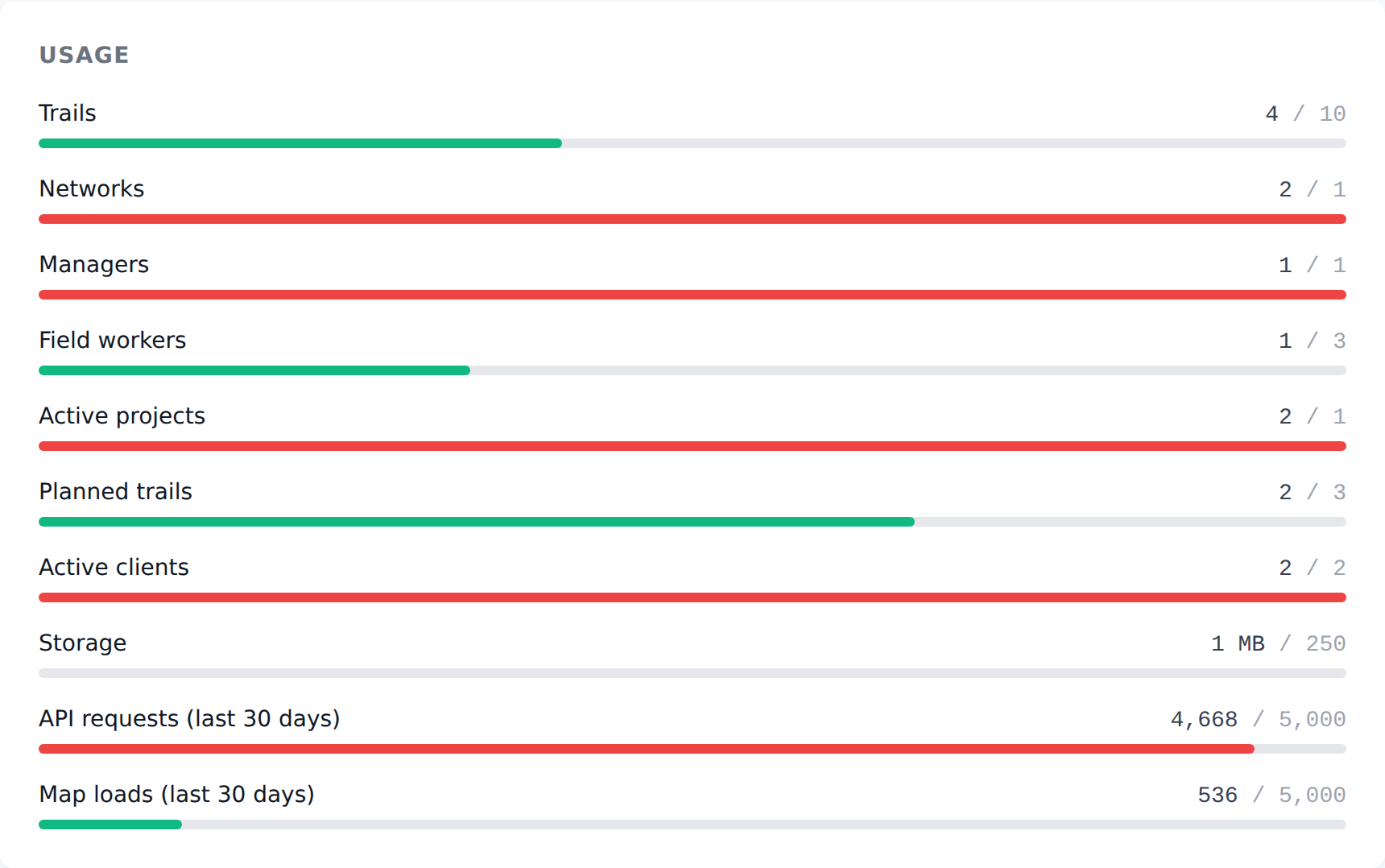
Every workspace runs on a plan, and a plan is mostly a set of limits rather than a set of features. Settings → Billing shows where you stand against each one, alongside what the other plans allow.
The short version: almost nothing is locked. The trail planner, projects, clients, the field app and the public site are on every plan including the free one. What changes with the plan is how much you can have going at once — and a short list of planning overlays, covered at the end of this page.
What is measured
Two kinds of thing.
Things you accumulate — trails, networks, managers, field workers, storage. These grow as your network grows, and they are the reason an operator moves up a plan.
Things you have going at once — active projects, planned trails, active clients. These rise and fall as work starts and finishes, and they are the reason a trail-building business moves up a plan.
You are only ever stopped by whichever one you reach first, so the two kinds do not interact. A club with three hundred trails and one project in flight is nowhere near the project limit; a builder with four jobs running and no trail network of their own is nowhere near the trail limit.
Active means active
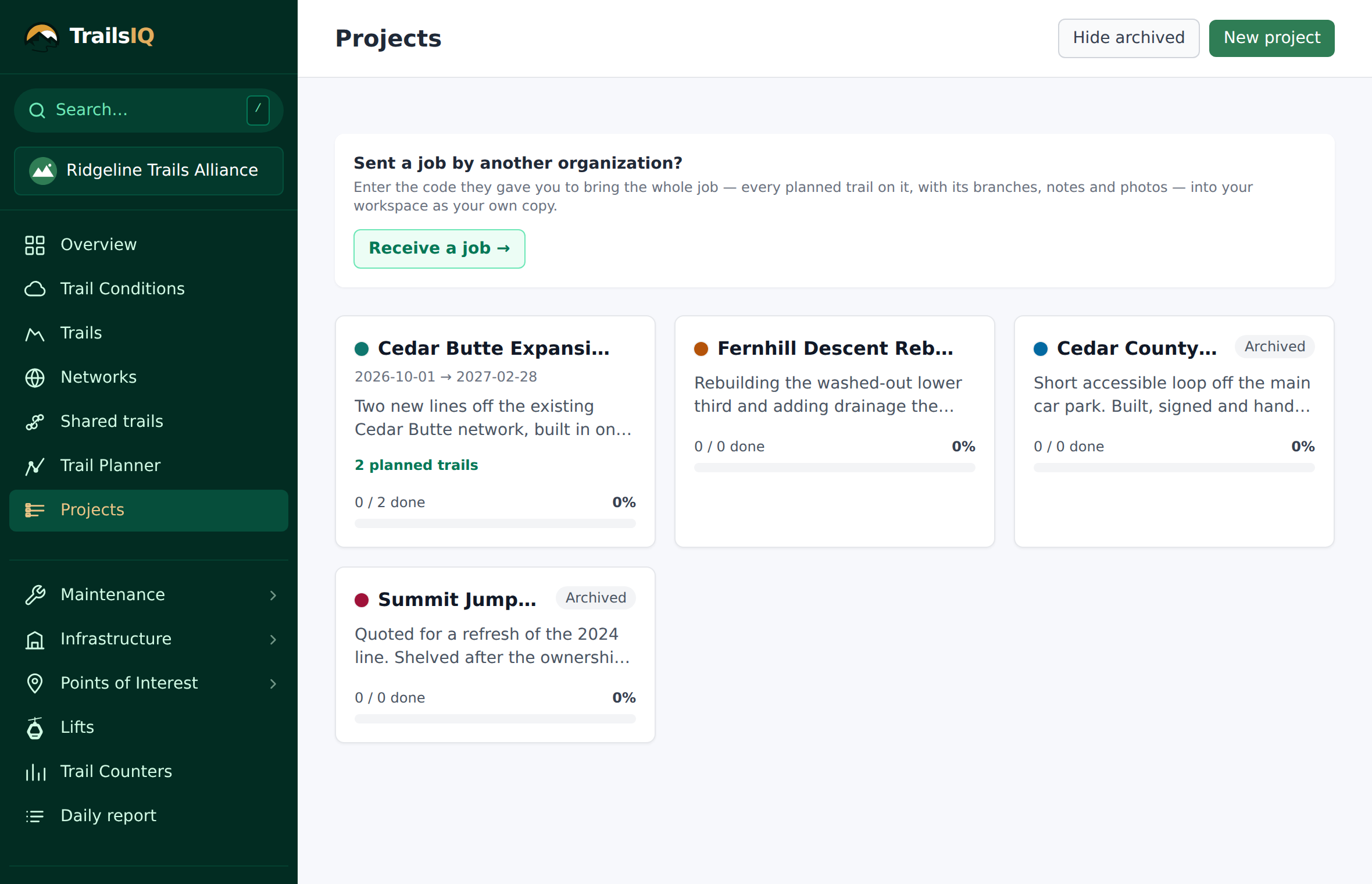
Archiving a project or a client gives the slot back. This is the part worth knowing before you need it.
Nothing is deleted, nothing is hidden from your records, and the numbers on it stay exactly where they are — an archived project keeps its trails, its maintenance items, its hours and its costing. It simply stops counting toward what you have going at once, which is what the limit measures.
Archive from the project or client page. Use Show archived on either list to find them again, and you can bring one back at any time — subject to having a slot free, since restoring it makes it active work again.
Finishing a job and archiving it is the normal rhythm. If you find yourself considering deleting something to make room, archive it instead.
Planning trails
The planner counts planned trails, and only the main lines.
Branches are free. A spur, an alternate, a reroute or a connector hanging off a planned trail does not count against the limit, however many of them you draw. Weighing three alignments against each other is the job the planner exists for, and charging for that would be charging for thinking.
Trails inside an archived project are free too, for the same reason as everything else on this page — archiving one finished job releases the project slot and every trail planned inside it in a single step.
A planned trail that belongs to no project counts. If you have been drawing lines to try things out and the number looks higher than you expected, that is usually where they are: open Trail planner and look for lines with no project against them.
When you reach a limit
You are told at the point of creating, not afterwards, and the message names what is full and what the limit is.
The Projects list also carries a running count — "3 of 5 active" — so the limit is visible before you start writing up a job rather than at the end of it. Settings → Billing shows the same figures for everything measured, with a bar per resource.
From there you have two ways forward, and they are equally normal:
- Archive something that is finished. Free, instant, reversible.
- Move up a plan. Settings → Billing lists what each one allows, and the change takes effect immediately. Each paid plan can be paid monthly or yearly — the card shows both, with the yearly saving named on the button, so you can see what the choice is worth before you make it.
The one thing that is not capacity
A short list of map overlays is on the Core plan and above: slope, aspect, hillshading, land boundaries and satellite imagery.
They are there because they answer a different question from the rest of the product. Everything else in TrailsIQ is about looking after ground you already have — and all of that is on the free plan, for as many people as your plan allows. Those five are for deciding where new trail should go: reading a hillside before you walk it, checking whose land a line crosses, seeing the actual ground under the canopy. That is design work, and it is the part somebody is usually being paid to do.
Two things worth saying plainly, because the list is the exception to the rule above:
Your crew is not affected. Everything a field worker does — the app, offline downloads, maintenance, inspections, sweeps, photos — is on the free plan. So are contour lines, which is the layer most people actually mean when they ask about terrain.
We keep the list short on purpose. It has five things on it and we would rather it had fewer. If you are on the free plan and one of these is the only thing standing between you and getting your work done, tell us — we would genuinely like to know which one.
Common gotchas
The count on the Projects list ignores the archived toggle. It always reports active projects, because that is what the limit measures. Turning on Show archived adds rows to the list without changing the number.
Restoring an archived project needs a free slot. It becomes active work again, so it takes a slot again. If you are at the limit, archive something else first.
Branches only stay free while they are branches. Detaching a branch from its parent makes it a planned trail in its own right, and it starts counting.
A member is a member on every plan. Manager and field-worker limits count people holding those roles, not people who have logged in — remove someone from Team to free a place. Owners never count toward the manager limit.
Storage counts photos, not records. If storage is what is full, the photos on maintenance items and planner notes are almost always where it has gone.
Anything that does not add up, ask us — we can see the same numbers you can and it is usually quick to explain.