Settings
Email preferences
Every user picks which emails they want — public reports, weather condition changes, plan alerts, new team members, expense reminders. Defaults to opt-in; unchecking a toggle stops the stream immediately.
Every user on your TrailsIQ organization controls their own email preferences — nobody else can change them for you. The defaults are "yes to everything except reminders" so you start out getting the important alerts and can tune them down (or up) once you know which ones actually matter to your role.
Where to set your preferences
Two places, one column behind them both:
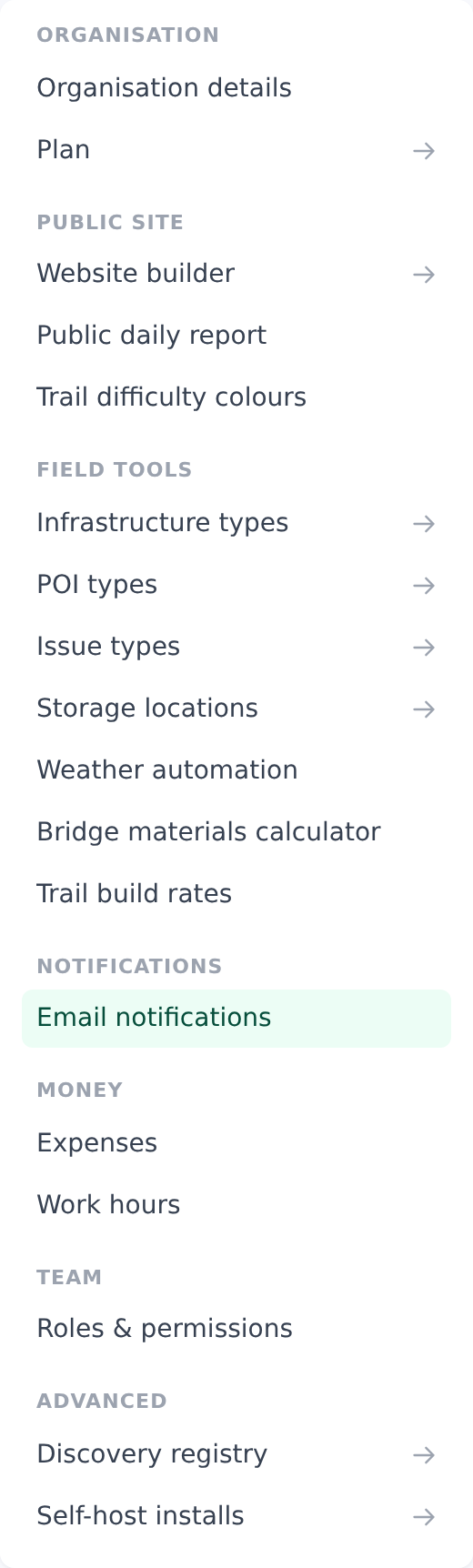
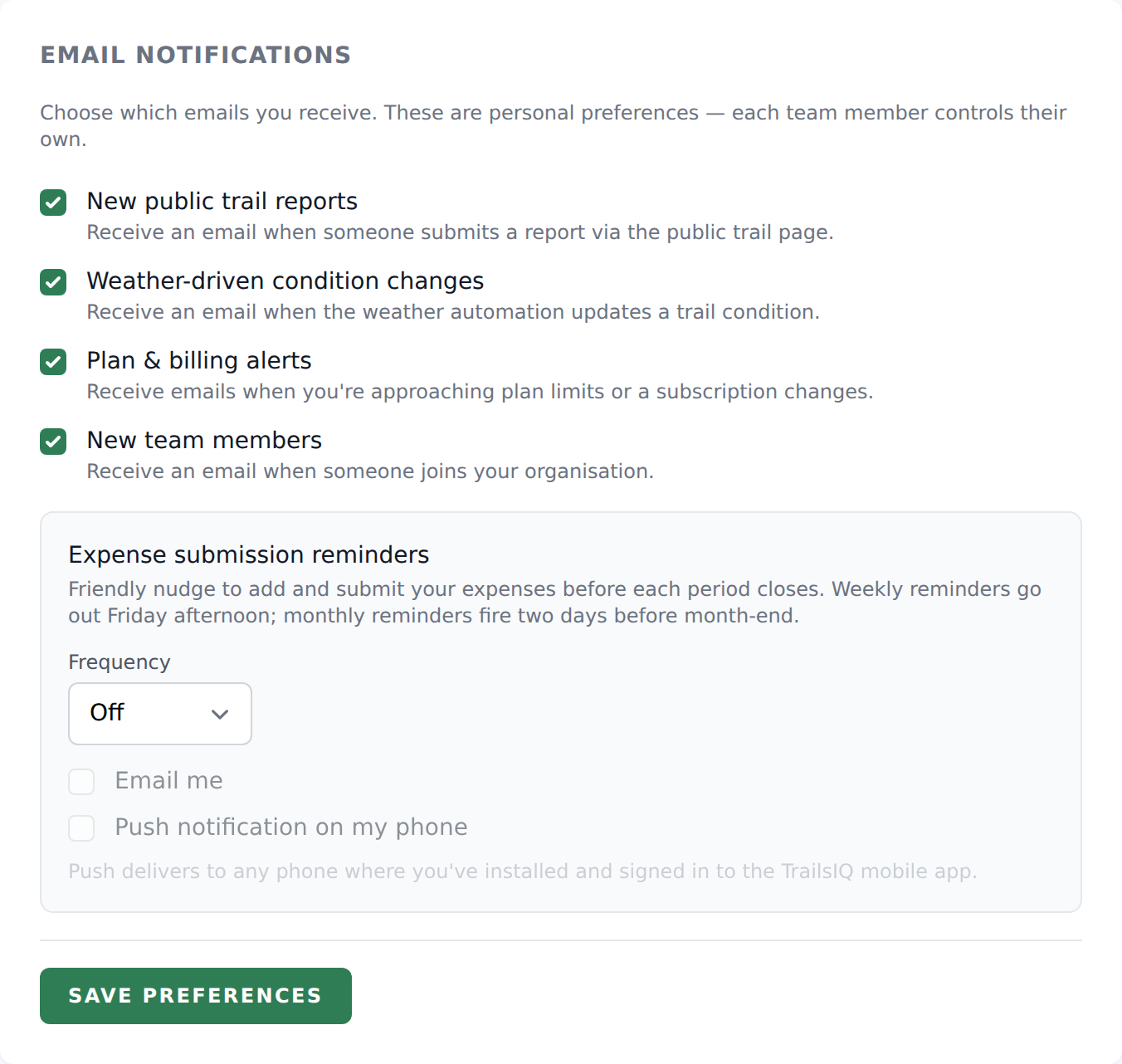
- Managers and owners open Settings → Email notifications. The sidebar entry blurb reads "Per-user opt-in for issue, daily-report, event emails, and expense submission reminders." The page header is Email notifications with a subtitle "Choose which emails you receive. These are personal preferences — each team member controls their own."
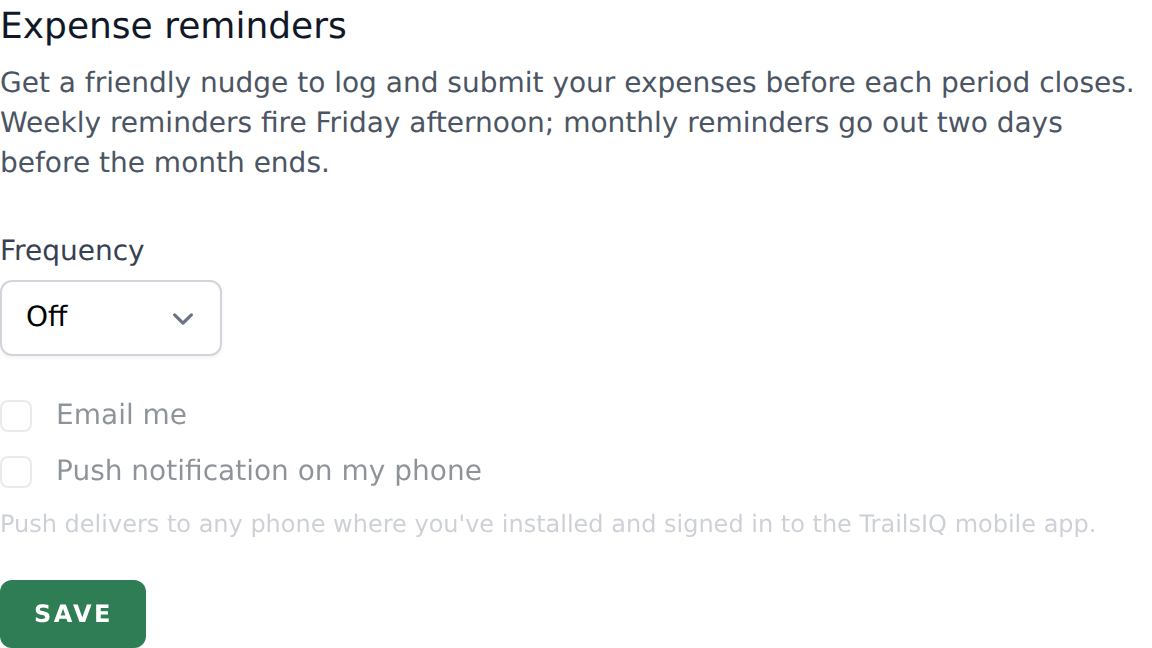
- Field workers and volunteers don't have access to Settings. They reach only the Expense reminders block on their own Profile page. Every toggle they save preserves the manager-flavoured preferences that already exist on their user record (so a manager who gets demoted to field worker keeps their settings).
The two screens are two views of one setting. Change it in either place and the other agrees immediately — there is no separate copy to keep in sync.
Every notification you can toggle
The Settings page groups the toggles into two sections. Labels below are verbatim.
One-off email alerts
- New public trail reports — "Receive an email when someone submits a report via the public trail page." Only fires on reports coming through the public
/reportapp; internal filings from the field app or dashboard don't email — they show up in the queue instead. - Weather-driven condition changes — "Receive an email when the weather automation updates a trail condition." When the weather engine flips a trail from Open to Caution (or back), you get the email.
- Plan & billing alerts — "Receive emails when you're approaching plan limits or a subscription changes." Owner-only signals: plan expiries, near-limit warnings, subscription renewals.
- New team members — "Receive an email when someone joins your organization." Triggers on both invitation-accept and join-request-approved.
Expense submission reminders
Two channels + a frequency. The block header reads Expense submission reminders.
- Frequency — Off, Weekly, or Monthly. Default: Off. Determines whether reminders are sent at all.
- Email me — send the reminder via email.
- Push notification on my phone — send via APNs to the TrailsIQ mobile app. Small print reads "Push delivers to any phone where you've installed and signed in to the TrailsIQ mobile app."
Frequency = Off silences both channels regardless of the checkboxes.
Save button: Save preferences (Saving… while in flight). Success flash: Saved.
Default behavior
TrailsIQ defaults to opt-in for every notification. If your user record has never had a preference saved, every one-off alert (public reports, weather, plan, new members) is delivered as if it were checked.
The one exception is expense reminders. A user who's never touched Settings has frequency = Off, so no reminder is sent. This keeps a fresh install from spamming users about a feature they may not use.
Under the hood, this is User::wantsEmail($key) returning $prefs[$key] ?? true — a missing key is treated as consent. Explicitly unchecking a toggle stores false and stops the email. Re-checking stores true. Neither state is the same as "never set" — but from a mail-delivery point of view, "never set" and "true" behave identically.
Manager vs field-worker options
The four one-off toggles (public reports, weather, plan, new members) are manager-flavoured and only appear on Settings → Email notifications, which field workers and volunteers can't reach.
Field workers can still receive those emails — because of the opt-in default — but they can't turn them off unless a manager does it for them. In practice this rarely matters because none of those emails are chatty. If a field worker asks to stop receiving public-report emails, a manager can edit their preferences by proxy via the Members admin page (owner / manager only).
Expense reminders are on the Profile page and available to every role. Field workers who submit expenses control their own reminder cadence.
Unsubscribing from a single email
The fastest way is the link at the bottom of the email. Every notification email carries one. It turns off that kind of email for you, it works from your mail client without signing in, and it does not expire — a message that has been sitting in your inbox for a year still works. Some mail apps also show their own Unsubscribe button at the top of the message; that does the same thing.
Mail you need in order to reach your own account — password resets, invitations, support replies — carries no link, because those are not something to unsubscribe from.
The TrailsIQ newsletter is its own switch. Its link reads Unsubscribe from TrailsIQ news and stops only the newsletter; every alert from your team keeps arriving. In the field app it is the TrailsIQ news toggle under From TrailsIQ in Settings, which is also how you turn it back on. Replying to a newsletter reaches the TrailsIQ team.
To change several at once, or to turn one back on:
- Log in to TrailsIQ.
- Open Settings → Email notifications (owner / manager) or Profile (field worker, expense reminders only).
- Check or uncheck the toggles.
- Hit Save preferences.
Owners can also edit any team member's preferences by opening the member's admin page. Field workers can't — this is a personal-preference boundary, not a permission gap.
Common gotchas
- The default is opt-in. New team members get every alert until they turn something off. If someone complains about email volume, walk them to Settings.
- Frequency = Off silences expense reminders even if you tick Email + Push. The frequency is the master switch.
- The push channel needs the field app installed AND signed in on the user's phone. No app install → no push regardless of the toggle.
- Every notification email carries an unsubscribe link. It turns off that kind of email for the person who clicked it, works straight from the mail client without signing in, and never expires. Mail you need to reach your own account — password resets, invitations, support replies — has no link, because it is not something to be unsubscribed from.
- Field workers can't reach the manager toggles. They can still receive the emails (opt-in default) — they just can't turn them off themselves.
- Saving via Profile doesn't wipe your manager preferences. The field-worker form is careful to preserve every other key in the JSON column when it writes its own values.
What's next
- If your team is getting too many New public trail reports emails, first check whether public reports are actually turned on for your organization — see the Public reports setup article for the toggle.
- Owners who want a summary of every alert going out can use the Members admin page to spot-check each team member's preferences.
- Field workers who don't submit expenses can safely leave the reminder frequency at Off.