Settings
Public reports setup
Enable or disable TrailsIQ Go for your org, understand the trail-user flow, moderate the pending-review queue, and tune the alerts your managers get when a report lands.
Public reports are TrailsIQ's channel for a trail user — a hiker, mountain biker, cross-country skier — to file a maintenance report from the trail itself without needing an account. They go through a GPS-required wizard on their phone, snap a photo, and their report lands in your queue as pending review. A manager approves it (moves it to Open) or rejects it (deletes it). Once approved, it flows through the same maintenance pipeline as anything a crew member files.
For most organizations, public reports are the single biggest source of ground-truth issue data: hikers walk hundreds of miles a week, and one report per weekend is far more than any small crew can survey. MD,
<<<'MD'
What are public reports?
A public report is a maintenance item filed by a trail user through TrailsIQ Go at /report, with no account. It has the same shape as anything your crew files — a title, a description, a location, an issue type, photos — but it arrives in a status of its own: pending review. Pending-review items don't appear on the public map, on any trail's page, or in the default Maintenance list. They wait in a moderation queue until a manager acts on them.
Public reports are gated per-organization. If you don't want to receive them, you flip a single toggle and your organization is hidden from the report wizard entirely — trail users pointing at your terrain won't be offered your org as a report target.
Enabling or disabling public reports
Public reports are on by default — with one exception. A workspace set up as a trail builder starts excluded, because TrailsIQ Go is where a hiker looks for whoever maintains the trail they are standing on, and for a building company that is usually the client rather than you. A workspace that does both starts included, like any operator.
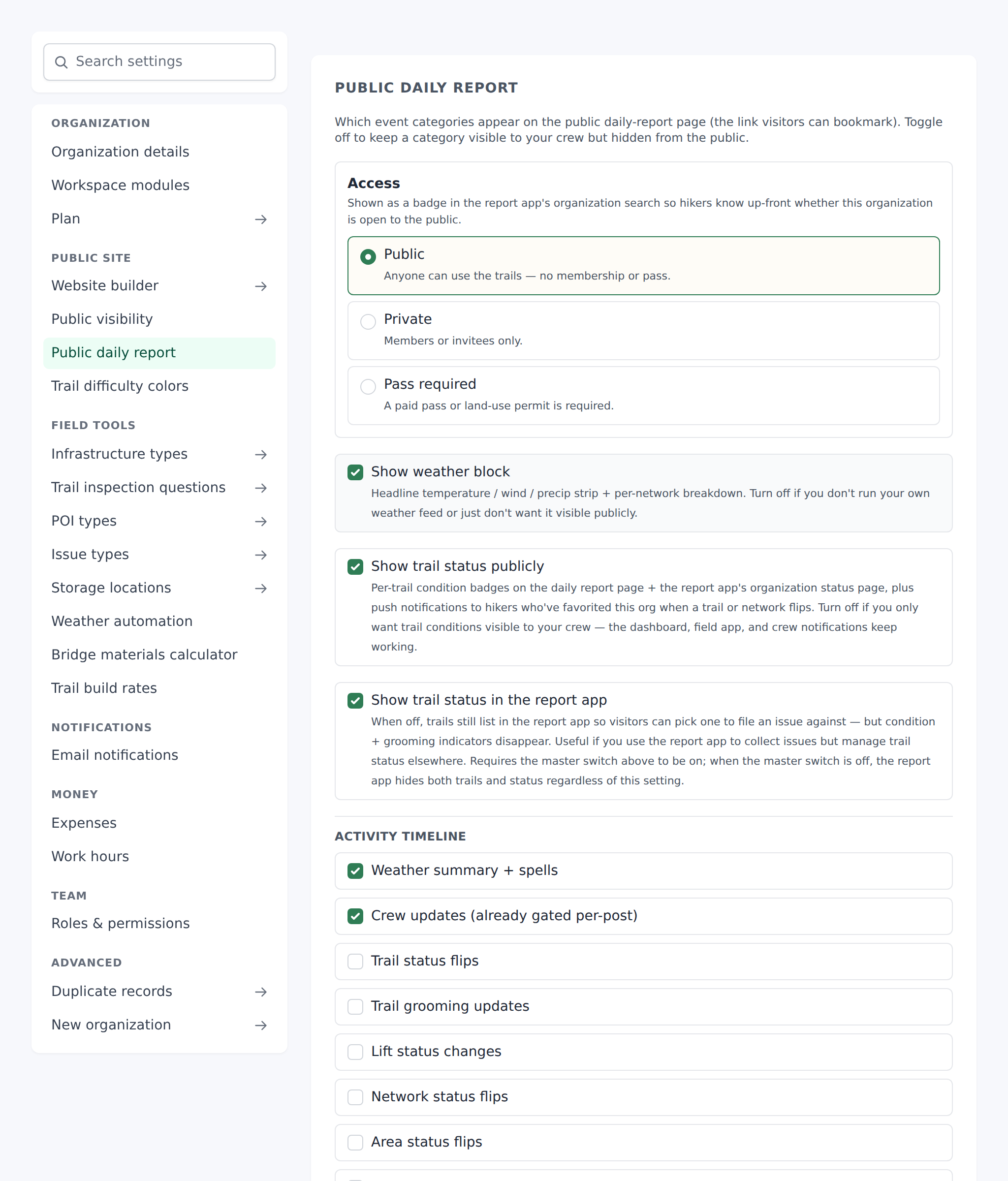
Either way it is one checkbox. Open Settings → Public visibility and look for the toggle labeled:
Exclude from TrailsIQ Go
The description reads: "Hides this organization from TrailsIQ Go — hikers won't see it in the report wizard, won't find it via 'near me' discovery, can't save it as a favorite, and get no notifications from it. Your public hub page is a separate setting below. Your crew + the field app keep working normally."
The section is its own rather than part of Public daily report, and that is deliberate: a builder workspace switches the daily report off, so a control living inside it would be invisible to exactly the workspaces this default acts on.
Turning that toggle on does four things:
- Your organization stops appearing in the report wizard's org picker (so the app can't route a report to you).
- A report aimed at your organization anyway is refused with a plain "Trail not found." — nothing tells the sender that you exist and have reports switched off.
- Trail users stop getting notifications from you, and can no longer save you as a favorite.
- Your organization is dropped from "near me" discovery in the public app.
Your public hub page at /hub/{slug} is not affected — it stays up, so a builder can still point clients at it. Everything else — the field app, the dashboard, invited members, existing trails — keeps working too. This is a public-facing switch only.
Hiding your public hub page
The hub has a switch of its own, right under the first one:
Hide public hub page
Turn it on and your /hub/{slug} page returns "not found", the trail-status widget you can embed on your own website shows as unavailable, and your pages are left out of search engine sitemaps. It is independent of the report-app switch: you can hide either one, both, or neither. Every workspace starts with its hub visible, trail builders included.
What the trail user sees
TrailsIQ Go lives at app.trailsiq.com/report (the same central URL for every organization — there is no per-org subdomain). It requires GPS on the phone; if the browser can't get a fix, the wizard tells the user to enable location permissions and try again.
Once GPS is granted, the flow is three steps:
- The photograph — and it is required. The camera opens first on purpose: working out which trail somebody is standing on takes a few seconds, and the app spends them while the picture is being taken instead of making the reporter wait first. Up to 3 photos at 5 MB each.
- Where — this step only appears when there is something to ask. If more than one organization has a trail in range, the reporter picks which one receives the report; if more than one trail is close, they pick the trail. If an issue has already been reported within about 50 meters they are shown it and can confirm that one instead of filing a second. When the app has settled all of it on its own — one organization, one trail, nothing filed nearby — the step is skipped and they go straight to the last one. If they are not within roughly 30 meters of a known trail, the app tells them to move onto the trail before filing.
- What's going on? — a description box, and their name if they want to give one (optional, defaults to Anonymous).
Nobody is asked what kind of issue it is, and nobody is asked to confirm a pin. The coordinates are the fix the app already took while they were photographing, and the title is built from the trail they are on plus the first issue-type word the app recognizes in their description — so "big blowdown across the corridor" on Owl's Ridge files as Owl's Ridge — Blowdown. The words it recognizes are the same list your Settings → Issue types page controls.
On success the reporter sees a thank-you screen: Report submitted! "Thanks for keeping the trails safe. Your report has been sent to the {your-org-name} crew."
Offline case (weak signal at the trailhead) — the report is queued in the app's local storage and a "Saved — no connection right now" screen tells the user it'll upload automatically once their phone gets a signal.
Duplicate case (the trail user hit a "confirm existing" button on a report already known to your crew) — they see "Thanks for confirming! The {your-org-name} crew already knows about this one. Thanks for stopping to check — that's a real help."
TrailsIQ Go also asks "Follow {your-org-name}?" after a successful submission — this is a native-app-only prompt that lets the reporter subscribe to your organization's push notifications for trail-condition changes. Useful for turning a one-off reporter into a returning informant.
Rate limiting and spam protection
Anonymous endpoints are honey for bots, so the report submission path has layered defenses:
- IP rate limit — 3 successful reports per 10-minute window per IP. Anything over that gets a 429 with the message "Too many reports from this address. Please try again later."
- A trap field — a form field the wizard hides from people and leaves in the page for bots. Anything that fills it is answered as though it had worked, so it doesn't come back and try again.
- Client middleware — the endpoint requires a specific request header set by TrailsIQ Go. Curl-based abuse without that header gets a 403.
- Photo caps — max 3 files, 5 MB each.
- Text caps — every text field is length-limited server-side.
There's no visible CAPTCHA on the report flow — the layered defense above has been enough. If spam rates ever spike, the admin panel has an audit log for public-report submissions per IP for investigation.
Moderating: approve or reject
Every public report lands as pending review. The pending-review count shows as a red badge on the Maintenance sidebar entry — that's the "someone needs to look at this" signal.
Open the Maintenance list, filter by Status → Pending review, and each row opens its Show page in the queue. Two moderation buttons live at the top of the page:
- Approve — flips the status to Open and adds the item to the main queue. Confirms with "Approve this report and move it to Open?" Success flash: "Approved and moved to open." Any bell notification about the pending-review submission is cleaned up so it doesn't linger.
- Reject — permanent delete. Asks "Reject and delete this report? This cannot be undone." with a box for an optional reason; Cancel backs out. The report is gone, its photos with it, and every notification referring to it is removed. Use this for spam, duplicates, or obviously-not-real reports.
The reason is for the reporter, and only reaches one who has an account. A trail user who signed in to the report app and sent the report under their name sees Not added against it in their list, with your reason beside it when you gave one. An anonymous reporter never sees it. Keep it short and kind — "Already on our list", "That trail is on private land".
A report sent from an account carries the reporter's email under Reporter, next to their name, as a link. That is the address to write to when a report needs a follow-up question; reports sent anonymously have no way to reach the person, as before.
Once approved, the item is a normal maintenance issue — set its priority, link it to a project, dispatch a crew, close it when done. Reject is destructive: the report itself is not kept, so be reasonably sure before hitting it. It still counts toward the reports received on the Work report, marked as rejected.
The quick-status endpoints (the inline In progress / Resolved buttons on other maintenance items) refuse to work on pending-review items — the error surfaces as "Use approve or reject for pending-review items." The moderation flow is intentional, not a shortcut.
Notifications to your team
When a public report lands, TrailsIQ tries hard to make sure someone actually sees it.
- In-app bell notification — every active owner and manager gets one. The dashboard's bell icon shows a red dot immediately.
- APNs push notification — sent to every owner / manager who has the TrailsIQ mobile app installed. Title: "Trail report needs review". Body: "{report title} · {trail name}".
- Email — subject: "New trail report: {title}". Only sent to users who have New public trail reports enabled in their email preferences (default is enabled — see the Email preferences article for details).
If you find your inbox is loud, uncheck the email preference; you'll still get the in-app bell and the push notification.
Common gotchas
- Public reports are on by default for every organization. You opt out, not in. If you're deploying to a private landowner org that doesn't want public visibility, remember to flip the toggle.
- There is no per-org URL. Every organization shares
app.trailsiq.com/report— the trail user picks the org from a "near me" list inside the app. Turning off the report toggle removes your org from that list. - Rejecting a report is a hard delete. No soft-delete, no "hide from queue", and nothing of the report to look back at. Only the count survives, on the Work report. If in doubt, approve — you can always mark it as resolved without action later.
- A public report is always pending-review. Even if a logged-in owner tests the /report flow from their own account, the report lands as pending-review. The moderation gate is on the API, not the user identity.
- GPS is mandatory on the trail user's side. No manual "here's where I was" — the app refuses to send a report without a live GPS fix. This is deliberate: it kills the "someone reports from home about a trail they've never seen" spam.
- The email notification obeys the recipient's preferences. In-app bell + APNs push are always delivered; email is opt-out.
What's next
- If you want to reduce alert volume, turn off New public trail reports in your Email preferences — you'll still see everything on the bell and APNs. See the Email preferences article.
- Bulk-close old pending-review items? There's no bulk action today — each report needs an approve or reject decision on its Show page.
- Group approved reports into a project (e.g. "Storm cleanup 2026") so your rollup dashboard shows the whole cleanup as one thing. See Projects and work planning.